Shopify Sales Report: Types, Metrics & How to Use Them

Shopify Sales Reports Explained: How to Understand Revenue, Orders, Refunds, Taxes, and Discounts
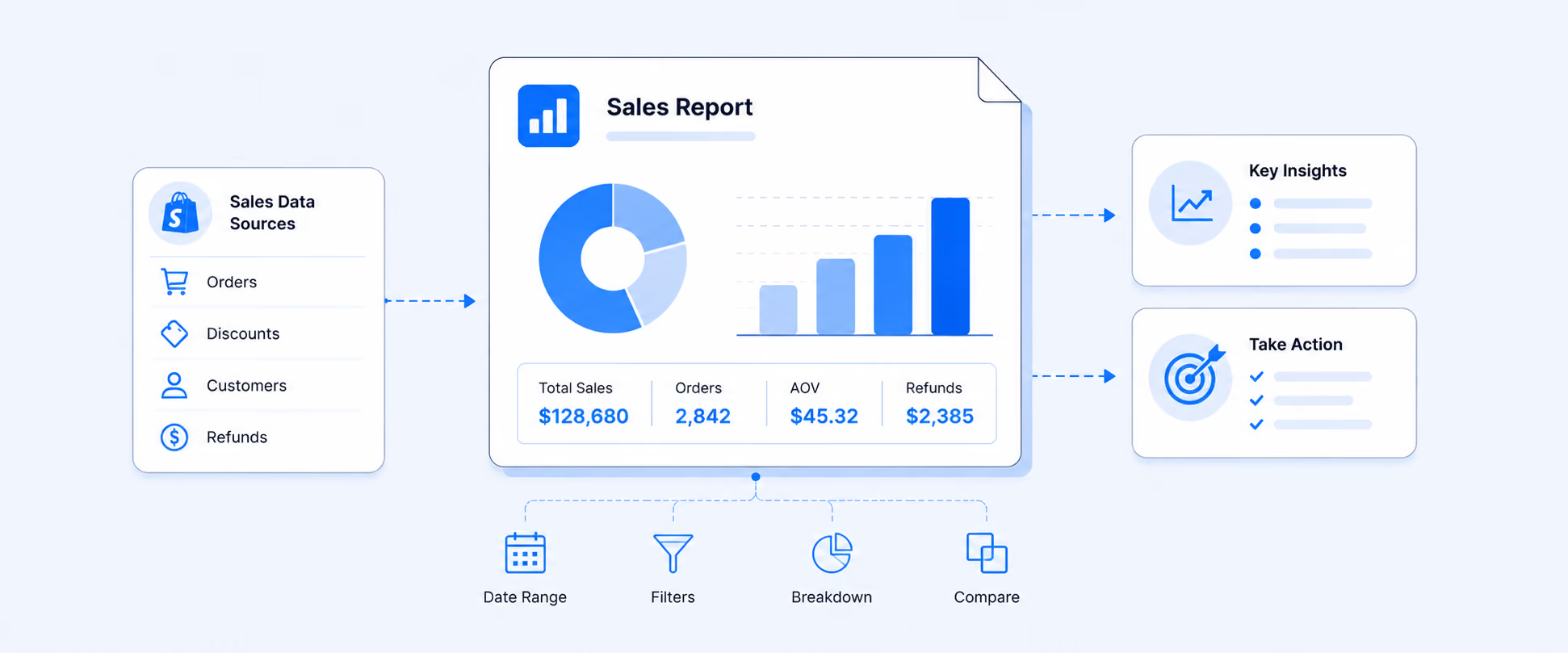
A Shopify sales report shows the value of sales activity over a period, including sales and reversals such as refunds, returns, cancellations, and edits. Find them under Analytics > Reports, filtered to the Sales category. Read them as sales activity, not cash deposited, because report totals will not match payout deposits.
Sales reports are where most Shopify merchants go first when they want to understand store performance.
That makes sense. Sales data tells you what sold, when it sold, which products performed, which channels brought revenue, how discounts affected sales, and how returns or reversals changed the final numbers. But Shopify sales reports can also be easy to misread if you treat every number as the same kind of revenue.
A sales report is not a payout report. An order report is not the same as a sales report. Gross sales, net sales, total sales, returns, taxes, and shipping all answer different questions. Once those differences are clear, Shopify reports become much easier to use for decisions around products, marketing, inventory, finance, and operations.
A Shopify sales report shows the value of sales activity in your store over a period, including sales and reversals such as refunds, returns, cancellations, and edits. Find them under Analytics > Reports, filtered to the Sales category. Common views include Total sales over time, sales by product, vendor, discount code, and channel. Read them as sales activity, not cash deposited.
What Shopify Sales Reports Actually Show
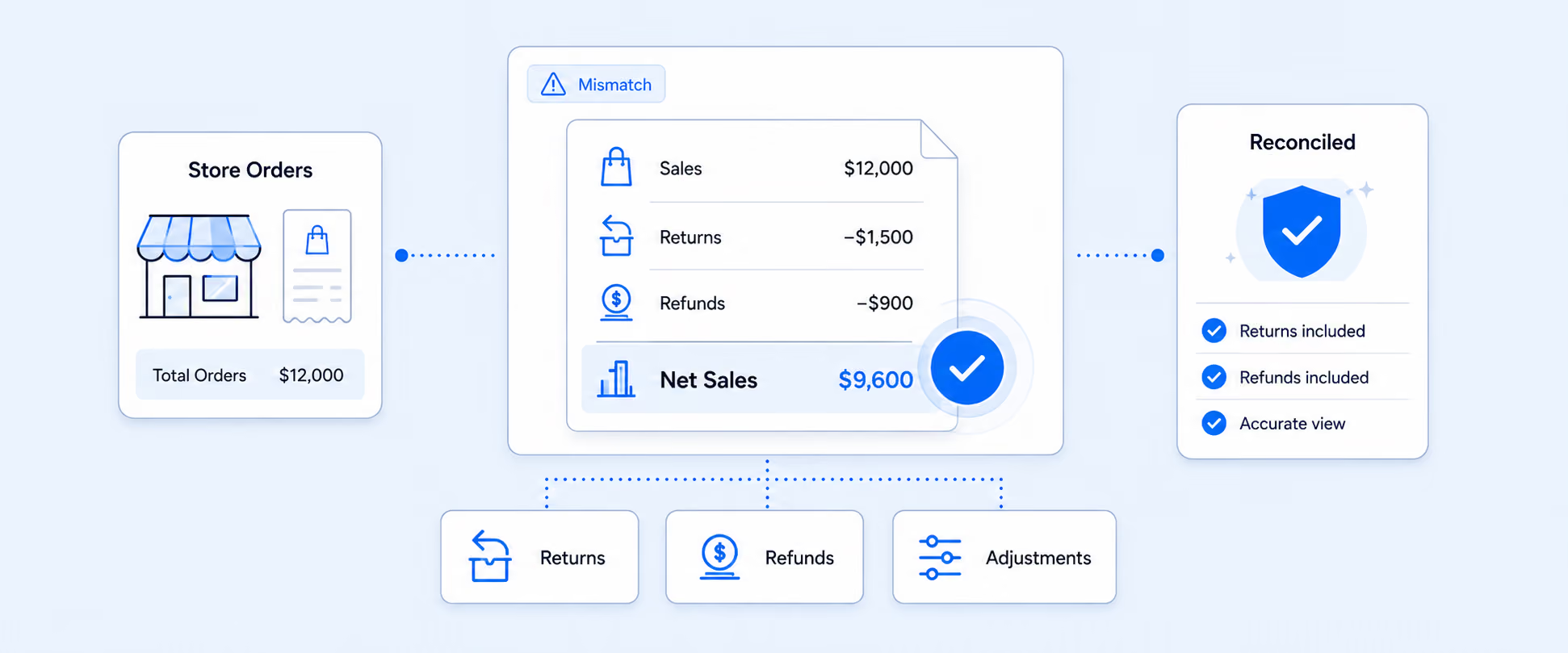
Shopify sales reports help you understand the value of sales activity in your store. They include sales and reversals, which means they account for both positive sales activity and negative adjustments such as refunds, returns, cancellations, order edits, shipping adjustments, tax adjustments, fee adjustments, and discount adjustments.
This is important because a sales report is not just a list of orders. It is a financial view of sales activity over time.
A sale appears in the report when the customer places an order. A reversal appears when an adjustment creates a negative value. That is why sales reports can show changes after the original order date, especially when refunds, cancellations, or edits happen later.
Sales reports are useful when you want to answer questions like:
- Which products drove the most revenue?
- Which discounts converted into real sales?
- Which vendors contributed the most?
- Which sales channel is growing?
- How much did returns reduce net sales?
- Which customer groups are buying more often?
The key is to read the report based on what it is measuring: sales activity, not cash movement.
Sales Reports Are Not Payment Reports
This is one of the most important distinctions in Shopify reporting.
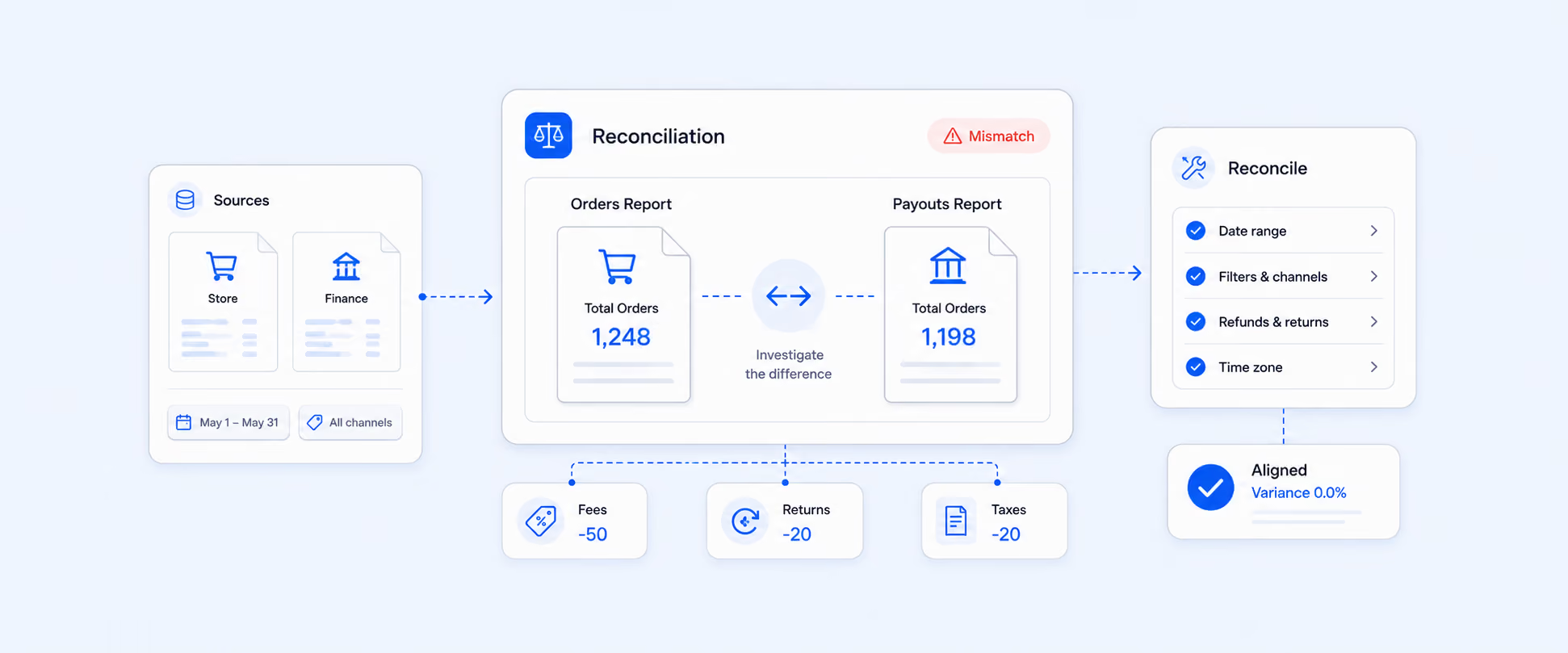
Sales reports do not track money moving between you and your customers. They show the value of goods included in a sale, not necessarily the amount of money deposited into your bank account. Payment timing, payout schedules, gateway fees, refunds, and chargebacks can make bank deposits look different from sales totals.
That means a merchant should not expect the sales report total to match a payout deposit exactly.
Use sales reports to understand revenue activity. Use payment and finance reports when the question is about payments, refunds, deposits, fees, and bank reconciliation. This one distinction prevents a lot of unnecessary confusion during month-end review.
Sales Reports vs. Order Reports
Sales reports and order reports are related, but they are built for different jobs.
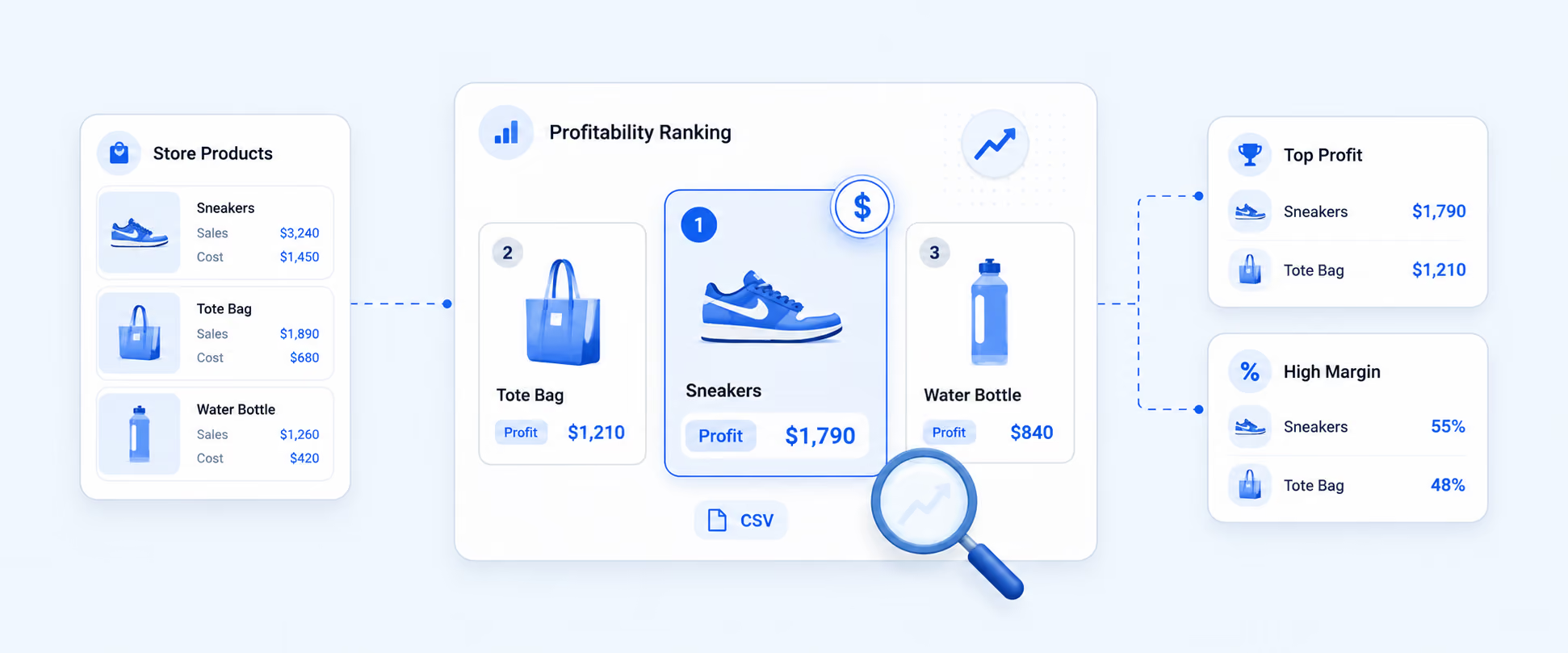
Sales reports focus on revenue performance. They help merchants analyze sales by product, product variant, vendor, discount code, referrer, billing location, currency, sales channel, customer, and time period. They are strongest when the question is about revenue, discounts, returns, taxes, product performance, or channel performance.
Order reports focus more on operational movement. They help merchants understand order volume, fulfillment, shipping, delivery, returns, shipping labels, and product combinations bought together. Default reports in the Orders category have tighter editing limits, except for shipping label reports, so they are less flexible than many sales reports.
A simple way to remember it:
Sales reports explain how revenue changed.
Order reports explain how orders moved through the business.
Both matter. A finance team may care more about sales reports. An operations team may spend more time with order and fulfillment reports.
Key Shopify Sales Metrics to Understand
Sales reports become much easier to read when the core terms are clear.
Gross sales shows demand before adjustments. Net sales is usually more useful for performance review because it reflects discounts and reversals. Total sales is broader, but it needs to be read carefully because taxes, shipping, duties, and fees can affect the number depending on the report.
Where to Find Shopify Sales Reports
You can find sales reports in Shopify from:
Analytics > Reports > Category Filter > Sales
From there, choose the report that matches the question you are trying to answer. If you need order performance instead of sales performance, use the Orders category instead. Order reports are available from the same Reports area by filtering the category to Orders.
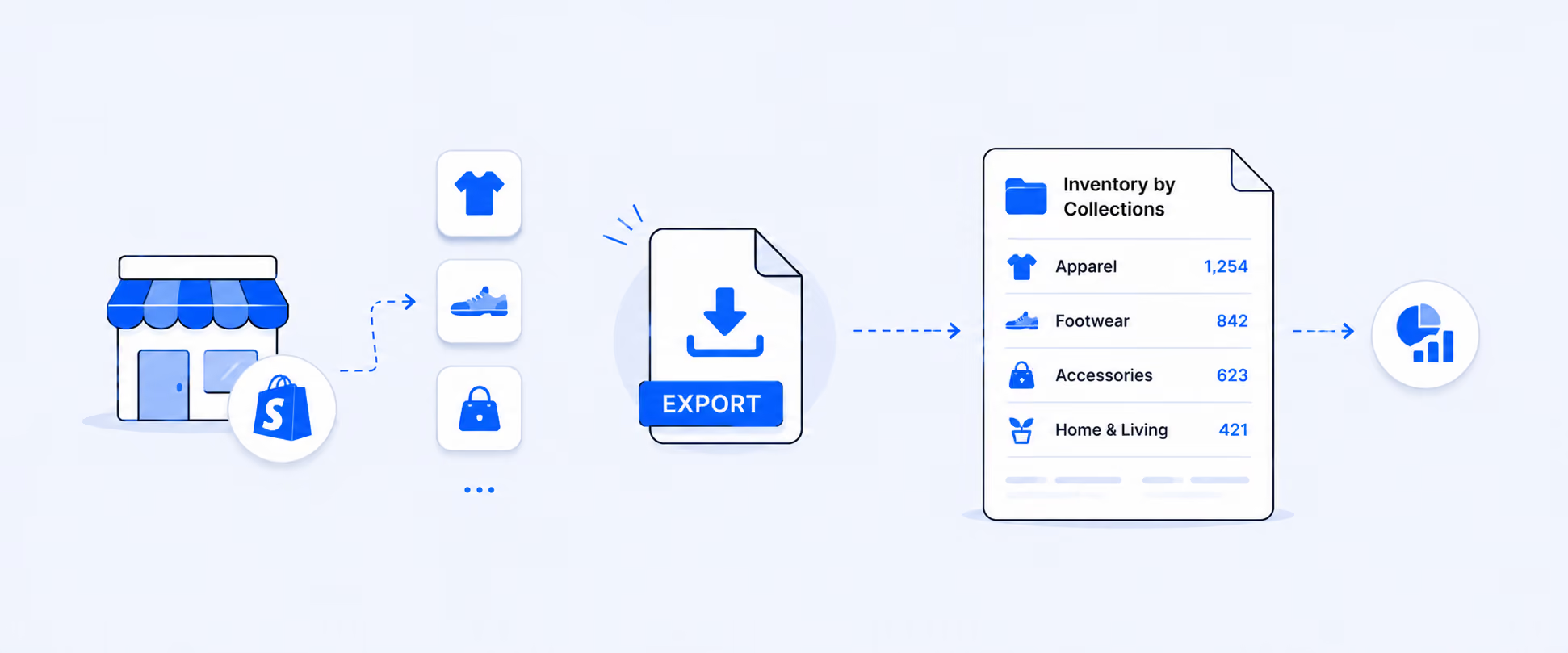
Reports can also be exported from Shopify. Many reports can be exported in formats such as CSV, XML, JSONL, and Parquet, which is useful for one-time analysis or accountant review.
The Native Sales Reports Merchants Use Most Often
Most merchants do not need every sales report every day. They need the right report for the decision in front of them.
The Total Sales Over Time report is useful when you want to see how sales change by day, week, month, quarter, or year. It helps show seasonality, campaign impact, growth patterns, and dips that need investigation. Shopify’s sales reports can group this data by different time units and compare different date ranges.
The Total Sales by Product report is useful when the question is merchandising or inventory. It shows product-level sales, but shipping is not included because shipping charges cannot be cleanly allocated across products in an order. That detail matters when merchants compare product sales with total order revenue.
The Total Sales by Product Variant report is better when product-level reporting is too broad. A shirt may sell well overall, but the black medium variant may be doing most of the work. Variant-level reporting helps with purchasing, replenishment, merchandising, and product planning.
The Total Sales by Vendor report helps merchants compare supplier or brand performance. It is useful for vendor negotiations, supplier scorecards, inventory planning, and product sourcing decisions.
The Sales by Discount Codes report helps evaluate promotions by showing how discount codes and automatic discounts contributed to sales.
Sales by referrer, billing location, currency, sales channel, and customer name all answer more specific questions. They help merchants understand where buyers came from, where demand is strongest, which currencies are used at checkout, which channels drive sales, and which customers generate revenue. Some reports depend on setup. For example, the Total Sales by Currency report is available only when the store uses Shopify Payments.
Native Order Reports That Support Sales Decisions
Order reports help explain what happens after the sale.
The Orders Over Time report shows order volume, average units ordered, average order value, and returned items across the selected period. The Orders and Reversals by Product report helps identify which products were ordered most often and which products were removed from orders most often through refunds, returns, cancellations, or edits.
The Shipping and Delivery Performance report helps merchants understand the time it takes for orders to move from receipt to fulfillment, shipping, and delivery. The Orders Fulfilled Over Time report tracks fulfilled, shipped, or delivered orders over a selected period. These reports are useful when sales are strong but customer experience depends on how quickly the business processes and delivers orders.
The Items Bought Together report is especially useful for merchandising. It shows common product combinations purchased together, which can support bundle ideas, upsells, cross-sells, and promotion planning.
When Shopify Sales Reports Start to Feel Limited
Native Shopify sales reports are useful, and Shopify now gives merchants more flexibility to customize reports, save them under a custom name, and return to them later. That works well when a merchant needs the same view of Shopify data, with the same filters, columns, or breakdowns.
The first limitation starts when the report needs business logic that goes beyond Shopify’s available reporting structure. A merchant may need a vendor commission formula, a contribution margin view, a custom COGS calculation, a payout-ready sales report, or a report that separates subscription revenue from one-time purchases in a very specific way. These are not just saved views. They are custom calculations built around how the business actually operates.
A second limitation appears when sales data needs context from outside Shopify. Marketing costs, subscription apps, payment gateways, return platforms, shipping apps, POS workflows, and fulfillment tools can all affect the final business answer. If the sales report needs those data points, a native Shopify report may only show part of the picture.
The third limitation appears when reporting becomes a recurring workflow. Saving a report helps you access it again, but teams may still need to export it, clean columns, add formulas, format it for finance or operations, and send it to the right people on schedule. At that point, the problem is no longer just reporting. It becomes a manual workflow that takes time every week.
Practical Sales Reporting Workflows Merchants Often Need
A finance team may need a daily sales report with gross sales, discounts, returns, taxes, gift cards, payment method, payout date, and net sales in one file. That is not just a sales report. It is a reconciliation workflow.
A merchandising team may need sales by product, variant, vendor, collection, inventory level, and return rate. That view helps answer which products should be reordered, discounted, bundled, or discontinued.
A retail team may need sales by POS location and staff member, with refunds and discounts included. That helps evaluate store performance, staffing, and commission or incentive programs.
A marketing team may need sales by channel, referrer, discount code, UTM campaign, and customer type. That helps separate traffic that only gets clicks from traffic that actually converts into revenue.
These workflows use sales data, but each one needs a different reporting shape.
How Report Pundit Helps With Sales and Order Reporting
Report Pundit becomes useful when a merchant needs sales reporting to become a repeatable workflow.
Instead of exporting data, adding formulas, rebuilding filters, and sending the same spreadsheet again next week, merchants can create reports that match how the team actually reviews sales. That can include sales by product, variant, vendor, POS location, staff, discount code, channel, customer, collection, billing location, checkout currency, fulfillment location, refunds, draft orders, bundles, COGS, payment terms, and outstanding payments. The existing report library and sales and order report examples cover many of these use cases.
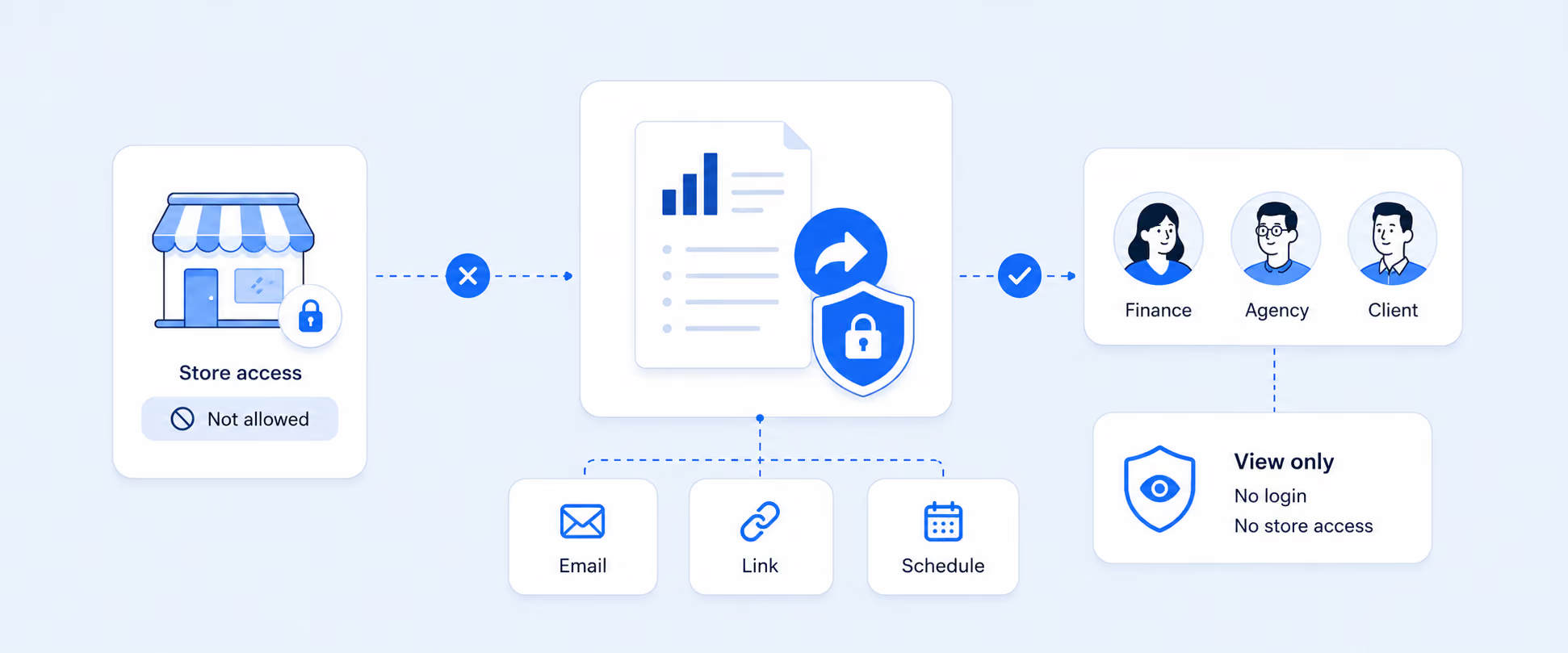
The workflow change is the real benefit. A finance team can receive a sales and refund report on schedule. An inventory team can get product and variant movement by location. A store manager can review POS staff performance. A vendor manager can calculate payouts. A founder can track sales trends without checking several reports manually.
Report Pundit also supports custom reports, scheduled exports, and destinations such as Excel, CSV, PDF, Slack, and Google Sheets, which helps teams move beyond one-time downloads into recurring reporting workflows.
How to Create a Better Shopify Sales Report
Start with the decision, not the report name.
If the decision is about revenue quality, focus on gross sales, discounts, returns, net sales, taxes, and total sales. If the decision is about inventory, add product, variant, SKU, vendor, collection, location, and net quantity. If the decision is about finance, include payment method, payout context, refunds, taxes, gift cards, and shipping. If the decision is about marketing, include sales channel, referrer, discount code, UTM fields, customer type, and campaign context where available.
Then decide whether the report is a one-time view or a recurring workflow. If it is a one-time analysis, a native Shopify report and export may be enough. If the same report is needed every week, needs formulas, includes app data, or must be sent to another team, a custom reporting workflow becomes more practical.
Native Shopify Sales Reports vs. Custom Sales Reporting
Native Shopify reports are best when the question is straightforward and the data already lives inside Shopify. They are useful for reviewing sales by product, vendor, discount, channel, billing location, customer, and time period.
Custom sales reporting becomes more useful when the report needs custom fields, calculated metrics, recurring delivery, third-party app data, multi-store views, or stakeholder-ready exports. That is usually the point where a merchant stops asking, “Which report should I open?” and starts asking, “How do I make this reporting process run every week without manual work?”
Common Mistakes to Avoid
The biggest mistake is comparing sales reports to bank deposits. Sales reports show the value of sales activity, not the timing of cash movement.
Another common mistake is treating gross sales as the cleanest measure of performance. Gross sales can make demand look strong, but discounts and reversals may tell a different story. Net sales is often more useful for understanding what remained after major adjustments.
Product-level reporting has its own trap. Shipping is not included in product and variant sales reports because shipping cannot be cleanly assigned to individual products when an order contains multiple items. That matters when a merchant compares product sales with full order totals.
A final mistake is ignoring report scope. Subscription reports only show data when subscriptions are sold through the relevant Shopify setup. Bundle reports only show data when bundles are sold through Shopify Bundles. POS and retail reports depend on retail activity and plan or POS setup. Read the report based on the store context, not just the report name.
Conclusion
Shopify sales reports are powerful when merchants understand the role each report plays in the business. Some reports help explain revenue performance. Some show how orders move through the store. Some support payment reconciliation, inventory planning, retail analysis, customer understanding, and channel-level decision-making. When these reporting contexts are clear, sales data becomes easier to trust and easier to act on.
Report Pundit helps when the next step is not just viewing sales and order data, but shaping that data around the way the business actually operates. Teams can bring together the right fields, calculations, filters, formats, schedules, and delivery workflows so finance, inventory, marketing, retail, and leadership teams can get the answers they need without rebuilding reports manually every week
FAQ's
What Are Shopify Sales Reports?
Shopify sales reports show sales activity in your store, including sales and reversals such as refunds, returns, cancellations, order edits, tax adjustments, fee adjustments, shipping adjustments, and discount adjustments. They help merchants analyze revenue by product, channel, vendor, discount, customer, location, currency, and time period.
Where Can I Find Sales Reports in Shopify?
Go to Analytics > Reports, then use the Category filter and select Sales. For operational order reports, use the same Reports area and filter by Orders.
What Is the Difference Between Sales Reports and Order Reports?
Sales reports focus on revenue and sales performance. Order reports focus on order volume, fulfillment, shipping, delivery, returns, and product combinations. Sales reports are usually better for finance and merchandising. Order reports are usually better for operations and fulfillment review.
Why Do My Shopify Sales Reports Not Match My Payouts?
Sales reports show the value of goods included in sales and reversals. They do not track money moving between the customer, payment provider, and your bank account. Payout timing, payment gateways, refunds, fees, and chargebacks can all make payout totals differ from sales totals.
Can Shopify Sales Reports Be Exported?
Yes. Many Shopify reports can be exported in formats such as CSV, XML, JSONL, and Parquet. Exports are useful for spreadsheet analysis, accountant review, and one-time reporting needs.
When Should I Use Report Pundit for Sales Reports?
Report Pundit is useful when sales reporting needs custom fields, calculated metrics, scheduled delivery, app data, multi-store views, or recurring exports for finance, operations, vendors, staff, or leadership. It is especially useful when the same report has to be rebuilt or shared repeatedly.

5.0 ( 2000+ Reviews)