Shopify Integration Reports: Unify App Data in One Dashboard
Shopify Integration Reports: Bring Your Store and App Data Into One Dashboard
The hard part of Shopify reporting usually is not the report itself. It is the fact that the answer lives in five different places.
Sales are in Shopify. Campaign performance is in ad platforms. Subscription metrics live in subscription apps. Payouts and fees are often easiest to understand in payment tools. Shipping and returns data can sit in separate operational systems. Shopify Analytics does give merchants a unified reporting experience for store activity, visitor behavior, web performance, and transactions inside Shopify. But once the business depends on several apps, teams still end up hopping between dashboards and rebuilding the same spreadsheet logic every week.
That is where integration reporting matters. Instead of looking at each tool separately, you bring Shopify and third-party app data into one reporting layer so the business can ask better questions and get faster answers. Shopify’s own enterprise guidance frames fragmented data as a real operating problem because it leads to slower decisions, stale information, and inconsistent visibility across teams.
What a Shopify integration report really does
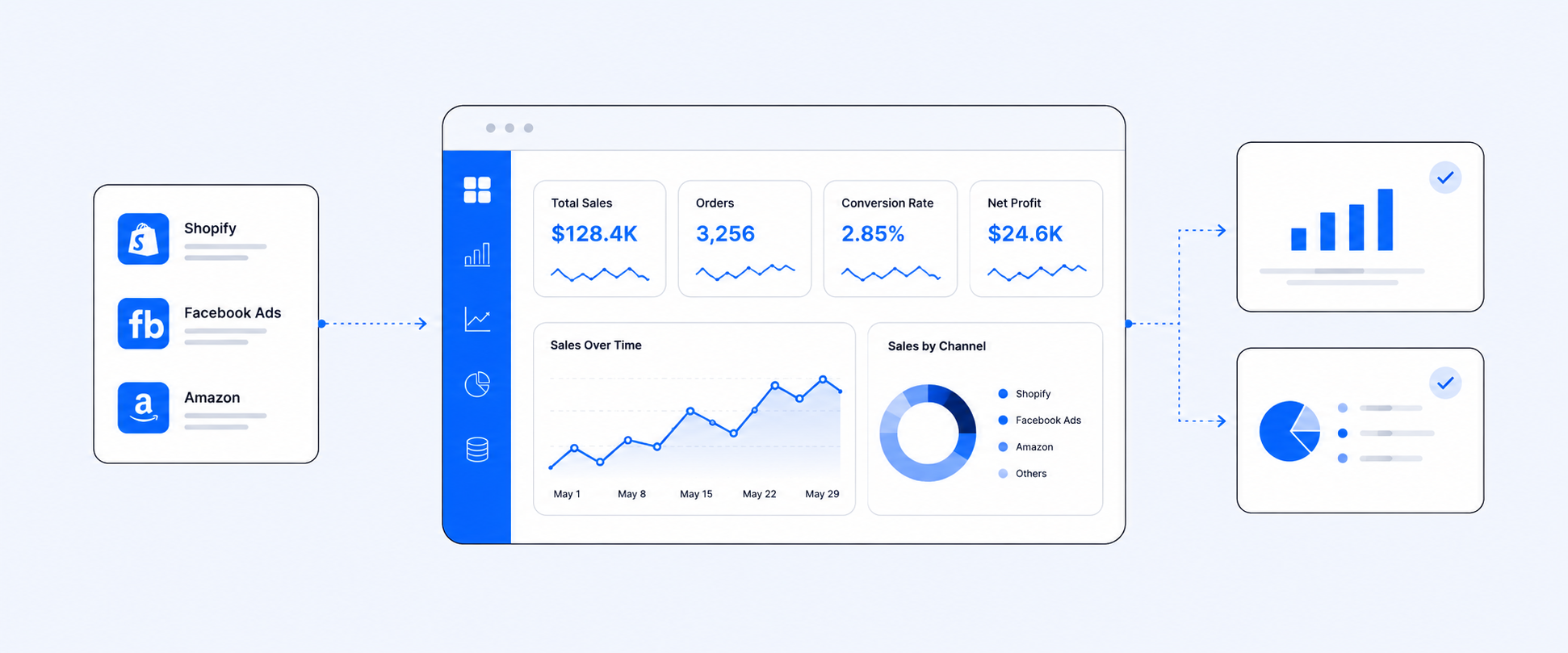
A Shopify integration report combines store data with external app data in one place.
That can include marketing platforms, payment systems, subscriptions, shipping apps, returns tools, and inventory-related systems. The value is not “seeing more charts.” The value is being able to answer cross-functional questions that single-app reports cannot answer well.
Examples of those questions look like this:
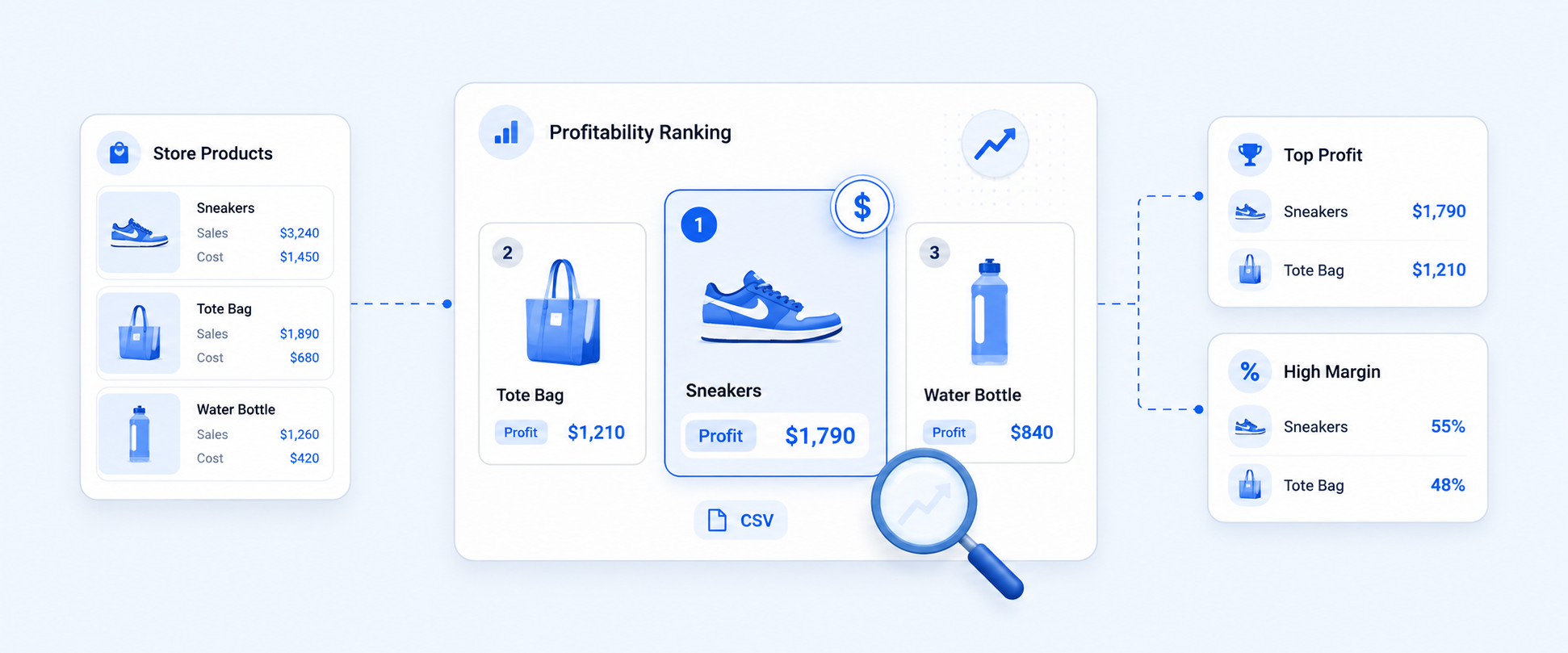
Which campaigns are driving not just orders, but profitable orders?
Which payment methods are creating the most fee drag?
Which subscription channel is bringing in customers with the best retention?
Which shipping partner is linked to more delays or return-heavy orders?
Which stores or locations are selling through inventory fastest?
Those are not Shopify-only questions. They are business questions that span systems.
Why merchants outgrow siloed dashboards
A single dashboard works fine when the question stays inside one tool.
If you want yesterday’s store sales, Shopify can show that. If you want campaign impressions, the ad platform can show that. If you want subscription churn, your subscription app can show that.
The trouble starts when you need one answer that pulls from all three.
This is the point where teams begin to feel the cost of fragmented data. Marketing sees spend. Finance sees payouts. Ops sees fulfillment. Each view is technically correct, but nobody has the whole picture in one place. Shopify’s enterprise content describes this as a classic integration gap: important business data is spread across systems, and teams lose time comparing tools instead of acting on a shared source of truth.
The biggest use cases for integration reporting
Marketing and attribution
Marketing data becomes much more useful when it is read next to store outcomes. Instead of stopping at clicks, spend, or platform-reported conversions, teams can line up campaigns with orders, discounts, returning customers, and downstream revenue. A stronger reporting setup helps merchants move from “Which ad got traffic?” to “Which campaign actually produced better business results?”
Payments and payouts
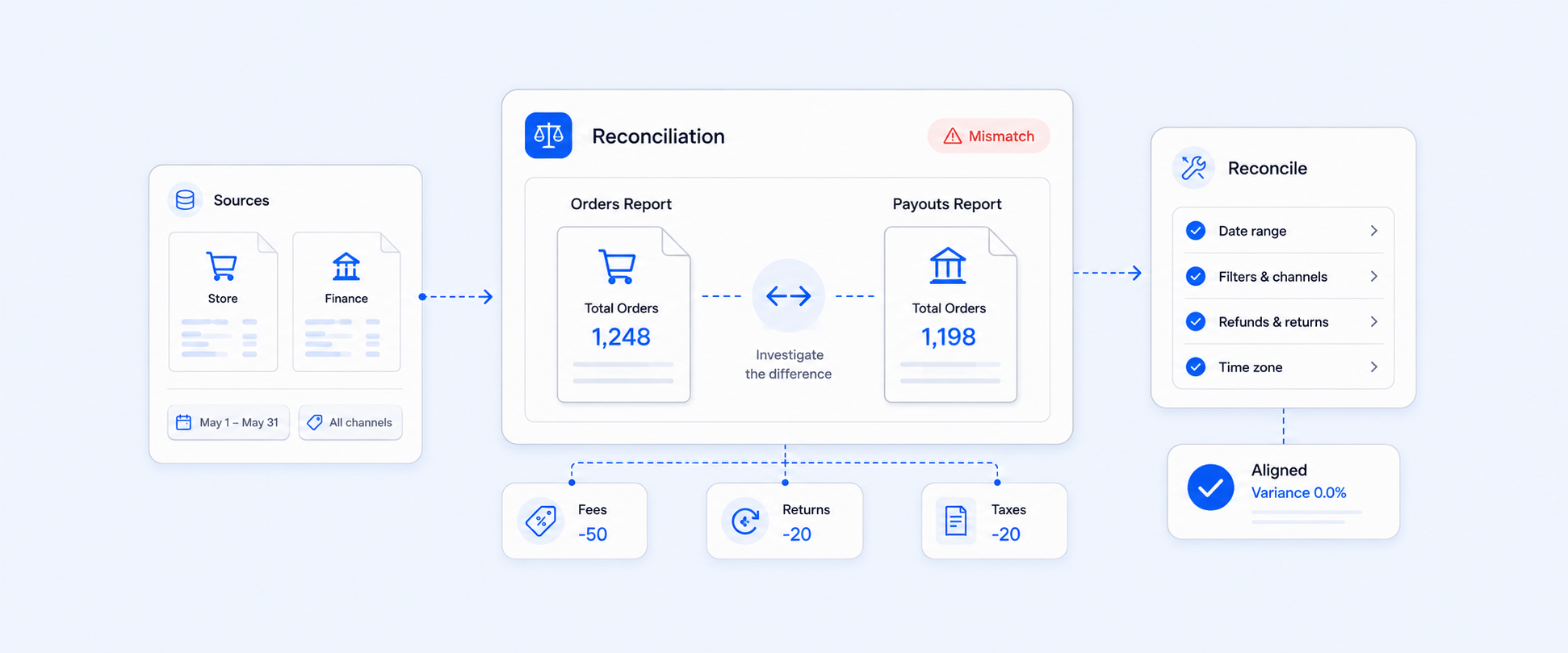
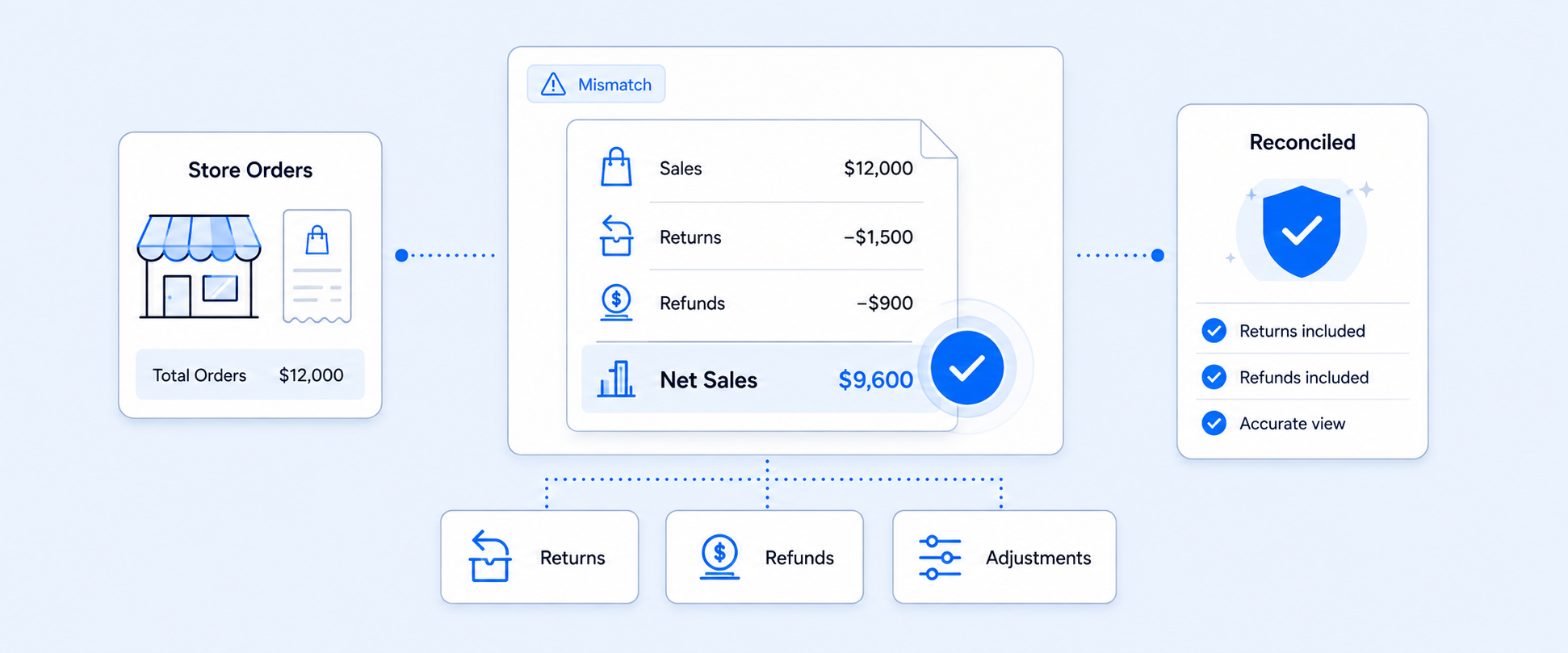
Payments are one of the clearest reasons merchants need integrated reporting. Order activity, payouts, fees, refunds, and reconciliation often live across separate surfaces. When those pieces are brought together, it becomes much easier to understand what was sold, what was paid out, what was refunded, and where the margin got thinner.
Subscriptions
Subscription businesses rarely get the full story from order reports alone. They also need retention, churn, failed payment patterns, cohort behavior, and recurring revenue visibility. Once subscriptions become meaningful to the business, integration reporting usually becomes more valuable than another isolated app dashboard.
Shipping and fulfillment
Shipping data often drives real business outcomes but stays trapped in operational tools. When fulfillment speed, carrier performance, delivery outcomes, and order data are analyzed together, teams can spot which partners or workflows are helping and which are creating friction.
Returns and post-purchase operations
Returns are not just a support metric. They affect revenue, margins, operations, and customer experience. A better integration setup makes it possible to compare return behavior against products, channels, shipping performance, and customer value instead of treating returns as a separate afterthought.
Inventory and multi-store reporting
Inventory questions often cut across multiple sources too. Merchants may need to compare stock levels, sales velocity, vendor performance, adjustments, and performance across stores or currencies. That kind of analysis becomes much easier when reporting is designed to work across systems instead of inside one app at a time.
What good integration reporting should let you do
A useful integration setup should let you do more than pull raw data.
It should let you combine Shopify and app data into one report, filter it around your business question, create custom calculations, automate delivery, and export it cleanly to the tools your team already uses. For larger or more complex businesses, multi-store and multi-currency support matter too. Those are the features that turn reporting from a one-off task into a repeatable workflow.
In practice, that means the reporting layer should support things like:
- advanced filtering
- calculated fields and custom metrics
- scheduled exports
- spreadsheet and dashboard delivery
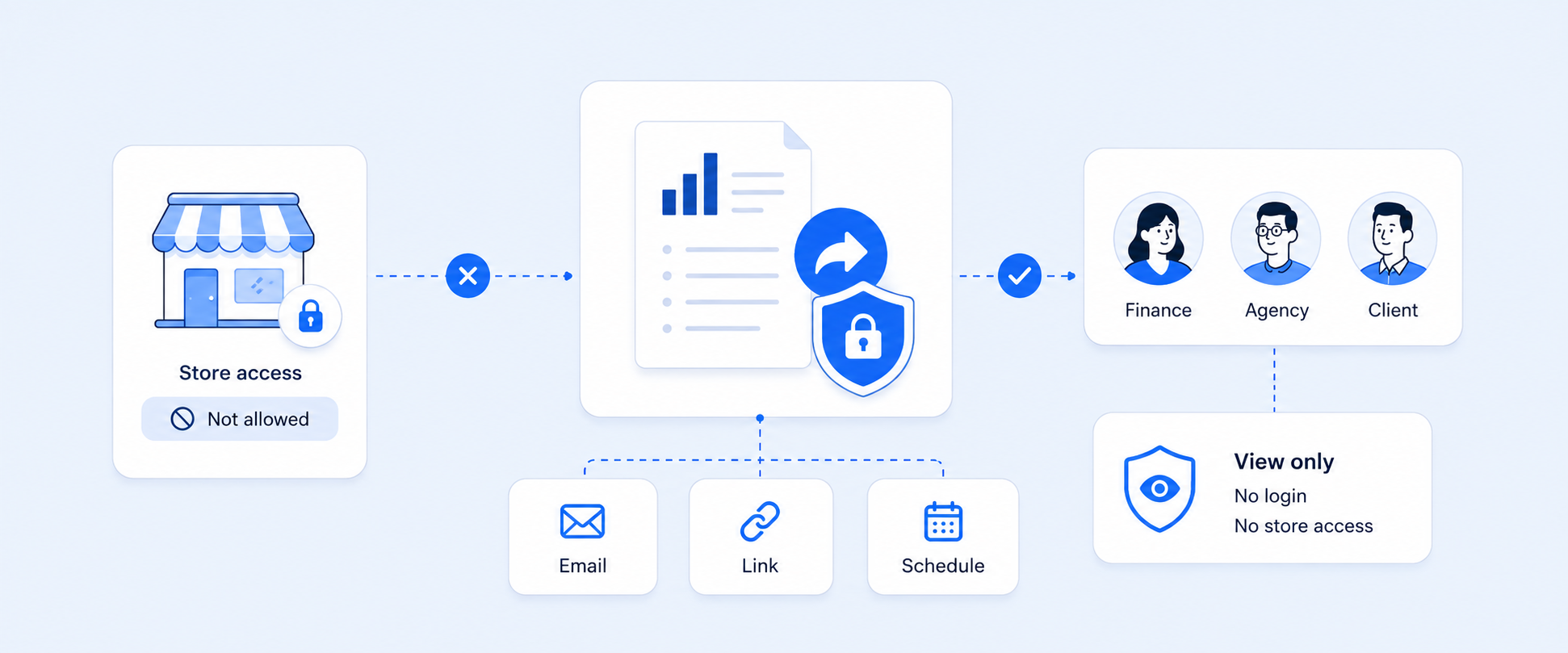
- shared views across teams
- support for multiple stores and currencies where needed
What Shopify can do natively, and where the gap begins
Shopify Analytics is stronger than many merchants give it credit for. Shopify says its dashboards and reports let merchants review store activity, understand visitors, analyze web performance, and review transactions from a unified reporting experience. That covers a lot for Shopify-native analysis.
The gap begins when key decisions depend on systems outside that Shopify-native layer. Once ads, subscriptions, shipping, returns, or external payment data become part of the daily workflow, the business often needs a second reporting layer that can unify those sources. That is the real role of integration reporting. It does not replace Shopify Analytics. It extends reporting beyond Shopify-only data.
Why integration reporting beats spreadsheet stitching
Manual exports are fine for one-off work. The problem is when manual stitching becomes the process.
That is when teams start dealing with stale CSVs, mismatched date ranges, inconsistent naming, broken formulas, duplicated logic, and hours of recurring cleanup. Shopify’s enterprise content makes the same broader point: fragmented systems slow decisions and force teams into maintenance work instead of useful analysis.
A proper integration-reporting workflow reduces that drag by giving the business one repeatable place to analyze what is happening across tools.
Why Report Pundit is a strong fit for integration reporting
Report Pundit is well suited to this use case because it is built for merchants who need reporting across more than one data source. It supports 30+ integrations, advanced filters, calculated fields, custom metrics, automated schedules, multi-store reporting, multi-currency reporting, and delivery to formats and destinations teams actually use, including CSV, Excel, PDF, Google Sheets, and Slack.
More importantly, it is designed around the real shape of ecommerce questions. Merchants do not just want “an ads report” or “a payouts report.” They want to connect marketing, orders, payouts, subscriptions, shipping, returns, and inventory in the same place when that is what the question requires. Report Pundit’s integration library and app-integrated reporting model are built for exactly that kind of cross-source analysis.
Report Pundit integrations: what you can connect and why it matters
A big reason Report Pundit works well for growing Shopify stores is that it is not limited to Shopify-only data. It supports 30+ integrations, so merchants can bring store data together with data from the tools they already use across marketing, payments, subscriptions, shipping, returns, and operations.
Marketing platforms
Marketing performance gets much more useful when it is analyzed next to what happened in the store. Instead of looking only at clicks or spend, teams can connect ad performance with orders, discounts, sales outcomes, and customer behavior. Report Pundit supports marketing-related integrations such as Google Ads, Google Analytics, Facebook, TikTok, Bing Ads, Yotpo, and UpPromote, making it easier to compare campaign data with Shopify results in one place.
Payment and financial tools
Payment data is another area where merchants quickly outgrow single-dashboard reporting. Orders may be in Shopify, while payouts, fees, and transaction details are often easier to understand through payment platforms. Report Pundit supports payment-related integrations such as PayPal, Stripe, Square payments, Klarna, Sezzle, Square, Authorize.net, and Recharge Payment, helping merchants build a clearer view of revenue movement and reconciliation.
Shipping and fulfillment apps
Shipping data becomes much more valuable when it is read alongside orders, fulfillment activity, and post-purchase outcomes. Report Pundit supports shipping and fulfillment integrations such as ShipStation, ShipHero, GoShippo, ShipBob, and Printful, so teams can bring logistics data closer to operational reporting instead of leaving it in separate tools.
Returns and post-purchase tools
Returns are easier to act on when they are connected to products, orders, shipping performance, and refund trends. Report Pundit supports post-purchase and returns-related integrations such as Return Prime, Rich Returns, Loop Returns and Returnly, helping merchants review return activity in the wider context of store performance.
Subscription and recurring revenue workflows
For subscription businesses, Shopify order data is only part of the picture. Teams also need visibility into recurring payments, churn patterns, and retention behavior. Integrations such as Recharge, Loop subscription, and Seal Subscriptions help make subscription reporting easier to analyze alongside regular Shopify sales data.
Sales and Inventory
Sales and inventory reporting becomes much more useful when online orders, offline sales, warehouse stock, and accounting data are viewed together instead of in separate systems. By connecting Report Pundit with Workmate, Xero, and Square, merchants can create a more unified back-office reporting workflow using fields like Order ID, gross sales, net sales, SKU, stock on hand, tax, discounts, location ID, gateway payouts, and COGS.
That helps teams map inventory movement and order volume to warehouse planning in Workmate, push cleaner revenue, tax, and cost data into Xero, and combine Square POS transactions with Shopify sales for a more complete view of total revenue and location-level inventory.
Why this matters in practice
The real value of integrations is not just that different apps can be connected. It is that merchants can stop treating each system as a separate reporting destination. When Shopify, ads, payments, subscriptions, shipping, and returns data can be analyzed in one reporting layer, teams spend less time stitching exports together and more time making decisions from a shared view of the business.
What this looks like in real use
A better integration-reporting setup can help teams build views like:
- campaign spend next to orders, discounts, and sales outcomes
- payout and transaction data next to orders and refunds
- subscription performance next to customer retention trends
- shipping outcomes next to fulfillment and return behavior
- inventory visibility next to sell-through across stores
These are the kinds of reports teams actually act on because they reflect how the business runs in real life, not how the vendor landscape happens to be divided.
What to look for before choosing an integration reporting tool
Not every reporting app handles integrations the same way. Before choosing one, focus on a few practical things.
Breadth of integrations
Make sure it supports the systems you actually use.
Reporting flexibility
Look for advanced filters, calculations, and grouping options, not just canned templates.
Automation
Recurring reports should reach the right people without manual work.
Multi-store support
If you operate more than one store, this becomes important fast.
Export and sharing options
Your team may need Google Sheets, Slack, CSV, Excel, PDF, or external BI workflows.
Support
Complex reports often need setup help, especially when multiple sources are involved.
FAQ
What is a Shopify integration report?
It is a report that combines Shopify data with external app data in one place so merchants can analyze the business across systems instead of checking separate dashboards. Shopify describes this broader idea as data integration: combining multiple sources into a unified, usable view.
Does Shopify have native integration reporting for third-party apps?
Shopify Analytics gives merchants a unified reporting experience for Shopify-side store activity, visitors, web performance, and transactions. But when key business data lives in outside apps, merchants often need an additional reporting layer to unify those sources.
What kinds of apps are usually included in integration reports?
Common categories include marketing platforms, payment tools, subscription apps, shipping systems, returns tools, and inventory-related systems. Those are the kinds of sources merchants usually need to compare side by side to answer real operating questions.
Can Report Pundit combine Shopify data with third-party app data?
Yes. Report Pundit supports 30+ integrations and is built to combine data from categories like marketing, payouts, subscriptions, shipping, returns, and inventory into a single reporting view.
Can integration reports be automated?
Yes. Report Pundit supports automated scheduling and delivery, including exports to Google Sheets, Slack, CSV, Excel, and PDF workflows.
Why not just export CSVs from each app and merge them manually?
That can work occasionally, but it becomes fragile and time-consuming as a recurring process. Shopify’s enterprise content specifically frames fragmented systems as a cause of slower decisions and operational drag.
Closing
As your Shopify stack grows, your reporting questions stop fitting inside one app.
That is when integration reporting starts to matter. Not because an all-in-one dashboard sounds convenient, but because real decisions usually depend on data from multiple systems at once.
If your team is tired of bouncing between ads dashboards, payout tools, subscription apps, shipping platforms, and spreadsheets, Report Pundit is one of the most practical ways to bring those sources into one reporting layer and turn disconnected data into something your team can actually use.

5.0 ( 2000+ Reviews)