How to Use Shopify Abandoned Cart Reports to Recover Lost Revenue
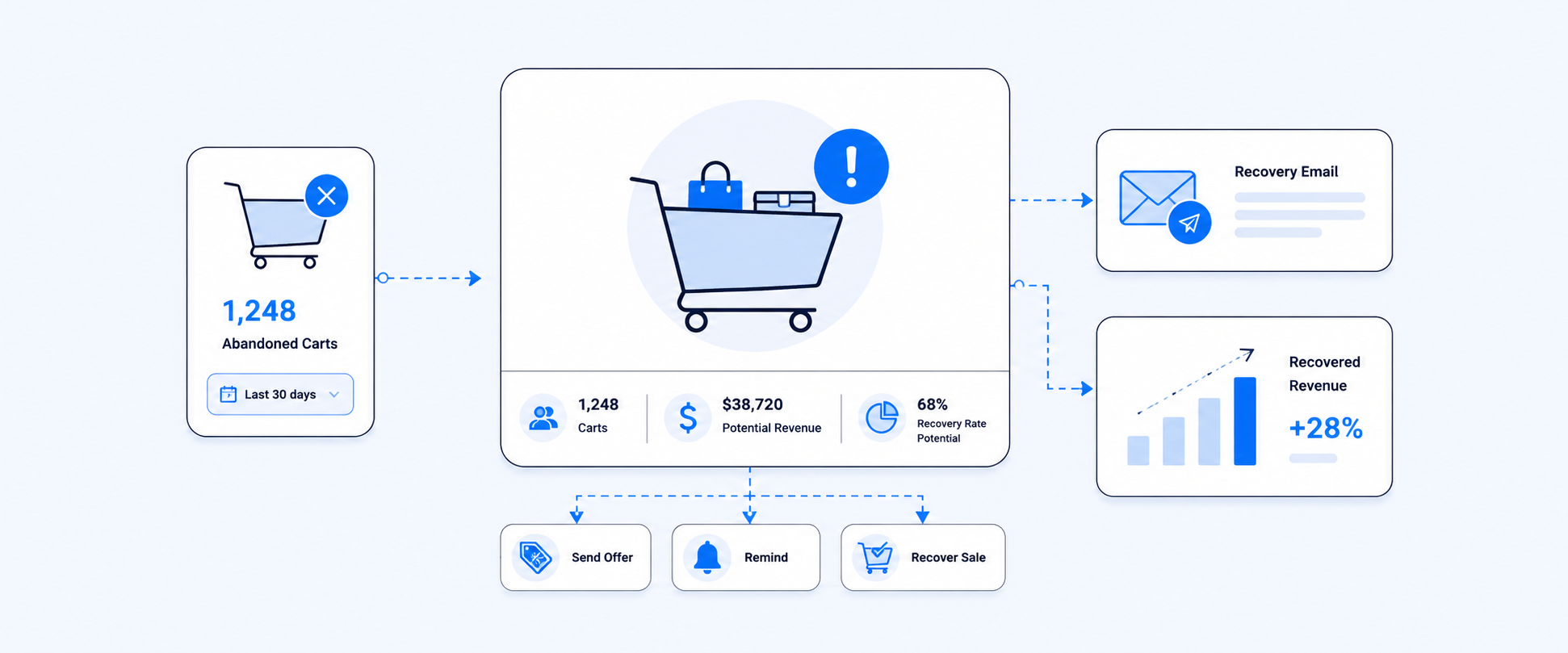
Every time a shopper adds items to their cart and leaves without checking out, your store loses a potential sale. At scale, those abandoned carts quietly drain revenue, skew your metrics, and hide real conversion problems in your funnel.
The good news is that abandoned carts are not random. They follow patterns, and Shopify abandoned cart reports give you the data to find those patterns and act on them. When you combine those reports with a structured recovery strategy, you can turn a portion of those “lost” orders into actual revenue.
This guide walks through what abandoned carts are, how to read the key abandoned cart reports, and how to turn those insights into practical onsite and email strategies.
Understanding Shopify Abandoned Carts
Abandoned carts are part of every ecommerce business, but the scale and reasons vary widely between stores. Before you optimize, it helps to know what “normal” looks like and what typically pushes customers away.
Industry benchmarks for cart abandonment rates
Cart abandonment is a common ecommerce problem, not a personal failure of your store. Studies often place the average cart abandonment rate around 70 percent. In simple terms, nearly three out of four shoppers who add something to the cart leave before paying.
Your goal is not to reach zero abandonment. Instead, you want to:
- Understand how your rate compares to typical ecommerce benchmarks
- Identify specific points where your store is leaking the most intent
- Focus recovery and UX improvements where they will make a measurable difference
Once you have a baseline, Shopify abandoned cart reports show whether your experiments are actually moving that number.
Key factors that cause shoppers to abandon their carts
Shoppers rarely abandon carts for a single reason. In most stores, the same few issues show up again and again:
- High or unexpected shipping costs
Extra fees appearing only at the last step of checkout are one of the fastest ways to lose a customer. - Long or unclear delivery times
If shoppers cannot see when they will receive their order, or the estimate looks too far out, they often back out. - Complicated checkout process
Too many fields, multiple pages, forced account creation, or confusing error messages all create friction. - Limited payment options
If a shopper does not see their preferred payment method, or cannot use local wallets or BNPL options, they may abandon. - Security concerns
Outdated checkout design, missing trust badges, or mismatched domain/brand signals make people hesitate to enter card details.
Abandoned cart reports give you the numbers behind these problems. The next step is to read those numbers properly.
Using Shopify Abandoned Cart Reports to Recover Lost Sales
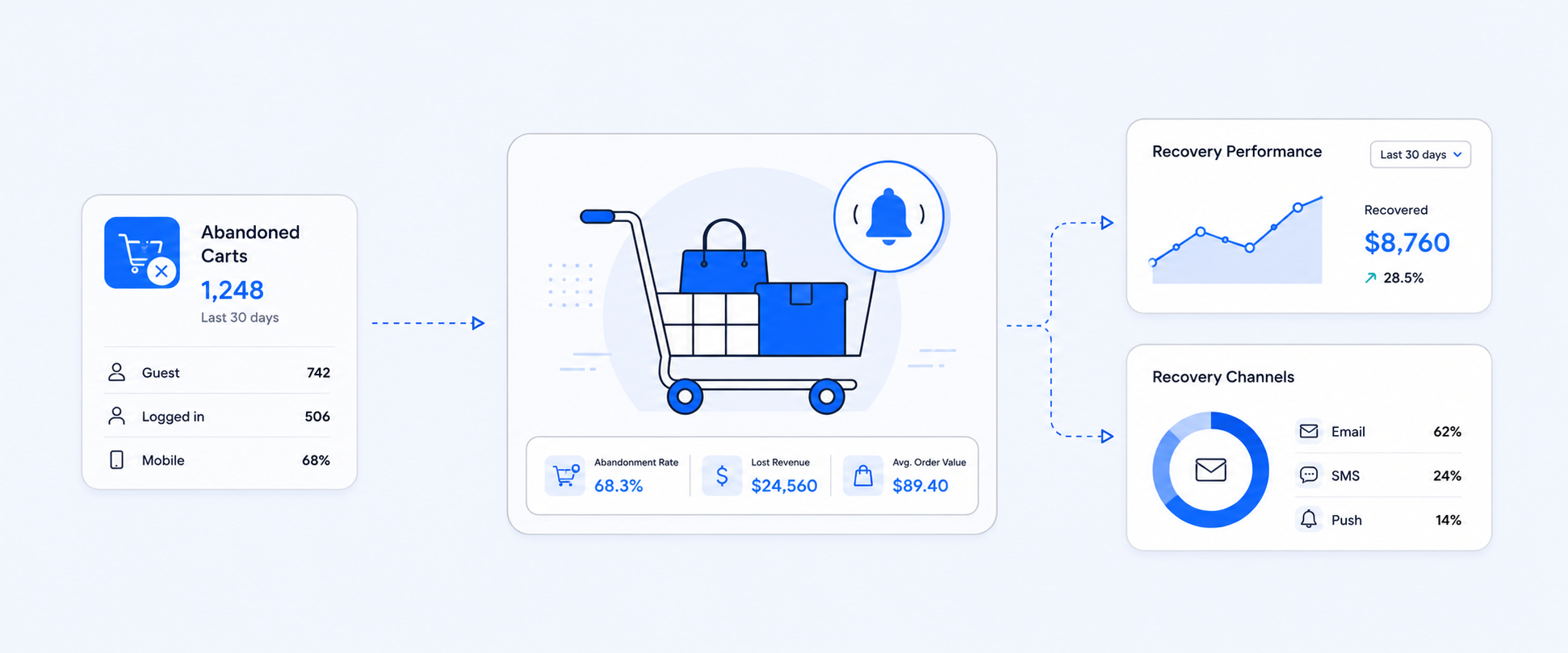
Shopify abandoned cart reports show how much money is sitting in unfinished carts, which products are most at risk, and which customers are worth targeting with recovery campaigns.
Estimate monthly revenue lost to abandoned carts

The first view most merchants want is simple: “How much revenue are we leaving on the table each month?”
A typical abandoned cart revenue report will include:
- Month or date range for abandoned carts
- Total abandoned cart count
- Total quantity of products in those carts
- Value of items in each cart
From there, you can estimate lost revenue with a straightforward approach:
- Calculate the value of each abandoned cart (quantity of each product multiplied by its price, summed at cart level).
- Sum the value across all abandoned carts in a month.
This gives you an approximate “potential revenue lost” figure. Even if you recover only a fraction of it, you now have a concrete number to work toward instead of a vague sense of loss.
Identify your most frequently abandoned products

Next, you want to know which products are abandoned the most. Often, a small group of items accounts for a large share of abandoned value.
A Most Frequently Abandoned Products report usually includes:
- Product title or variant
- Number of carts that included that product
- Quantity abandoned
- Product price
- Estimated revenue at risk per product
By multiplying quantity abandoned by product price, you can calculate estimated lost revenue for each product. This helps you:
- Spot products with pricing, sizing, or expectation issues
- See if certain variants are driving more drop offs than others
- Decide where to improve photos, descriptions, or shipping options
Fixing a handful of “problem” products can sometimes reduce overall abandonment more than broad changes.
Use customer information reports for personalized recovery

Abandoned cart recovery is much more effective when it feels personal, not generic. A Customer Information view for abandoned carts typically includes:
- Abandoned cart date
- Status (open, closed, or later completed)
- Product and variant names
- Customer details such as name and email
- Quantity abandoned
- Total cart amount
This data lets you:
- Segment high value abandoned carts for special outreach
- Personalize email content with product names and images
- Time your follow ups based on when the cart was abandoned
- Exclude test or internal carts so your numbers stay clean
Even a simple two or three step email sequence using these fields can lift recovery rates significantly.
Track abandoned carts that later convert into purchases

Not every abandoned cart stays abandoned. Some customers come back on their own, others convert after a reminder. Tracking these movements shows how effective your recovery strategy really is.
Key metrics include:
- Conversion rate from abandoned cart to completed order
Percentage of abandoned carts that eventually result in a purchase. - Total orders to abandoned cart ratio
How many completed orders you generate relative to the number of abandoned carts in the same period. - Abandoned to completed ratio over time
Whether your new campaigns or UX changes are improving the balance between lost and recovered carts.
By tracking these numbers, you can see whether new subject lines, discounts, or checkout fixes are delivering actual results or just adding noise.
Using Abandoned Cart Insights to Prevent Future Lost Sales
Abandoned cart data is not just for recovery emails. It also shows where your funnel needs permanent fixes.
For example:
- If certain products show very high abandonment compared to others, you might adjust pricing, bundle them differently, or improve the product page content.
- If carts with a specific shipping method or region are abandoned more often, you might adjust shipping rates, offer alternative carriers, or clarify delivery estimates.
- If abandonment spikes at a specific checkout step, you can simplify that step, reduce required fields, or offer guest checkout.
Patterns in your abandoned cart reports highlight where to fine tune the experience so fewer customers are lost in the first place.
Effective Follow-Up Strategies to Recover Abandoned Carts
Once you understand the numbers, you can design a simple but effective recovery playbook.
Common tactics that work well:
- Time sensitive discounts
Offer a small percentage or fixed amount off with a clear expiry. This encourages quick decisions without training customers to wait for huge discounts. - Product recommendations
Suggest similar items, complementary products, or slightly lower priced alternatives for budget sensitive shoppers. - Customer reviews and social proof
Highlight ratings and testimonials for the abandoned products to reduce hesitation and build trust. - Free shipping or shipping thresholds
If high shipping costs are a known problem, offer free shipping above a threshold or for a limited time in your abandoned cart emails.
You do not have to use every tactic at once. Start with one or two, measure the lift in recovery rate, and build from there.
Shopify Abandoned Cart Reports to Prevent and Recapture Lost Sales
Shopify abandoned cart reports give you a clear view of how much money is being left behind, which products and customers are most affected, and how your recovery efforts are performing over time.
Used well, they help you:
- Quantify monthly revenue at risk from abandoned carts
- Prioritize products and segments that need attention
- Build targeted follow up sequences instead of generic reminders
- Improve your checkout and product experience so fewer carts are abandoned in the first place
When you pair these reports with a tool like Report Pundit, you can go deeper with custom fields, additional filters, and automated exports to email, sheets, or BI tools. That makes abandoned cart recovery part of your regular reporting rhythm instead of an occasional cleanup job.
The result is simple: fewer lost opportunities, more recovered orders, and a smoother buying experience that keeps customers coming back.