Track Shopify Vendor Sales and Commissions
How to Track Vendor Sales Performance and Commissions in Shopify
Vendor reporting is not just about seeing which supplier sold the most. It helps you understand which vendors actually drive revenue, which products are worth reordering, which partnerships need review, and how much commission or payout is owed.
Shopify gives merchants a useful starting point with vendor-based reporting. Each product can be assigned to a vendor, and Shopify’s sales reports include a Total Sales by Vendor report that groups sales by vendor and the products they provide. That is enough for basic vendor performance review, but many stores need more once commissions, refunds, inventory, sales channels, and multi-store reporting enter the picture.
That is where vendor reporting becomes more than a sales report. It becomes a working system for payouts, supplier negotiations, inventory planning, and margin control.
Watch: How to Track Vendor Performance in Shopify
Why Vendor Sales Reporting Matters
A vendor may look strong because they generate high sales volume. But sales alone does not tell the full story.
A vendor can sell a lot and still create problems if their products have high refund rates, low margins, weak inventory turnover, or inconsistent fulfillment quality. Another vendor may generate fewer sales but deliver higher profitability, better sell-through, and fewer support issues.
Good vendor reporting helps merchants answer practical questions:
- Which vendors generate the most sales?
- Which vendor products sell consistently?
- Which vendors create the most returns or refunds?
- Which vendors are worth reordering from?
- Which vendors should receive commission payouts?
- Which vendor products are sitting in inventory too long?
The goal is not just to rank vendors by revenue. The goal is to understand which vendor relationships actually make the store stronger.
Where Shopify Tracks Vendor Data
Vendor data in Shopify starts at the product level.
Each product can be assigned to one vendor in the product organization section. If no vendor is assigned, the vendor field defaults to the store name. This vendor value can be used to sort and filter products, and it can also be used in vendor-based reporting.
The basic path is:
Products > Open Product > Product Organization > Vendor
For reporting, the vendor view is available in:
Analytics > Reports > Sales > Total Sales by Vendor
This report shows vendors and the products they provide. It includes the product vendor dimension and net quantity, and it sits inside Shopify’s sales reporting framework.
What Shopify’s Total Sales by Vendor Report Shows
The native vendor report is useful when you want a quick view of sales grouped by vendor.
It can help you understand which vendors are contributing to sales and which products are tied to each vendor. Shopify’s sales reporting also includes core sales metrics such as gross sales, discounts, returns, net sales, taxes, and total sales across the sales reporting framework.
A practical vendor report usually needs fields like this:
This is a strong starting point for sales analysis. It is not always enough for vendor payouts or commission workflows.
Where Native Vendor Reporting Starts to Feel Limited
The native report becomes harder to use when the business needs vendor reporting to support real operations.
A merchant may need to isolate one vendor, calculate a fixed commission rate, remove refunded or canceled orders, include product tags, compare vendor performance by channel, or share a daily vendor report automatically. Shopify reports can be customized and exported, but recurring vendor commission work often still requires manual filtering, formulas, or spreadsheet cleanup.
The common gaps are:
- No built-in vendor commission calculation
- Limited control over payout formulas
- Manual work to calculate percentage or fixed commissions
- Extra effort to separate refunds, returns, and canceled orders
- Store-specific reporting when merchants operate multiple Shopify stores
- Manual exports when vendors or internal teams need recurring updates
The native report answers “what is sold by the vendor.” Growing merchants often need to answer “what should we pay, reorder, review, or renegotiate?”
Vendor Sales and Vendor Commissions Are Different Reports
This distinction matters.
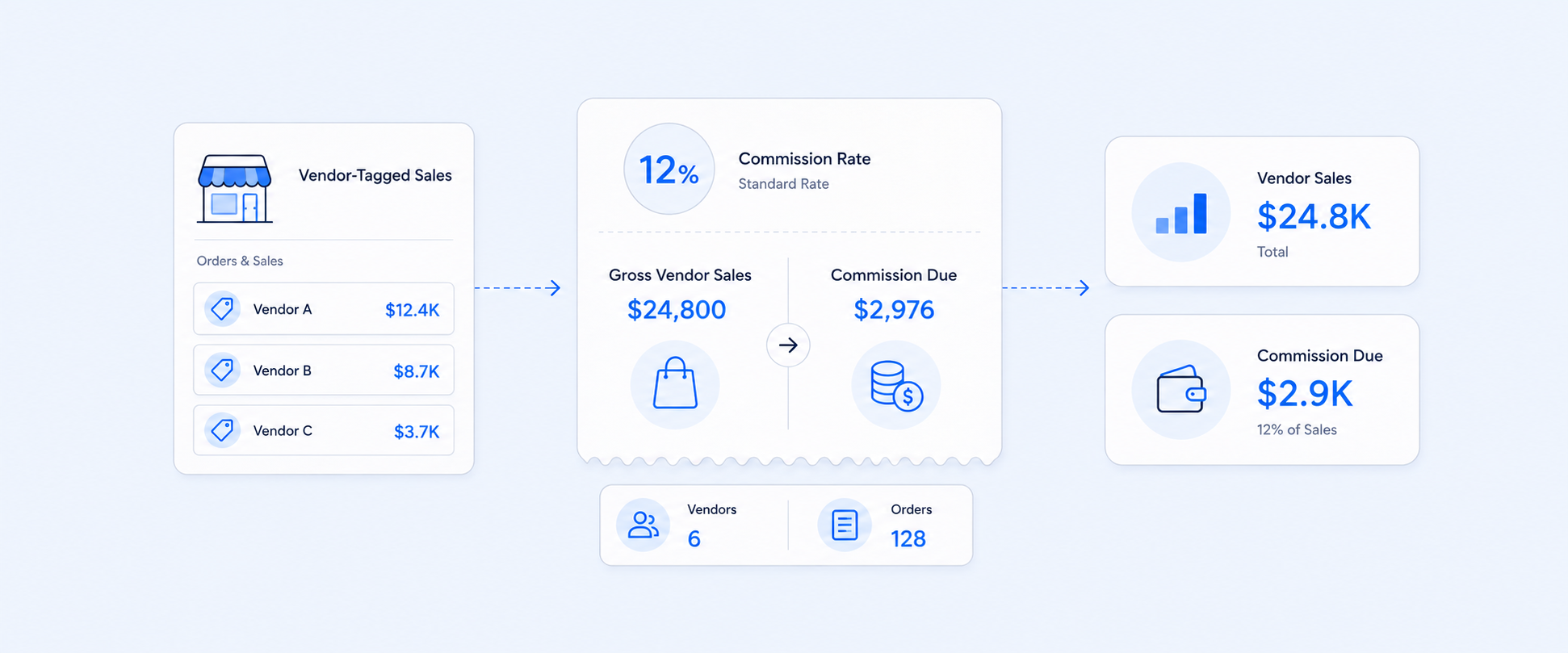
Vendor sales reporting measures performance. Vendor commission reporting calculates what is owed.
A vendor sales report might show:
- Vendor A generated $10,000 in net sales
- Vendor B generated $6,000 in net sales
- Vendor C generated $4,500 in net sales
A commission report needs an extra layer:
- Commission rate
- Commission base
- Refund handling
- Discount handling
- Excluded products or orders
- Payout period
- Final commission amount
For example, if a vendor receives 35% of net sales and their net sales for the day are $2,000, the commission is:
$2,000 × 35% = $700
That calculation sounds simple until different vendors have different rates, some products are excluded, refunds need to be removed, and the report must be delivered every day.
The Commission Base Changes the Result
Before calculating commissions, merchants need to define the base.
A vendor commission can be calculated on:
The best option depends on the vendor contract. For most merchants, net sales is often cleaner because it accounts for discounts and returns before payout.
Refunds, Returns, and Canceled Orders Need Special Handling
Vendor payouts can become inaccurate when refunds and returns are not handled clearly.
A vendor may sell $5,000 worth of products in a week, but if $800 was returned, paying commission on the original gross amount may overstate the payout. Some merchants calculate commissions only after the return window closes. Others deduct returns from the next payout period.
Canceled orders need a separate rule too. Since they may appear in sales-related workflows depending on timing and report setup, the commission report should define whether canceled, refunded, or unpaid orders are included or excluded. Shopify’s sales reporting framework includes reversed quantity and return-related fields that can help analyze returns and sales reversals when building custom views.
A strong commission report should make these rules visible instead of hiding them in spreadsheet formulas.
Vendor Reporting Should Include Inventory Context
Sales performance is only half of vendor performance.
A vendor with high sales but poor stock availability may be limiting revenue. A vendor with slow-moving products may be tying up cash. A vendor with strong sell-through may deserve larger purchase orders or better placement.
Inventory context helps answer:
- Which vendor products are low in stock?
- Which products should be reordered first?
- Which vendor items are overstocked?
- Which SKUs have high sales but weak replenishment?
- Which vendor products are producing sales but poor margins?
This is where vendor reporting becomes useful for sourcing and purchasing decisions, not just finance.
Multi-Store and Channel Reporting Add Another Layer
Vendor analysis becomes more difficult when a brand runs more than one Shopify store or sells across multiple channels.
A vendor may perform well online but poorly in POS. Another vendor may sell better in one region than another. If every Shopify store is reviewed separately, the team may miss the full vendor picture.
A stronger vendor reporting workflow should make it possible to compare:
- Vendor sales by store
- Vendor sales by channel
- Vendor sales by region
- Vendor returns by store
- Vendor inventory by location
- Vendor commission by payout period
This is especially useful for merchants running separate storefronts, regional stores, POS locations, or marketplace-connected sales channels.
How Report Pundit Helps With Vendor Sales and Commission Reporting
Report Pundit helps turn vendor reporting from a static sales view into a working payout and performance workflow.
Merchants can build reports around vendor, product, SKU, channel, date range, store, inventory, cost, profitability, and order-level details. Report Pundit also supports custom reports, filters, grouping, calculated fields, report scheduling, exporting, and multi-store reporting, which are especially useful when vendor reporting needs to be automated or shared.
This makes it easier to build reports such as:
- Top vendors’ top products
- Vendor performance over time
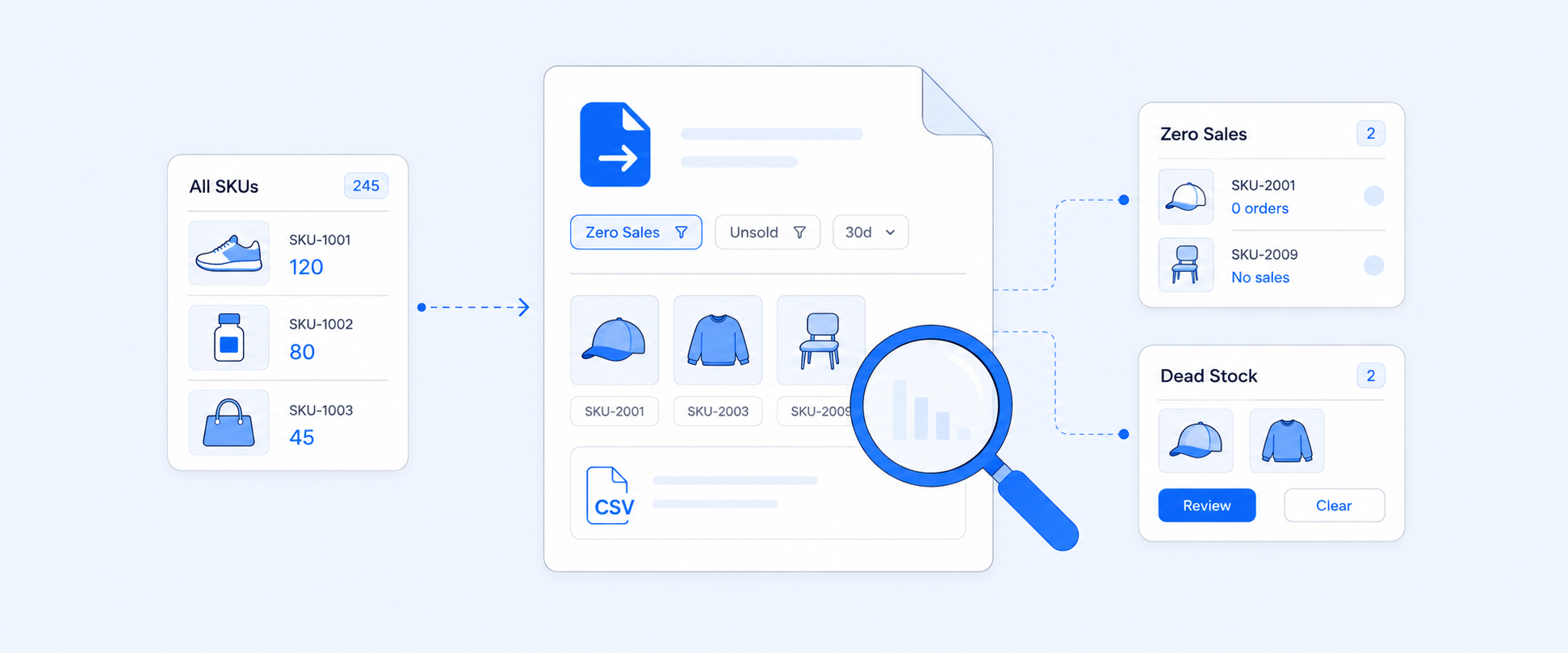
- Vendors’ least-performing products
- Vendor product performance by location
- Sales by vendor
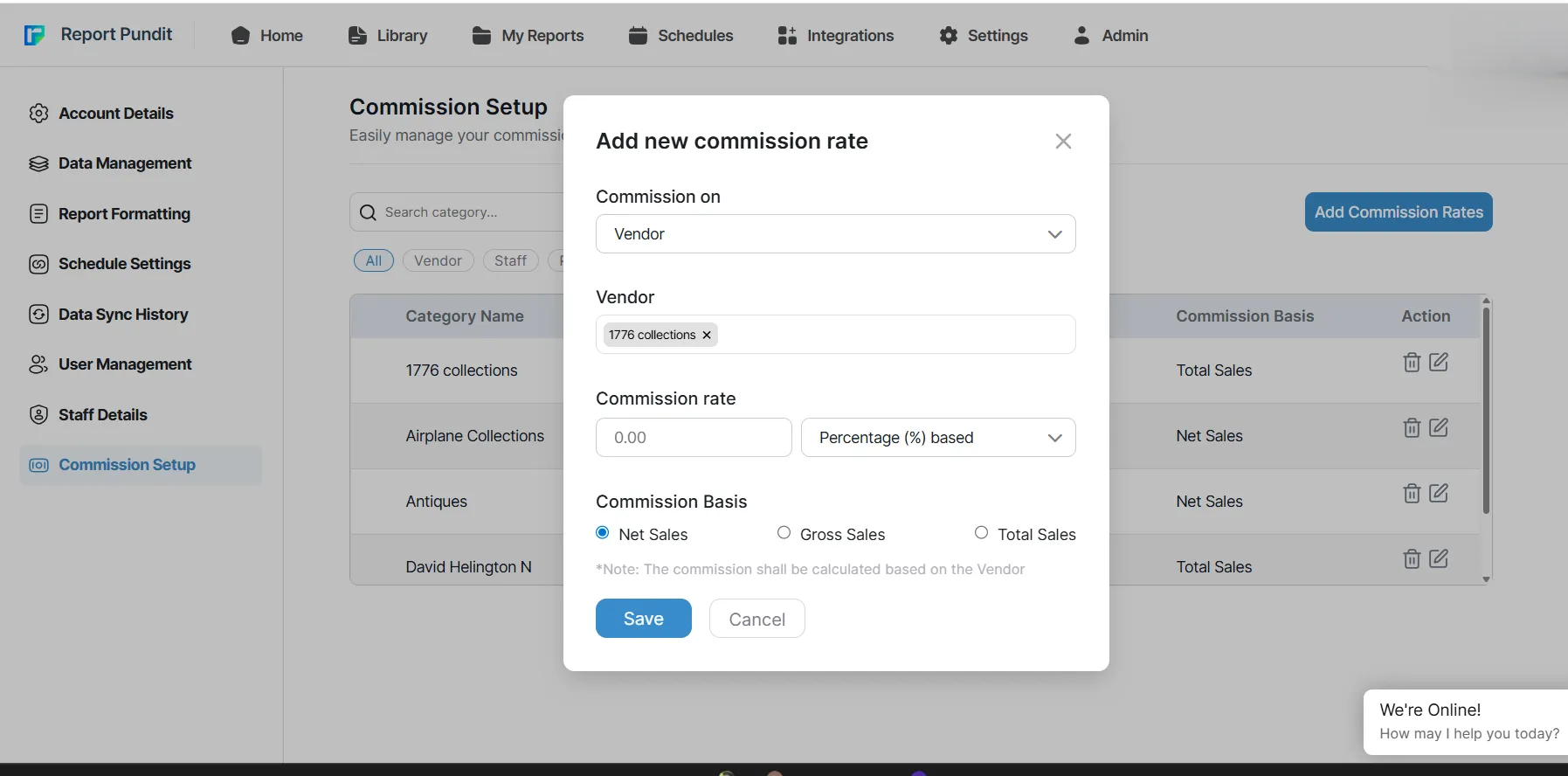
- Vendor commission by percentage
- Vendor commission by fixed amount
- Vendor sales by product or SKU
- Vendor sales by channel
- Vendor sales across multiple stores
- Vendor inventory and reorder reports
- Vendor profitability reports
The advantage is flexibility. Instead of exporting a vendor report, adding formulas, manually filtering refunds, and sending spreadsheets every day, merchants can create a repeatable report that matches how vendor agreements actually work. They can also set up custom fixed commission rules for each vendor directly within their sales reports.
A Practical Vendor Commission Report Layout
A good vendor commission report should be easy to audit.
Here is a simple structure:
This layout gives finance, operations, and vendor teams the same view of the numbers.
Example: Daily Vendor Commission at 35%
A merchant needs a daily report for one vendor.
The rules are simple:
- Include only products from that vendor
- Use net sales as the commission base
- Calculate commission at 35%
- Exclude refunded or canceled sales where needed
- Deliver the report automatically each morning
A report like this can show:
This creates a payout-ready view without rebuilding the same calculation every day.
Best Practices for Vendor Reporting
Vendor reporting works best when the rules are clear before the report is built.
Start with these decisions:
- Use one clean vendor naming system
- Confirm whether commissions are based on gross sales, net sales, total sales, quantity, or profit
- Decide how refunds and returns affect commission
- Decide whether canceled orders should be excluded
- Use SKU-level detail when vendors share similar product names
- Track inventory alongside sales when purchasing decisions depend on vendor performance
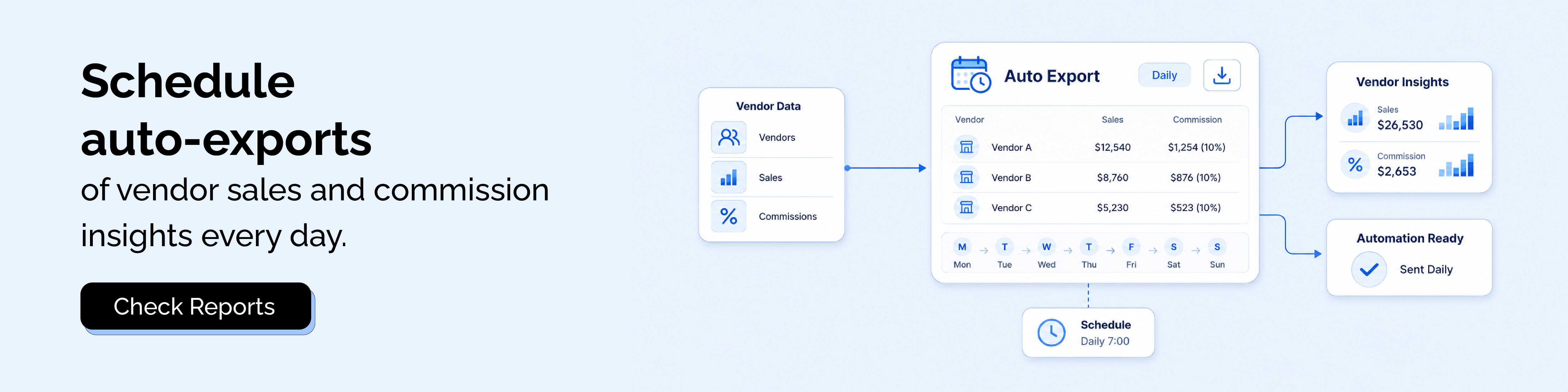
- Schedule recurring reports when vendors or finance teams need regular updates
Clean vendor reporting is not just about better data. It also reduces payout disputes and makes supplier conversations easier.
When Shopify’s Native Report Is Enough
The native vendor report is usually enough when the store needs a basic view of sales by vendor.
It works well for:
- Simple vendor performance checks
- Small catalogs
- Occasional vendor review
- Basic supplier ranking
- Quick sales comparisons inside Shopify
There is no need to overbuild the workflow if the only question is which vendor generated the most sales in a selected period.
When a Custom Vendor Report Makes More Sense
A custom vendor report becomes more useful when the report needs to drive action.
It is usually the better option when:
- Vendor commissions need to be calculated
- Different vendors have different payout rules
- Refunds and returns must be included or excluded
- Reports need to be scheduled automatically
- Vendor reports need to be shared outside Shopify
- Inventory and sales need to be reviewed together
- Multiple Shopify stores need to be compared
- Product tags, collections, or custom fields matter
At that point, the report is no longer just a sales summary. It is part of the vendor management process.
Closing
Vendor reporting becomes powerful when it moves beyond “which vendor sold the most.”
The better question is which vendors drive profitable, reliable, and repeatable performance. That means looking at sales, refunds, inventory, commission rules, channels, and stores together.
Shopify’s native Total Sales by Vendor report is a strong starting point for basic vendor sales analysis. When the business needs commission calculations, scheduled delivery, multi-store comparison, or deeper vendor-level reporting, Report Pundit gives merchants a cleaner way to turn vendor data into reports that finance, operations, and vendor teams can actually use.
FAQ's
What Is a Shopify Vendor Report?
A Shopify vendor report shows sales grouped by product vendor. The native Total Sales by Vendor report displays vendors and the products they provide, helping merchants review vendor-level sales performance.
Where Can I Find Sales by Vendor in Shopify?
Go to Analytics > Reports, filter by the Sales category, and open Total Sales by Vendor. Shopify’s sales reports are available from the Reports area in the admin.
Can Shopify Calculate Vendor Commissions Automatically?
Shopify’s native vendor report is built for sales reporting, not custom commission payout logic. Commission calculations usually require a spreadsheet, a custom report, or a reporting app with calculated fields.
What Should a Vendor Commission Report Include?
A vendor commission report should include vendor, product, SKU, order date, quantity sold, gross sales, discounts, returns, net sales, commission rate, commission base, and commission amount.
Should Vendor Commission Be Based on Gross Sales or Net Sales?
It depends on the vendor agreement. Gross sales is simpler, but net sales is often cleaner because it accounts for discounts and returns before calculating commission.
Can Report Pundit Track Vendor Commissions?
Yes. Report Pundit can support custom vendor reports with calculated fields, filters, grouping, scheduling, exports, and multi-store reporting. This makes it useful for commission-ready vendor reports and recurring payout workflows.