How to Track Pending Shopify Payouts and Outstanding Balances Accurately
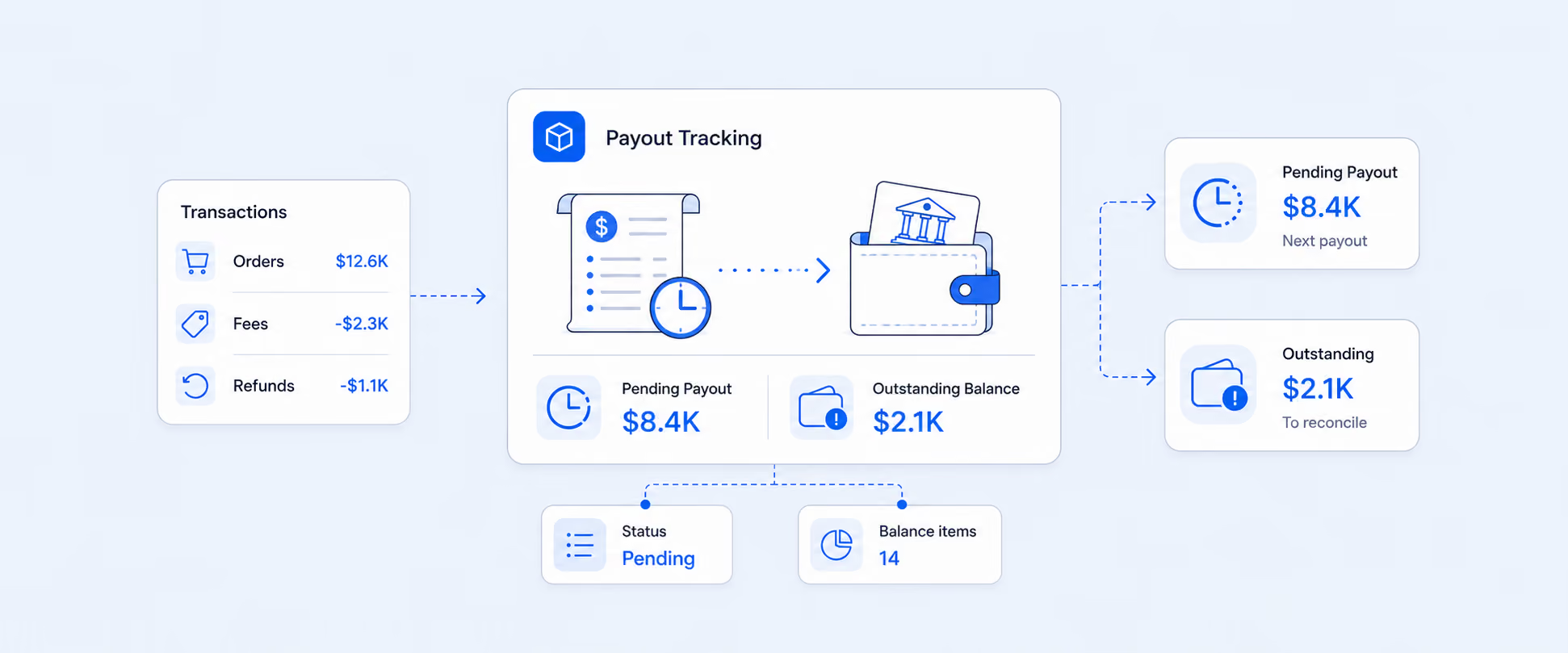
At the start of the month, you open Shopify to get done with Financial checklists. Everything looks fine until you try to answer a simple question. How much money is still on the way? You can easily see what has been paid out, but you cannot clearly see what is still pending.
You export reports and scan through transactions, hoping the numbers will show up. Instead, you find that the reports only show completed payouts. Payouts are of two types: Shopify payouts and customer payouts. Pending payouts are not visible until they are officially published. Because of this, tracking pending payouts is not straightforward. To get a complete picture, merchants must export multiple reports and manually reconcile the data to accurately monitor payout status and totals.
On the other hand, Shopify's outstanding balances are the funds Shopify has processed but hasn’t yet transferred to your bank account. They can also be affected by payment issues, chargebacks, or refunds, adding another layer of complexity.
This is where the right reporting approach makes a difference. Here we’ll see how to get an organised view of your pending payouts in Shopify, which reports to check, and practical ways to track money that is still on the way. You will also find helpful references if you want to explore each option in more detail.
What Are Pending Payments and Outstanding Balances
Pending payments in Shopify are orders that have been placed, but the money has not been received or fully captured yet. This is the money that exists but cannot be used yet. It usually comes from unpaid, partially paid, or payment-pending orders. Pending payments directly affect cash flow because they represent sales that look good on the dashboard but do not yet provide cash to pay rent, inventory, or payroll, so a high pending balance avoids a real cash shortage.
Outstanding balances are amounts your business still owes. This can include unpaid invoices, fees, or charges. In Shopify, this may also include money you owe Shopify for subscriptions or other fees.
Shopify does not provide any specific Analytics report for pending payouts. However, you can still view pending payouts by doing the following:
- Go to Settings in your Shopify admin.
- Click Payments
- Scroll to Shopify Payments and click View Payments.
How Shopify Handles Payouts and Pending Payments
Shopify Payments collects customer payments and sends them to your bank or Shopify Balance on a set schedule, minus fees, refunds, and adjustments. Payouts can be pending or delayed due to verification, compliance, bank processing, or risk holds like chargebacks. And when you try to create a report for pending Shopify Payments, the built-in reports only show what has already been paid. That does not help you. What you really need is a clear view of sales that are still pending payment, so you can understand your outstanding balance.
This becomes even more overwhelming for new stores. Your sales look complete, but the money does not move. After the waiting period, payouts are made according to a set schedule. Until then, your funds stay in a temporary holding state.
Pay attention: When your customer pays through Shopify Payments, the funds first go to your Shopify admin account. Shopify then groups processed transactions into payouts and sends them automatically to your bank account or Shopify Balance. The final payout amount is calculated after deducting processing fees, refunds, disputes, and other adjustments.
Reasons Your Payouts Can Be Pending Longer Than Expected
- Shopify Payments uses daily payouts by default, but you can switch to weekly or monthly payouts, which means funds are held and released only on your chosen day.
- In some countries, you must meet a minimum payout threshold before Shopify releases the funds.
- Using Shopify Balance can make funds available faster, sometimes by the next business day.
- Account verification or compliance checks when your details change or your sales volume suddenly increases.
- Incorrect or incomplete bank details that stop payouts from being processed.
- Risk reviews due to chargebacks, fraud concerns, or high dispute levels, which can cause Shopify to temporarily hold funds.
As you now know the reasons behind delays, further we'll see how you can view and understand your payout statuses to track exactly when funds will arrive.
Track Your Shopify Payout Status
In Shopify, you can view payout statuses in both the admin and via the API to find out where funds are in the payment process:
Pending / Scheduled: Transactions are included in a future payout date but have not yet been sent to the bank.
In transit: Funds have been submitted to the bank and are on the way, but have not yet been deposited.
Paid: The payout has successfully cleared into your bank account and is no longer part of Shopify’s balance.
While the default Shopify payouts report gives each payout and its status, it has some significant limitations, such as minimum customization options, and the default payouts view does not offer a detailed breakdown of which orders, refunds, or fees are included in each deposit., refunds, fees, or taxes. For growing or multi‑store merchants, this means you’ll end up exporting multiple CSVs or relying on third-party reporting tools to automate reconciliation, analyze cash flow timing, and manage multi-gateway or multi-currency setups efficiently.
Understanding Shopify Outstanding Balance in Detail
Outstanding balances show the money your store has earned through Shopify Payments but hasn’t yet been transferred to your bank, after refunds, fees, and adjustments. At the same time, Shopify’s native analytics and reports do not offer a clean, historical “pending payments” or “payout balance over time” report, which can be confusing for you as well as your finance teams.
When you issue a refund through Shopify Payments, the refunded amount is deducted from your next available payout. If that payout does not cover the full refund, Shopify may take the remaining amount from your bank account or future payouts, depending on your region.
Chargebacks or disputes work similarly by removing the disputed revenue and associated fees from upcoming payouts. If the dispute is resolved in your favor, both the revenue and fees are added back to your payout as positive adjustments.
The Impact of Limited Visibility on Your Shopify Payout Balance
One reason your payout balance can affect your store is the lack of visibility into exactly how much money is pending at the end of each day. For example, a merchant wanted a report showing the payout balance at 11:59 PM every day, so they could see the exact amount available for that day.
Without this visibility, it becomes difficult to reconcile daily cash flow or plan for upcoming expenses. Shopify’s default tools do not provide an automated snapshot of the payout balance, which can lead to delays in understanding available funds.
Why You Cannot See Pending Payments in Shopify Reports
Shopify does not provide any specific or dedicated pending payments report. Instead, pending and unpaid amounts are spread across Orders, Payouts, and basic Finance and Payments views that are not designed for accounting, point-in-time reporting.
And this creates confusion for finance teams that need to see exactly what is still owed at month's end or reconcile pending payouts back to individual orders and transactions.
Creating a Pending Payments & Outstanding Balance Report Using Report Pundit
Report Pundit fetches data directly from the Shopify API, including payouts, balance transactions, and order-level financial data. This allows you to build a single report that clearly shows what has been paid, what is still pending, and what remains outstanding in your store.
If a transaction is not marked as paid and does not yet have a final payout ID or bank deposit reference, it is treated as Pending.
Report Pundit offers a flexible export workflow so you can build customized pending payment or outstanding balance reports and schedule exports to email (Excel, CSV, PDF, ZIP), Google Sheets / Google Drive, or BI tools like BigQuery and Power BI.
Third-Party Integrations & Tools for Payout Reporting
Report Pundit allows you to connect directly to Shopify’s payouts and transactions to build customizable payout, pending payments, and reconciliation reports. You can filter by payout status, date range, and gateway, and can schedule automatic exports to send detailed payout and pending transaction data to email or accounting tools like QuickBooks, Xero, and NetSuite.
Payment gateways like PayPal and Stripe also provide their own payout dashboards and downloadable reports. These show settlement dates, fees, disputes, and adjustments for each deposit. When used alongside Shopify reporting tools, they help reconcile non-Shopify Payments deposits and give better visibility into pending balances, chargebacks, and gateway-specific fees.
Note: PayPal or third-party payment gateway payments and payouts do not appear in Shopify payout reports. Funds go directly to your respective payment wallet, and fees such as presentment, wallet, and conversion charges are deducted. To see these details, you must use the PayPal dashboard or a third-party reporting tool.
Using Advanced Filters, Grouping & Customization
1. Advanced filtering
Use text, number, boolean, and date filters to quickly isolate pending payments and outstanding balances.
2. Grouping & customization
Group reports by key fields (like payout date), switch between summary and detailed views, and create calculated fields for accurate financial metrics.
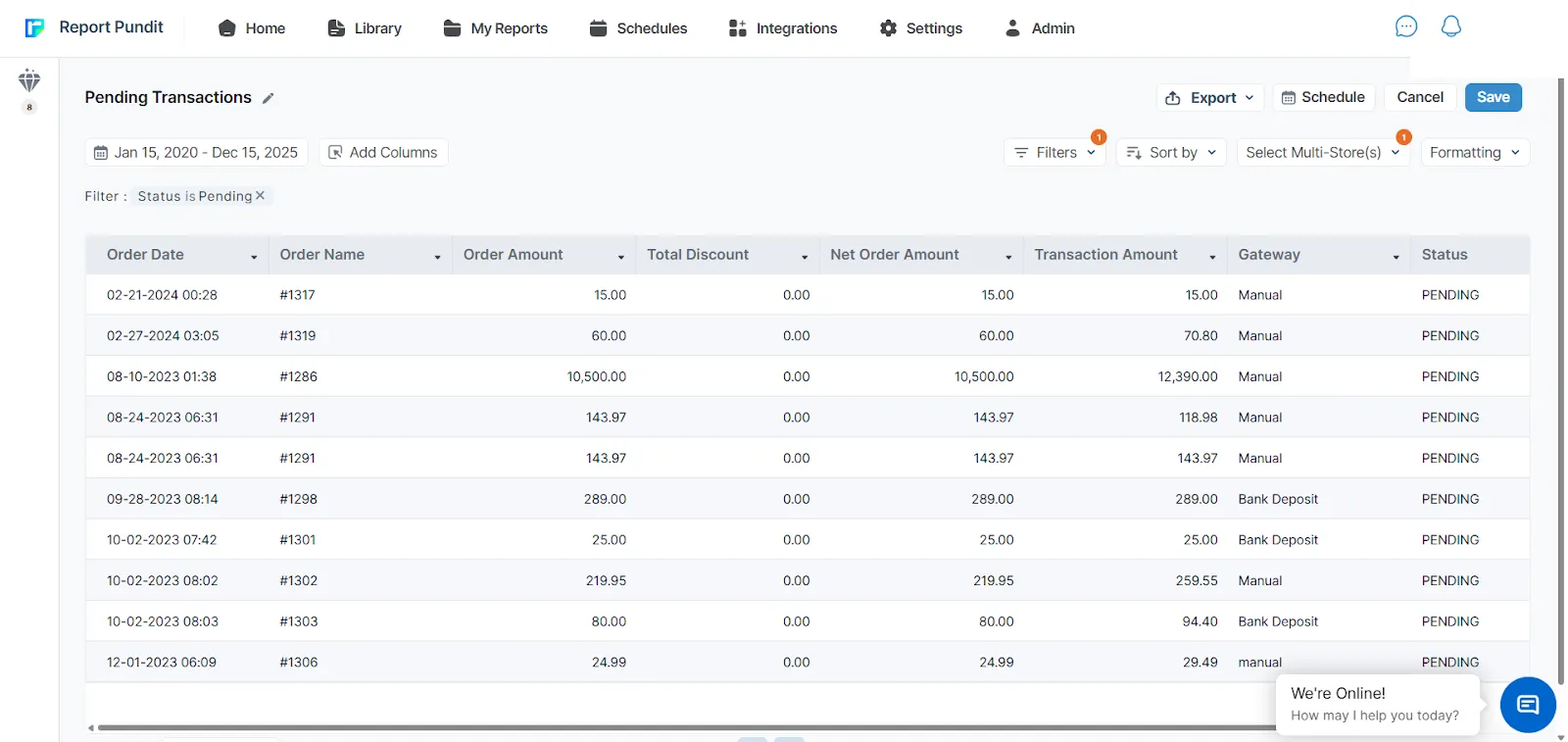
Key Data Fields in a Pending Transaction Report
Understanding these fields helps track where your money stands for each order and payout. They give a clear view of what was sold, what was discounted, and what was actually processed through a payment gateway. Together, they make it easier to track pending, successful, or failed payouts.
- Payout status (Paid, Pending, Failed): Shows the current status (paid/pending/failed) of the payout.
- Order Date: The date when the customer placed the order.
- Order Name: The unique order number or reference used to identify the order.
- Order Amount: The total value of the order before discounts, fees, or adjustments.
- Total Discount: The total amount of discounts applied to the order, such as promo codes or automatic discounts.
- Net Order Amount: The final order value after discounts are subtracted.
- Transaction Amount: The actual amount processed through the payment gateway for that transaction.
- Gateway: The payment method or provider used to process the payment, such as Shopify Payments, PayPal, or another gateway.
Shopify Payout Report Fields
These Shopify Payout Report fields help you understand exactly how each payout is calculated. They show the money coming in, what was deducted, and the final amount that reached your bank. This makes it easier to reconcile payouts with your actual deposits.
- Payout Date: The date when Shopify scheduled or sent the payout to your bank.
- Payout Status: Shows whether the payout is pending, paid, or failed.
- Payout ID: A unique reference number used to identify a specific payout.
- Charges Gross Amount: The total amount collected from customer orders before fees and deductions.
- Refunds Gross Amount: The total value of refunds issued during that payout period.
- Adjustments Gross Amount: Manual or system adjustments applied to the payout, such as dispute outcomes.
- Charges Fee Amount: The total processing fees charged by Shopify or the payment provider.
Payout Amount: The final amount sent to your bank after all fees, refunds, and adjustments.
Business Entity and Bank Account Fields
For merchants using Shopify's Business Entities feature (multiple legal entities in one store, each with its own Shopify Payments account and bank), Report Pundit surfaces the business entity and receiving bank account on every payout row. That means you can see not just what's pending, but which entity it belongs to and which bank it will settle into, which is essential for multi-entity cash flow planning. Learn more about Business Entity support in payout reports.
Case Study
One of our customers asked if it was possible to get a report showing pending payouts because they needed it for cash flow planning. The information already existed in Shopify, but checking it manually every time was slow and unreliable. They also wanted the data to be automated and delivered directly to their email so they could act on it faster.
To solve this, we created a customized report that displays only pending payouts and exports the data automatically. This gave them a practical approach to their cash flow planning for better reconciliation with banks and accounting software, easier dispute resolution, more clarity during peak sales seasons, and insights for settlement cycles and payout timelines.
Conclusion
When you clearly understand what has been paid, what is still pending, and what you owe, you avoid cash flow surprises, missed supplier payments, and last-minute financial stress. Instead of guessing how much money is available, you can make smarter decisions about inventory, marketing, and growth. With the help of advanced apps, you can go beyond Shopify’s standard reports. It allows you to build custom reports for pending payouts and outstanding balances, and add detailed transaction details to automate report delivery to your email or accounting tools.

5.0 ( 2000+ Reviews)