How to Create a Multi Store Dashboard in Shopify

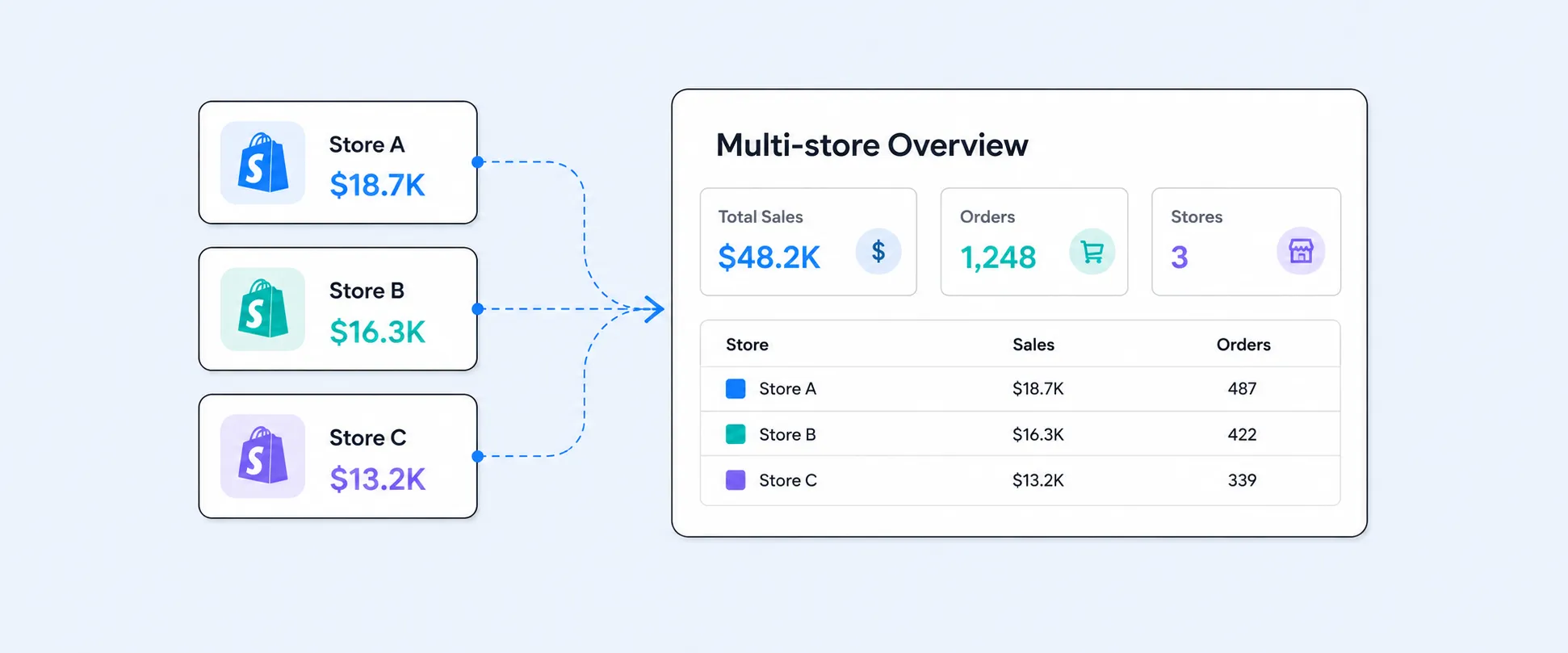
If you need a clear view of weekend revenue across all your Shopify stores. Operations are waiting on stock updates, marketing wants insights by region, and you are juggling between multiple dashboards, tabs, and spreadsheets to piece everything together.
This is the hidden cost of running multiple Shopify stores, not in money but in time, errors, and delayed decisions, and it only gets more confusing as you grow.
The good news is it doesn’t have to stay this way, but getting there starts with understanding what Shopify’s built-in dashboard can and cannot do.
What Is a Multi-Store Executive Dashboard, and Why Does It Matter?
A multi-store executive dashboard gives you a single, unified view of performance across all your Shopify stores. It brings together sales, inventory, customer data, and operational metrics in one place, so you can make decisions without switching between multiple reports.
If you run two or more Shopify stores, whether by region, product line, wholesale and direct to consumer, or brand, this kind of dashboard is essential. It helps you move from reacting to past results to spotting trends early and making proactive decisions.
So the real question is not just about having a dashboard, but understanding what Shopify provides out of the box and what is missing.
What Shopify’s Native Multi-Store Dashboard Offers You
It is an amazing step forward, but it still has a limited scope. Here is what you actually get.
1. Unified sales performance across stores
This is one of the most useful features. You can track key metrics like total sales, orders, average order value, sessions, and conversion rate across all your stores in one place. Instead of logging into each store, you get a single view, which saves time and reduces errors during reviews.
Shopify Plus gives you a top-level dashboard that sits above individual store reports. It gives you a quick snapshot of how your entire business is doing without switching between stores. It is simple, fast, and works well for weekly check-ins or during campaign launches.
3. Multi-store filtering in reports
You can add a store filter to your reports and compare performance side by side. For example, you can see how one store’s conversion rate compares to another during the same time period.
4. Custom dashboard sections by store group
You can group stores and create custom sections in your dashboard. This is useful if you manage stores by region, brand, or business type. Each group can show the metrics that matter most to you.
5. ShopifyQL for cross-store queries
ShopifyQL is Shopify’s built-in query tool. It allows you to explore data across multiple stores without exporting anything. If you are comfortable working with data, you can ask specific questions and get answers quickly.
6. Currency normalization
If you sell in different markets, Shopify converts all revenue into one currency for reporting. This makes it much easier to compare performance across stores without doing manual conversions.
Understanding the Limits of Shopify Multi-Store Dashboards
This is where the limitations become clear. Shopify’s multi-store analytics helps track sales, orders and basic performance but once you need deeper insights, it starts to fall short.
1. No single view of customers across stores
Each store keeps its own customer data. Shopify does not connect customers across stores, even if it is the same person.
2. No shared inventory view
You cannot see inventory across all stores in one place. You have to check each store separately. If your store A has 200 units of a product sitting unsold, while Store B is out of stock for the same item. There is no simple way to spot this imbalance. You might miss the chance to transfer stock and avoid lost sales.
3. No combined product performance
Even if you sell the same product in multiple stores, Shopify does not combine the data into one report.
Example:
You sell the same hoodie in three stores:
- Store A sells 100 units
- Store B sells 150 units
- Store C sells 80 units
Shopify shows these numbers separately. It does not give you a total of 330 units in one view, which makes it harder to understand overall product performance.
4. No automated executive reports
Shopify does not send reports automatically as there are no scheduled summaries, alerts, or weekly updates. You have to log in and check the data manually every time.
If your sales drop suddenly in one store, you will only notice it when you log in and review the dashboard. There is no automatic alert to notify you.
Steps to Create Multiple Shopify Stores in One Dashboard
You need a Shopify Plus plan to access organization-level analytics. Make sure users also have permission to view sales and orders across all stores.
Step 1: Set Up the Organization Overview
Go to Analytics from any store admin. Here, you can see:
- Organization overview with combined metrics across all stores (for Plus users)
- Store dashboard for the current store
You can also switch currencies to view everything in one format.
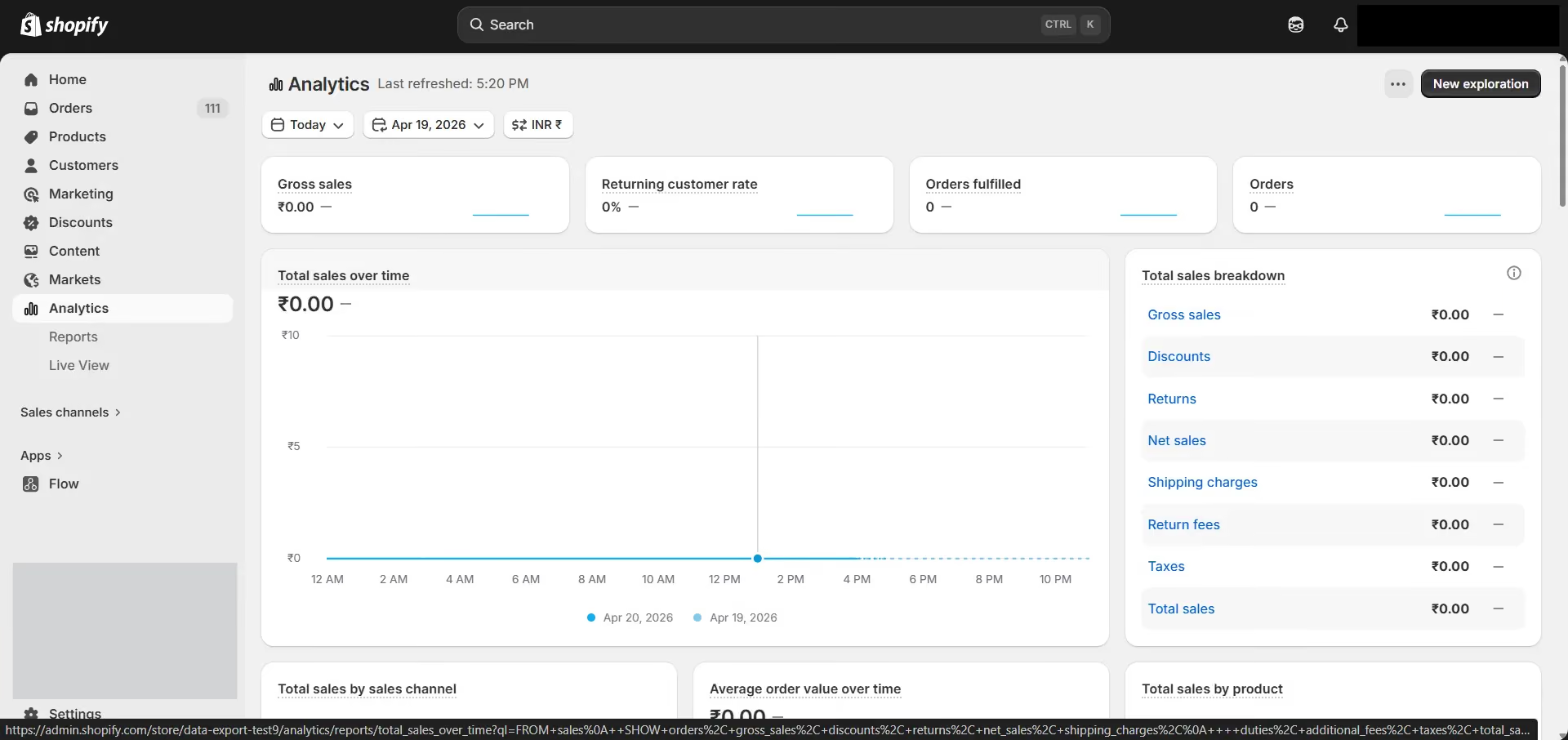
Step 2: Create Custom Sections
Click Customize in Analytics to add sections for different store groups like regions or business types.
Then, select which stores to include and arrange the dashboard to match your reporting needs.
Step 3: Build Multi-Store Reports
Go to Analytics and Reports to create custom reports.
- Select stores using the store filter
- Add Store as a dimension to compare performance
- Save and pin reports for quick access
Step 4: Use ShopifyQL for detailed Insights
For advanced queries, use ShopifyQL to analyze data across stores.
You can group by store, filter by channels, and create custom metrics for executive reporting.
Here is what Report Pundit offers for Multi-store reports
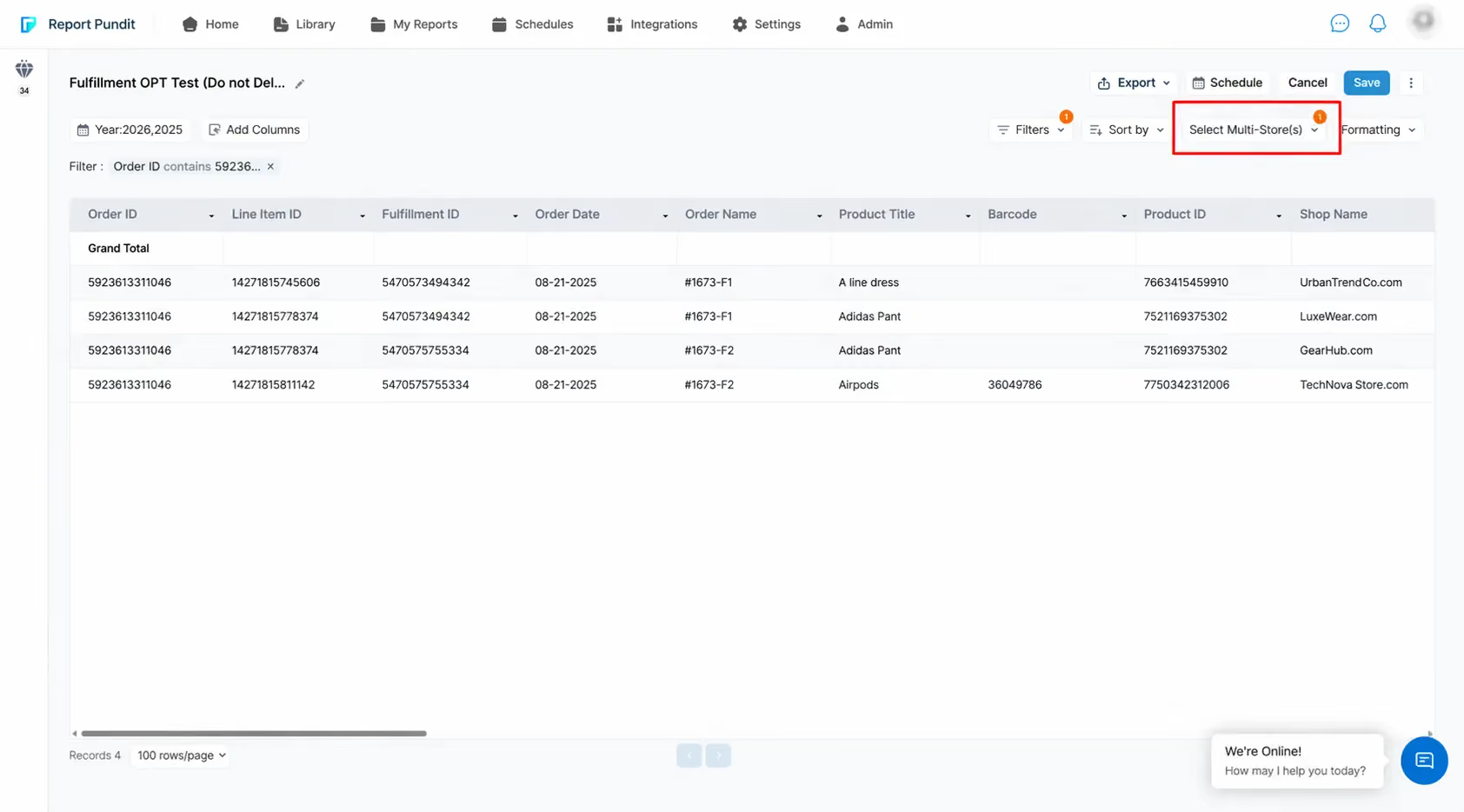
Report Pundit brings together data from multiple Shopify stores into one place, even if they are on different plans. You get a single view of customers, inventory, and products across all your stores without switching between accounts.
The reports are simple and easy to understand, so anyone on your team can use them without technical knowledge. You can also automate reports, schedule updates, and get insights when you need them.
1. Combined metrics across all stores
You can see key business numbers in one place:
- Total sales across all stores
- Order count
- Revenue trends
- Refunds and discounts
- Taxes and shipping
Instead of checking each store separately, everything is combined into a single view.
For example: Store A + Store B + Store C = one clear number.
2. Store-wise breakdown
Along with the combined data, you can still break down into each store:
- Sales by store
- Orders by store
- Performance comparison
This makes it easy to understand which store is performing better and where to focus.
3. Advanced reports across stores
You can go beyond basic metrics with:
- Line item level reports
- Product performance across stores
- Customer level insights
This gives you a deeper understanding of what is driving your business.
4. Custom filters and dimensions
You can filter and customize reports based on your needs:
- Store
- Date range
- Product or vendor
- Location
You can also combine multiple filters, making the analysis very flexible.
5. Unified exports
You can export a single report that includes data from all your stores, without needing to download and merge separate files manually. You can also request a custom report in Google Sheets based on your requirements through email or chat.
Go Beyond Native Dashboards with Report Pundit
Shopify dashboards do not provide scheduled reports, and it is not easy to combine sales, inventory, and profitability in one view.
This is where Report Pundit helps. It lets you:
- Combine data from multiple stores into one dashboard
- Automate report delivery to your inbox
- Include inventory, costs, and custom metrics in one place
Conclusion
Managing multiple Shopify stores does not have to mean juggling tabs, mismatched spreadsheets, and delayed decisions. Shopify’s native multi-store dashboard is a solid starting point for Plus merchants who need a quick sales overview across stores, but the moment your questions go beyond revenue, it runs out of answers. There is no cross-store customer data, no unified inventory view, no automated reporting, and no access at all below the Plus tier.
That is the gap Report Pundit fills. Whether you are on Basic or Plus, managing two stores or ten, Report Pundit brings your sales, inventory, customer, and product data into one clean, shareable report. Your Monday morning stops being a scramble and becomes a simple review.
Your stores are already generating the data. You just need one place to actually see it.

5.0 ( 2000+ Reviews)
