Shopify Finance Summary Report: What It Shows and What It Misses
Shopify Finance Summary Report: What It Shows, What It Misses, and How to Build a Better Finance View
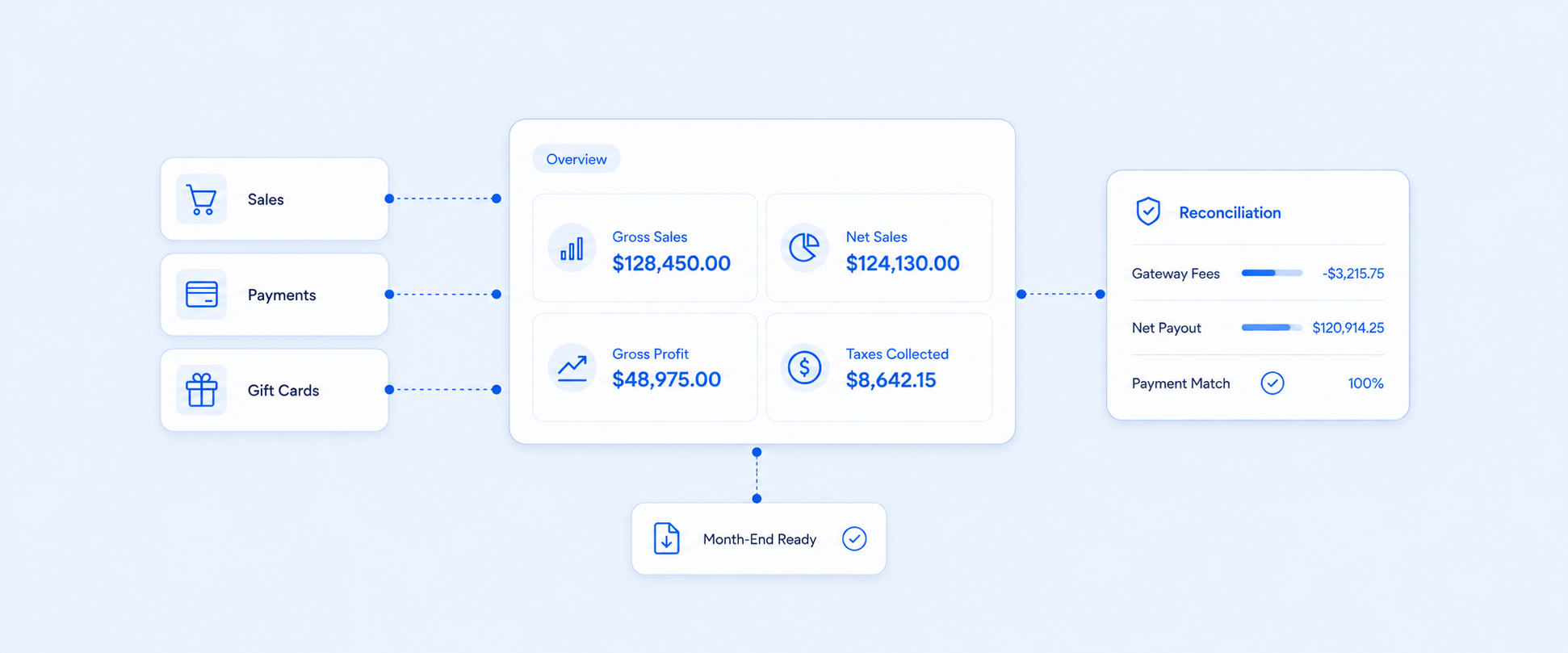
The Shopify Finance Summary report gives merchants a useful starting point for financial review. It brings sales, payments, gift cards, tips, and gross profit into one overview so you can quickly understand what happened during a selected time period.
But a quick overview is not always enough for finance work.
Accountants, founders, and operators usually need clean numbers they can export, reconcile, share, and review every month. That is where the native Finance Summary can start to feel limited. It helps you see the big picture, but deeper financial review still requires moving between related reports, checking payment data separately, and making sure profit, gift card, refund, and payout numbers are interpreted correctly.
What the Shopify Finance Summary Report Is Actually For
The Finance Summary report is built as an overview of store finances. It uses cards and visual summaries to show major financial categories, then links into related reports when you need more detail.
That makes it helpful for quick questions like:
- How did sales look during this period?
- What payment methods were used?
- What gift card activity happened?
- What does gross profit look like?
- Which finance area needs deeper review?
This is valuable for day-to-day visibility. The limitation appears when you need one structured finance report that is ready for accounting, reconciliation, or leadership review.
What Shopify Includes in the Finance Summary
The native Finance Summary covers several important finance categories.
It includes sales data, payments data, gift card data, tips data, and gross profit data for the selected time frame. The sales section connects to related finance reports such as gross sales by order, discounts by order, returns by order, net sales by order, shipping by order, and taxes.
The payments section includes payment-focused cards such as total payments, payments by method, payments received, and payments by gateway. The gift card section includes net sales from gift cards and outstanding gift card balance.
This gives merchants a useful finance overview, especially when they want a quick check inside Shopify. But it is still an overview. The deeper details are spread across related reports.
Why the Native Finance Summary Can Feel Incomplete
The main issue is structure.
The Finance Summary is designed for quick review, not for full finance workflow management. Finance teams often need a report that works more like a month-end pack: clear rows, consistent columns, exportable totals, and fewer clicks between related numbers.
That becomes difficult when the data you need is split across finance cards and separate reports. Sales, payments, gift cards, taxes, returns, and gross profit are connected, but they are not always presented in the exact consolidated format a finance team wants.
This is why many merchants still export multiple reports and combine them manually. The data exists, but the workflow can become repetitive.
Sales and Payments Are Not the Same Thing
A common finance mistake is comparing sales reports to payment reports and expecting them to match exactly.
Sales reports track the value of goods included in the sale. Payment reports track money movement between the customer, the payment provider, and the merchant. These two views can differ because payment timing, refunds, payment methods, and gateway behavior do not always line up neatly with order dates.
This matters for finance review because a merchant may see strong sales in one report and a different payment total elsewhere. That does not automatically mean the numbers are wrong. It usually means the reports are answering different financial questions.
A clean finance workflow should separate:
- Sales activity
- Payment activity
- Refunds and returns
- Gift card activity
- Gross profit
- Payout or gateway reconciliation
Once these are separated clearly, the numbers become much easier to trust.
Gross Profit Depends on Product Cost Data
The gross profit section is useful, but it depends on cost data being available.
In the Finance Summary, gross profit is based on net sales where cost was recorded at the time of sale. Net sales without recorded cost are separated from net sales with recorded cost. Only sales with recorded cost are included in the Cost of Goods Sold report and counted toward gross profit.
That distinction is important. If product cost is missing, gross profit will not reflect the full store picture. The report can still be useful, but the margin view will be incomplete.
For finance teams, this means gross profit review should always include one extra check: are product and variant costs recorded consistently?
Gift Cards Need Their Own Finance View
Gift cards can make finance reporting harder because they affect sales, liabilities, redemptions, and future revenue timing.
The Finance Summary includes gift card activity, including net sales from gift cards and outstanding gift card balance.
That is helpful, but many teams still need a more detailed view for:
- Gift cards sold
- Gift cards redeemed
- Outstanding balance
- Unused balance
- Gift card activity by date range
- Reconciliation with accounting records
Gift card reporting becomes especially important when gift cards are used heavily for promotions, customer service, returns, or store credit workflows.
What Finance Teams Usually Need Instead
Most finance teams do not just need a dashboard. They need a repeatable reporting process.
A better finance reporting workflow usually includes:
This is the difference between viewing finance data and operating with it.
Native Finance Summary vs. A Custom Finance Report
The native Finance Summary and a custom finance report solve different problems.
The native report is useful for visibility. A custom report is better when finance needs consistency.
How Report Pundit Helps Build a Cleaner Finance Summary
Report Pundit helps merchants turn Shopify finance data into a more usable reporting workflow.
Instead of checking several finance cards and related reports separately, merchants can build one consolidated finance summary that includes the numbers their team reviews together. This can include sales, refunds, taxes, shipping, gift cards, total payments, payout related views, gross profit, transaction breakdowns, gateway fees, and currency conversion or exchange rate details.
Merchants can also create customized reports to analyze which payment gateways customers prefer across different locations, how fees affect revenue, and where currency conversion impacts finance reporting.
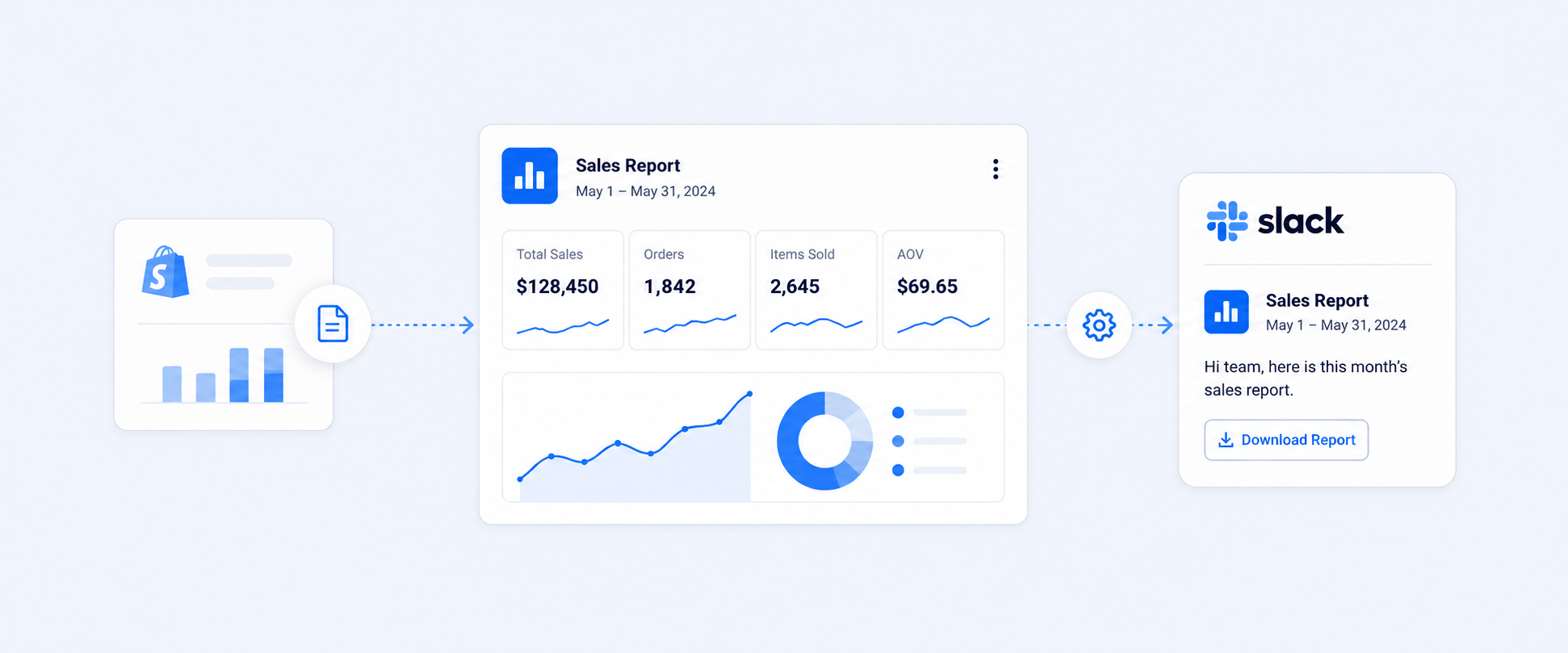
This is especially useful for teams that need reports delivered automatically for month end review, accountant handoff, leadership updates, or daily finance monitoring.
A Practical Finance Summary Layout Merchants Can Use
A clean finance summary report should be easy to scan and easy to reconcile.
A practical layout can include:
This kind of structure is easier for finance teams because it mirrors how the business reviews numbers: revenue first, deductions next, payment movement after that, and profit at the end.
When the Native Report Is Enough
The native Finance Summary can be enough when the goal is a quick review inside Shopify.
It works well for:
- Small stores with simple finance needs
- Owners checking performance casually
- Quick sales and payment visibility
- Occasional finance review
- Merchants who do not need scheduled exports or custom layouts
There is no need to overcomplicate reporting if the native view already answers the question.
When a Custom Finance Report Makes More Sense
A custom finance report becomes more useful when finance reporting becomes repetitive, detailed, or shared across teams.
It is usually the better option when:
- Month-end review takes too much manual work
- Gift card and payment data need to be reviewed together
- Shopify data must be exported in a consistent format
- Accountants need structured files
- Multiple reports are being combined manually
- Teams need scheduled delivery
- Finance views need to include custom fields or calculations
At that point, the problem is not access to data. The problem is getting the data into a usable finance workflow.
Conclusion
The Shopify Finance Summary report is useful for quick financial visibility, but it is not always enough for detailed finance operations.
It helps merchants see sales, payments, gift cards, tips, and gross profit at a glance. But when the business needs a consolidated report for accounting, reconciliation, exports, and scheduled review, a more structured workflow becomes necessary.
That is where Report Pundit fits well. It helps turn Shopify finance data into a cleaner, repeatable reporting process that finance teams, accountants, and operators can actually use.

FAQ’s
What Is the Shopify Finance Summary Report?
The Shopify Finance Summary report is a native finance overview that shows sales, payments, gift cards, tips, and gross profit data for a selected period. It uses cards and visual summaries with links to related finance reports.
Where Can I Find the Shopify Finance Summary Report?
Go to Analytics > Reports, then filter the reports by the Finances category. The Finance Summary appears inside the finance reports area.
Is the Finance Summary the Same as a Full Accounting Report?
No. It is an overview of finance data inside Shopify. Accounting teams often need a more structured report that combines sales, payments, refunds, gift cards, taxes, and gross profit in one exportable format.
Why Do Sales and Payments Not Match in Shopify?
Sales reports track the value of goods sold. Payment reports track money movement. Payment timing, refunds, gateways, and payout behavior can make those numbers different.
Does the Finance Summary Include Gift Card Data?
Yes. It includes gift card summaries such as net sales from gift cards and outstanding gift card balance.
Does the Finance Summary Include Gross Profit?
Yes. It includes gross profit data, but the result depends on product cost being recorded. Sales without recorded cost are separated from sales with recorded cost.
How Does Report Pundit Help With Finance Summary Reporting?
Report Pundit helps merchants build a more structured finance report with the fields and layout their team needs. It can support custom reports, filters, calculated fields, scheduled exports, and delivery to formats such as Excel, CSV, PDF, Google Sheets, and Slack.