Shopify Multi-Location Inventory: Track Stock Across Locations

Shopify Multi-Location Inventory: How to Manage Stock Across Warehouses, Retail Stores, and Multiple Stores
Selling from more than one location sounds simple until stock starts drifting out of sync.
One warehouse runs low while another sits on excess inventory. A retail location sells the last unit before ecommerce realizes it. Orders split across locations when one clean fulfillment would have been cheaper. These are not edge cases. They are the normal side effects of growth when inventory visibility is weak.
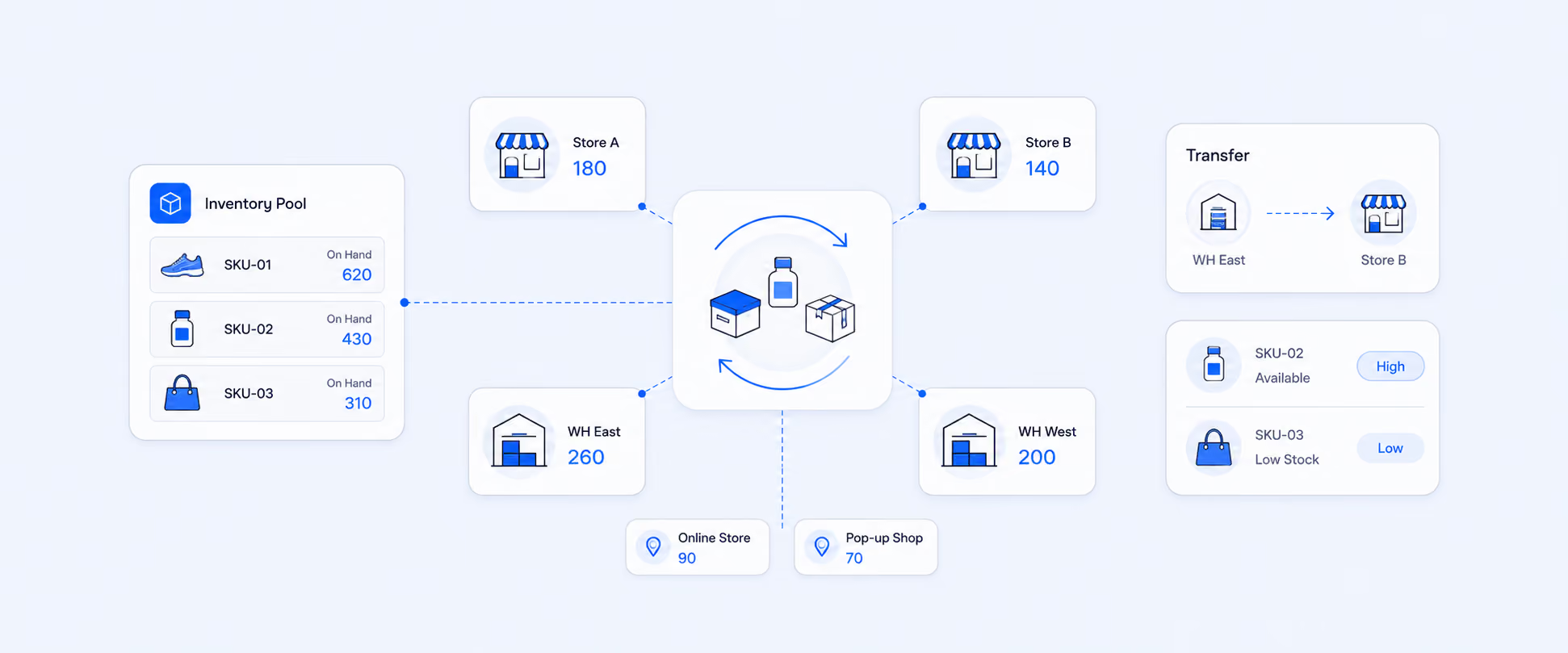
Shopify does give merchants a solid native foundation for multi-location inventory. You can track inventory separately at each location, assign inventory to locations, transfer stock between locations, and use order routing rules to decide where online orders should be fulfilled. The problem is that current visibility and native location workflows are only part of the job. As operations get more complex, merchants usually need better reporting across locations, and if they run separate Shopify stores, they often need a separate reporting or sync layer altogether.
Multi location inventory only works when stock is tracked separately by location and updates in real time. Otherwise you risk overselling in one store while excess stock sits idle in another.
Why multi-location inventory gets hard so quickly
Inventory complexity does not rise in a straight line. It jumps the moment you add a second or third location.
A single-store setup mostly asks one question: “How much stock do I have?” A multi-location setup asks harder questions: “How much stock do I have at each location, what is committed, what is incoming, where should this order ship from, and which location is about to run out first?” Shopify’s inventory model supports location-level tracking and order routing, but the decision-making burden still sits with the merchant.
That is why multi-location inventory is not just a stock-count problem. It is a visibility problem, a fulfillment problem, and eventually a planning problem.
What Shopify can handle natively inside one store
If you are managing multiple warehouses, retail locations, or fulfillment points inside a single Shopify store, Shopify already supports the basics well.
You can add and manage locations, track inventory separately at each physical location, assign inventory to those locations, and configure fulfillment behavior. Shopify also supports using your own locations alongside fulfillment apps and services, so a product can be stocked partly at your warehouse and partly through a fulfillment partner.
That native setup is enough for many merchants to:
- See available inventory by location
- Fulfill from the closest or most suitable location
- Move stock between locations
- Keep online and in-person inventory tied to the same store-level system
For brands operating within one Shopify store, this is the right starting point.
The most important distinction: Locations inside one store vs multiple Shopify stores
This is where many merchants get confused.
Multiple locations inside one Shopify store are a native Shopify workflow. Inventory is tracked separately by location, but it still belongs to the same store-level inventory system.
Multiple Shopify stores are different. Shopify describes the multistore model as multiple separate stores, each with its own storefront, settings, products, pricing, and inventory logic. That means cross-store inventory is not automatically one unified pool just because the stores belong to the same brand.
That distinction changes the solution:
- If your problem is multiple locations in one store, Shopify native tools cover a lot
- If your problem is multiple separate Shopify stores, you usually need an app, external system, or custom workflow for unified inventory visibility or reporting
How order routing affects multi-location inventory
A lot of multi-location pain does not come from the stock itself. It comes from where orders get assigned.
Shopify’s order routing applies rules in sequence to determine which location should fulfill an order. By default, it tries to minimize split fulfillments, stay within the destination market, and ship from the closest location. If one location can fulfill the entire order, Shopify prioritizes that. If not, the order can be split across locations.
That matters because routing decisions affect:
- Shipping cost
- Speed of delivery
- Inventory balance by location
- How often one location gets drained before others
- How frequently orders split into multiple packages
In other words, routing is part of inventory management, not just fulfillment logic.
Transfers are where inventory control becomes operational
When stock needs to move between warehouses or stores, visibility alone is not enough. You need transfer control.
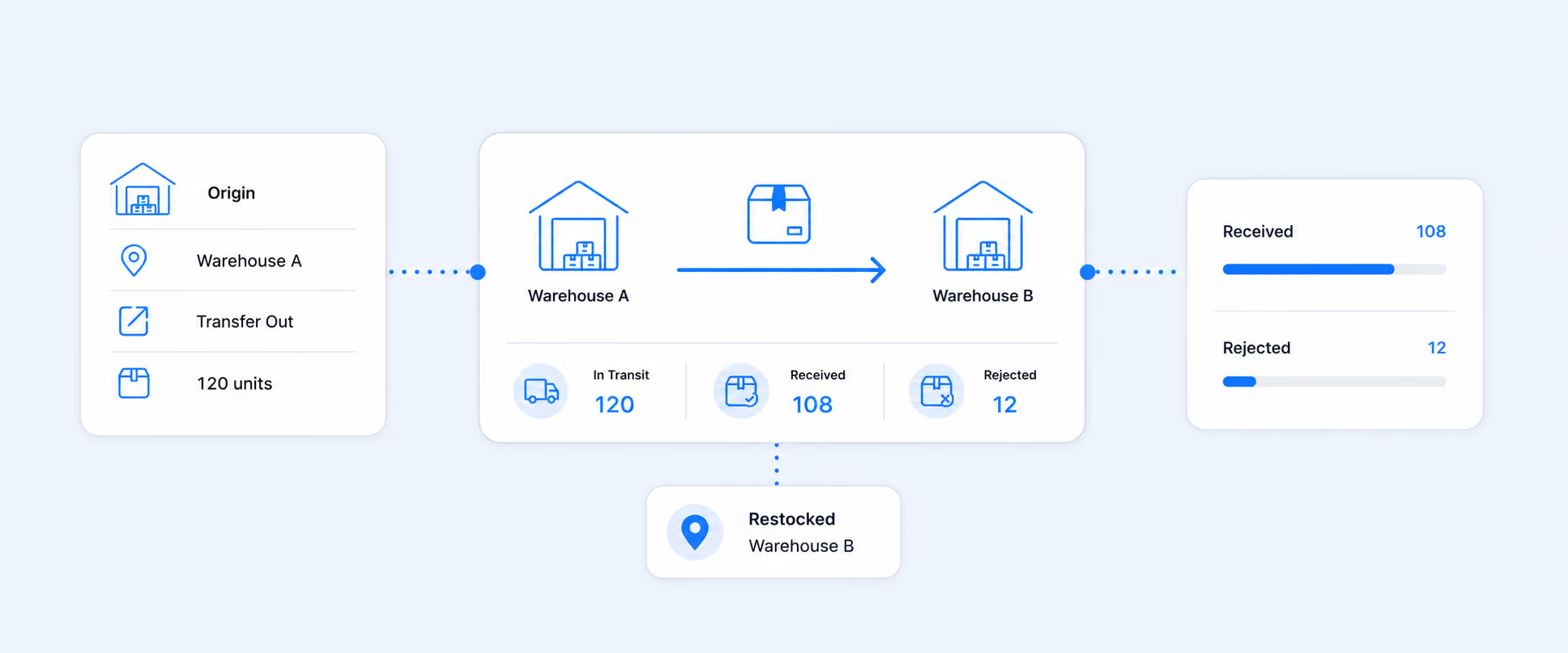
Shopify supports inventory transfers and shipments between locations. You can create transfers, track shipments, receive items fully or partially, and automatically update inventory when stock is received at the destination. Shopify’s inventory workflows also support transfer filtering and tracking, which helps merchants see stock movement instead of just final stock levels.
This becomes especially useful when you need to answer questions like:
- What was sent from the origin location
- What actually arrived
- What was partially received
- Which transfer is still in progress
- Whether a stock discrepancy came from selling, counting, or moving inventory
For multi-location brands, transfers are often the bridge between “inventory exists” and “inventory is where it needs to be.”
What inventory history can and cannot tell you
Current stock is useful, but it is not enough for troubleshooting.
Shopify lets merchants view inventory adjustment history for tracked products and variants. On the product or variant adjustment history page, you can see the last 180 days of history. For older history, Shopify directs merchants to the Inventory adjustment changes report, which can be filtered by dimensions such as SKU, location, staff member, app, and adjustment reason.
That is important because multi-location inventory problems usually need historical answers:
- When did the count change
- Which location was affected
- Was it an order, transfer, return, or manual correction
- Did a staff action or app change the inventory position
What Shopify does well here is trace adjustments. What it does not automatically give every merchant is a perfect, ready-to-share operational report that compares locations, trends, and historical changes in the exact format each team wants.
The biggest mistakes merchants make with multi-location inventory
The first mistake is treating “total inventory” as the real number that matters. It is not. Inventory by location is what determines whether a specific order can be fulfilled cleanly and whether a specific store or warehouse is about to run dry.
The second mistake is assuming routing will solve stock imbalances on its own. Routing optimizes fulfillment based on rules. It does not replace replenishment decisions, transfer planning, or location-level review.
The third mistake is relying only on current stock and ignoring adjustment history. That makes it much harder to understand why a location is short, why an item keeps drifting, or whether transfers are being received accurately.
The fourth mistake is treating separate Shopify stores as though they share one native inventory pool. They do not. Separate stores have separate inventory logic, so merchants who want cross-store visibility usually need an extra layer for reporting or synchronization.
How to use multi-location inventory data for smarter decisions
The real value of multi-location inventory is not just preventing overselling. It is making better operating decisions.
A stronger reporting workflow helps merchants answer things like:
- Which location is holding too much stock
- Which warehouse stocks out first
- Which SKUs keep getting transferred
- Whether certain locations are overcommitting inventory
- Where reorder planning should happen first
Shopify’s native reports and adjustment logs can support parts of this analysis, but merchants often want a cleaner view by product, variant, location, vendor, or store. That is where reporting becomes more important than raw inventory access.
For one store with many locations, this usually means comparing inventory across internal locations. For brands running multiple Shopify stores, it often means creating one reporting layer that can see across all stores instead of checking each store separately.
Where Shopify’s native view starts to feel incomplete
Shopify’s native multi-location tools are useful, but they are built mainly for managing inventory, routing orders, and handling operational tasks inside the store.
The moment a merchant wants one report that shows inventory by product, variant, and location, compares locations side by side, exports cleanly for operations, or combines multiple Shopify stores into one view, the native workflow can start to feel fragmented. Shopify does support inventory reporting and custom explorations, but the need for reusable, shareable, decision-ready reporting often grows faster than the native screens do.
That is especially true when teams need:
- Location-by-location stock comparisons
- Scheduled inventory exports
- Multi-store reporting
- Current inventory alongside historical movement
- Filters for warehouse, vendor, SKU, or product type
- See sales and inventory side by side in one view
How Report Pundit helps with multi-location inventory reporting
Report Pundit is useful here because it turns Shopify inventory data into operational reporting, not just inventory screens.
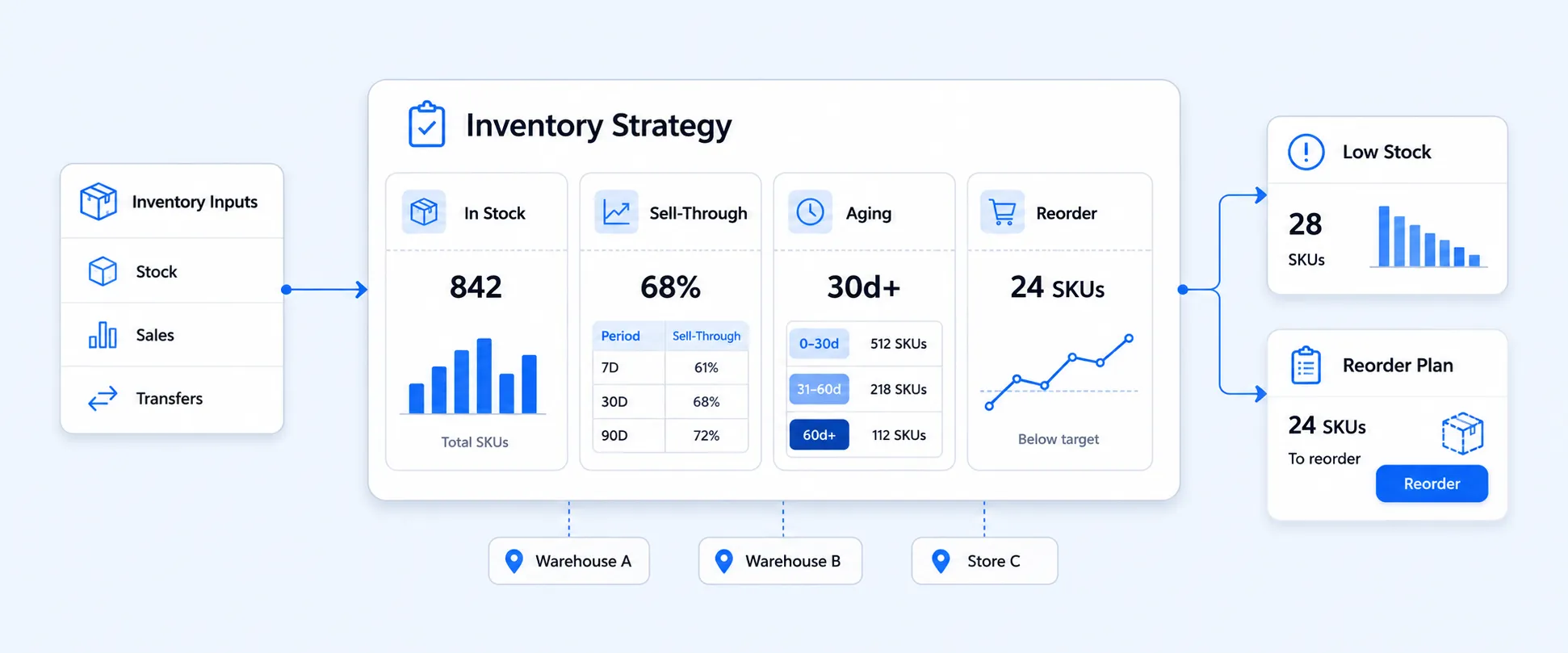
It supports inventory reporting, custom filters, calculated fields, scheduled reports, and exports, and it includes inventory-focused report categories such as Inventory by Location, Inventory Cost, Inventory on Hand, Current inventory and related inventory views. It also supports multi-store reporting, which matters when the brand’s inventory story spans more than one Shopify store.
That makes it easier to build views like:
- Inventory by product and location
- Inventory comparisons across warehouses
- Stock summaries by store
- Exports for ops or finance teams
- One reporting layer for multiple Shopify stores
For merchants who have already outgrown “check each location manually,” that is usually the real next step.
A practical operating model that works
The cleanest way to manage multi-location inventory is to separate the job into three layers.
Layer 1: Shopify for live operational control
Use Shopify locations, transfers, and order routing for day-to-day stock movement and fulfillment.
Layer 2: Shopify history for troubleshooting
Use adjustment history and the Inventory adjustment changes report when you need to explain what changed and why.
Layer 3: Reporting for decisions
Use a dedicated reporting layer when you need side-by-side location comparisons, exports, multi-store visibility, or repeatable workflows for ops, finance, or merchandising.
FAQ
Can Shopify track inventory across multiple locations?
Yes. Shopify can track inventory separately at each physical location, assign inventory to locations, and use routing rules to decide where online orders should be fulfilled.
How does Shopify decide which location fulfills an order?
Shopify uses order routing rules. By default, it aims to minimize split fulfillments, stay within the destination market, and ship from the closest suitable location.
Can Shopify move inventory between locations?
Yes. Shopify supports inventory transfers and shipments between locations, including partial receipts and automatic updates when transferred stock is received.
How far back can I see inventory adjustment history in Shopify?
On the product or variant adjustment history page, you can see the last 180 days. For older history, use the Inventory adjustment changes report.
Does Shopify natively unify inventory across multiple separate stores?
Separate Shopify stores have separate storefronts, settings, products, pricing, and inventory logic. For unified cross-store visibility or reporting, merchants typically need an additional app or system.
What is the easiest way to compare inventory across locations?
For basic checks, Shopify’s native location and inventory tools are enough. For repeatable location-by-location analysis, exports, or multi-store views, a reporting tool such as Report Pundit is usually more practical.
Closing
Multi-location inventory works well when stock is visible, routable, and explainable.
Shopify already gives merchants a strong native base for location-level inventory, transfers, and fulfillment routing. The challenge usually starts when the business needs better cross-location analysis, deeper history, or one view across multiple Shopify stores. That is where merchants move from inventory management into inventory reporting.
If your team needs cleaner inventory visibility across warehouses, retail locations, or multiple stores, Report Pundit gives you a practical way to turn Shopify’s inventory data into reports you can actually use to make faster decisions.

5.0 ( 2000+ Reviews)