Shopify Sales by State Report: Track Regional Sales, Taxes, and Shipping

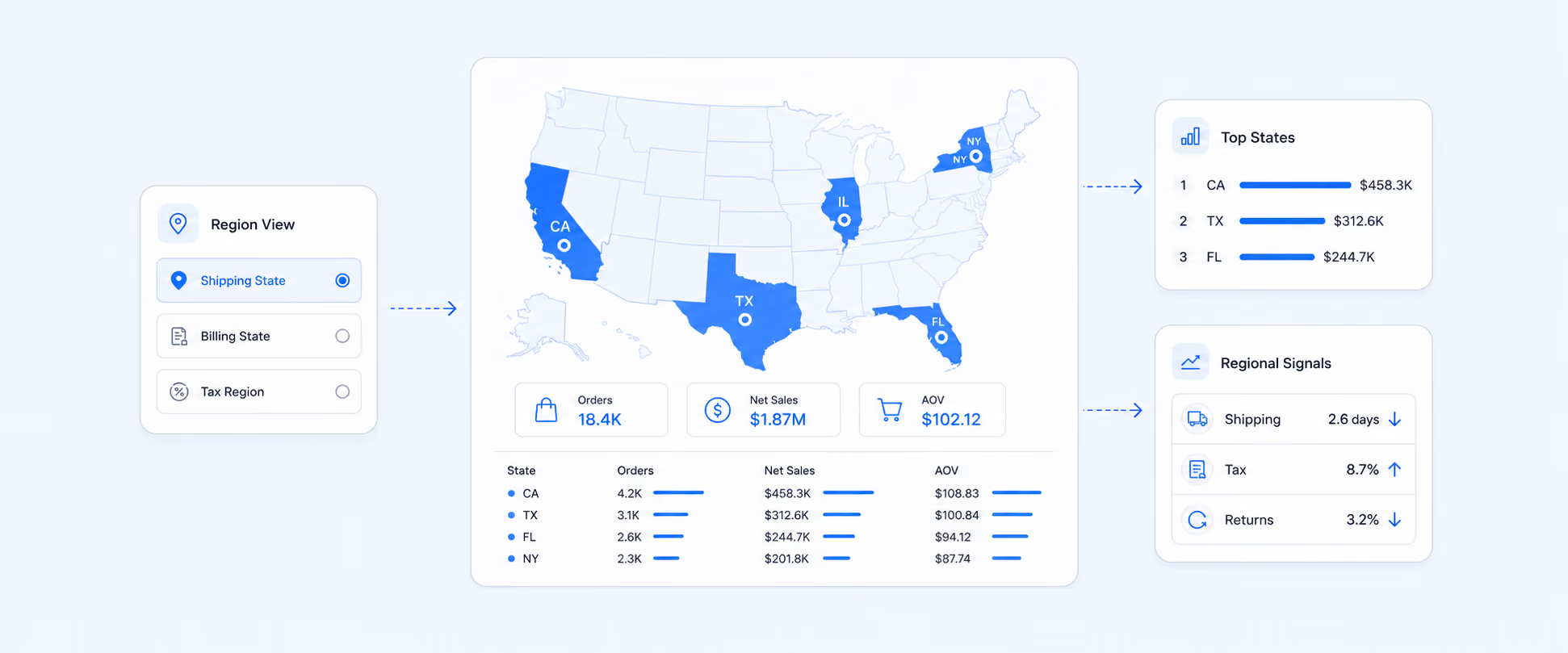
A Shopify sales by state report groups your orders and revenue by region. Shopify has no native version. The built-in Sales by Billing Location report only covers billing region, so to see sales by shipping state or tax region you build a custom report in a tool like Report Pundit.
To see sales by state in Shopify, go to Analytics > Reports > Sales > Total Sales by Billing Location. That's the native starting point, but it only shows billing region. If you need sales grouped by shipping state, which is what most merchants actually mean when they ask for a "sales by state report," you'll need to build a custom report. Billing region, shipping region, and tax region are three separate fields in Shopify, and each one answers a different question.
This guide walks through all three, covers what Shopify can and can't do natively, and shows how to set up an automated sales by state report that runs monthly.
Shopify does not have a native "sales by state" report. The closest built-in option is the Total Sales by Billing Location report (Analytics > Reports > Sales), which groups orders by the customer's billing address. To see sales grouped by shipping state, tax region, or to combine regional data across multiple stores, merchants need a third-party reporting tool.
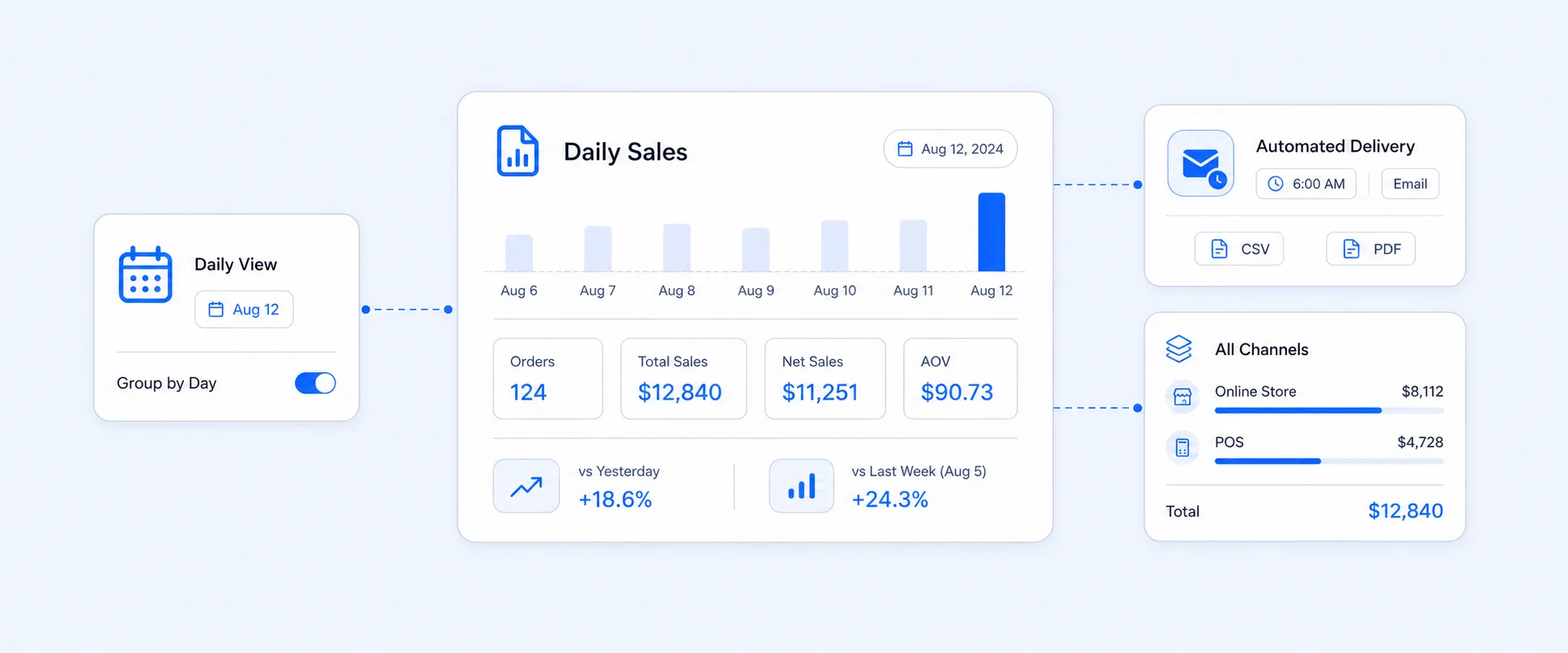
In Report Pundit, you can build a custom report using shipping region as the grouping field, add metrics like net sales, orders, and average order value, then schedule it to deliver monthly by email.
Key Takeaways
- Shopify's native"Sales by Billing Location"report is not the same as a sales by shipping state report. The two can point to different regions for the same order.
- Billing region, shipping region, and tax region are separate fields. The right one depends on what question you're trying to answer.
- You can schedule a monthly sales by state report in Report Pundit to deliver automatically on the first of each month, covering the previous full month's data.
- Multi-store merchants can pull sales by province across all connected stores into one report, without rebuilding it manually each time.
How Is a Shopify Sales by State Report Different from the Billing Location Report?
This is the most common point of confusion, and it matters. Shopify's built-in report, Total Sales by Billing Location, groups sales by the billing address on the order. A sales by state or province report, in the way most merchants actually mean it, groups by the shipping address, because that's where the product is going.
For a customer in Ontario who bills through a corporate address in Quebec, those two reports will disagree. Neither is wrong. They're answering different questions.
If your goal is understanding where demand is physically coming from, use shipping region. If you're analyzing customer payment geography or comparing billing addresses to shipping destinations, the Shopify Sales by Billing Location report covers that use case in detail.
Where Do You Find Sales by State in Shopify Natively?
Shopify's native starting point is: Analytics > Reports > Sales > Total Sales by Billing Location.
That report shows billing country and billing region. It won't show shipping state, shipping province, or tax region as separate breakdowns by default. For tax-focused regional review, go to Analytics > Reports > Finance > Taxes or, for US stores on Shopify Tax, look for the United States Sales Tax report under the same Finance category.
The navigation paths above are accurate as of mid-2026. Shopify occasionally moves things, so if you don't see a report where expected, check the Reports page and use the category filter on the left.
What Shopify's native reports can't do out of the box:
- Group by shipping state and billing state in the same view
- Filter by customer tag within a regional report (for example, customers tagged wholesale or vip grouped by province or state)
- Combine sales by province across multiple connected stores
- Schedule regional reports to deliver automatically by email each month
For those use cases, you need Report Pundit.
What's the Difference Between Billing Region, Shipping Region, and Tax Region?
They sound interchangeable. They're not. We've found this to be one of the most common sources of confusion when merchants build their first regional report.
Shopify's analytics field library includes billing city, billing country, billing region, shipping city, shipping country, shipping postal code, shipping region, tax country, and tax region as separate dimensions. The right field depends entirely on what you're trying to decide.
Which Sales Metrics Should You Compare by State or Province?
Revenue volume is the obvious starting point. It's rarely enough on its own.
From what we've seen, the most useful combination for regional analysis is: orders, gross sales, discounts, net sales, shipping charges, returns, and average order value, all grouped by shipping region. That combination tells you not just where sales came from, but whether those regions are profitable.
A state with $40,000 in gross sales and 20% average discount isn't the same as a state with $32,000 in gross sales and no discounting. Net sales is the fairer comparison.
Fields worth pulling in a complete regional report:
- Orders (count)
- Gross sales
- Discounts
- Returns/refunds
- Net sales
- Shipping charged
- Tax collected
- Average order value
- Customer count (new vs. returning)
- Sales channel
The tricky part is that Shopify's native sales reports define "total sales" differently depending on which report you're in. Some include shipping and taxes; others don't. Before acting on any regional number, verify what's included in your sales metric definition.
A Real Example: What Sales by Province Actually Reveals
Here's a pattern we see regularly among multi-store merchants who run their first proper sales by province breakdown.
Illustrative example:
Imagine a Canadian health brand selling across three stores. At the total-sales level, Ontario looks dominant. But when they pull a sales by shipping province report across all stores in a single view:
- Ontario: Highest order count, but also highest return rate and highest average discount. Net sales are lower than gross sales suggest.
- British Columbia: Fewer orders, but strong average order value, low returns, and minimal discounting. The most profitable region per order.
- Alberta: Moderate volume with strong repeat purchase rate. Low marketing spend relative to output.
The Ontario-first assumption was wrong. BC deserved more prospecting budget. Alberta needed retention attention, not acquisition. None of that was visible in a simple total sales view.
How Does Sales by State Help Marketing Decisions?
Regional sales data makes ad spend more precise. That's the practical value.
If you run national or country-wide campaigns, some regions absorb budget without producing meaningful returns. Others show strong organic demand but get little campaign focus. A sales by state report is one of the cleaner ways to spot both.
A region with strong net sales and low discount dependency is a good candidate for more prospecting budget. A region with high order volume but above-average returns may need better product descriptions or expectation-setting before you scale spend. A region with seasonal spikes may deserve earlier campaign planning the following year.
Regional sales data doesn't replace platform attribution. It adds a layer of context that ad dashboards often miss, specifically around profitability by geography rather than just click-to-conversion.
How Does Sales by State Help Shipping and Fulfillment?
Shipping region tells a different story than billing region, and it tends to be more operationally useful.
If a large share of your orders ship to a few provinces or states, your current shipping rates and fulfillment routing may not reflect that concentration. High order volume in distant regions can quietly erode margin if shipping is subsidized or flat-rate.
Sales by shipping state also helps with inventory placement. If one region consistently orders the same product categories, stocking inventory closer to that demand, adjusting fulfillment routing, or building regional promotions around available stock can all reduce cost and improve delivery times.
This is where regional reporting stops being analytical and starts being operational.
Can Shopify Show Sales by State for Tax Purposes?
Yes, but a sales by state report isn't the same as a tax filing report. Worth being clear on that distinction.
For eligible US stores using Shopify Tax and USD, the United States Sales Tax report (found under Analytics > Reports > Finance) includes state, jurisdiction, and transaction-level views. The state overview includes destination state, total net item sales, item tax amount, total shipping, and shipping tax. The jurisdiction view breaks taxes down further by state, county, city, and special tax jurisdictions.
The Taxes finance report determines region based on the destination of sales, using shipping address first, then billing address, then POS address. So it's closer to a shipping-region view than a billing-region view.
For actual tax filing, work with an accountant. A sales by state report is useful for review and reconciliation. The final filing logic depends on product taxability, marketplace filing status, exemptions, and local rules that vary significantly by jurisdiction.
How to Build a Sales by State Report That Runs Automatically
Native Shopify reports don't schedule. You can't set up a Total Sales by Billing Location report to deliver to your inbox on the first of every month.
Report Pundit does support this. Here's how a typical setup looks in practice:
- Build a custom report grouping orders by shipping state or province, with net sales, order count, and any other fields you need
- If you're on multiple Shopify stores, connect them and set one as the primary account, then run the report across all stores in a single view
- Set the date range to "Last Month" so it automatically captures the previous full month on each run (on July 1, it queries June 1 to 30)
- Schedule delivery to email in Excel or CSV format on the 1st of each month
You can also filter regional reports by customer tag. For example, pulling a count of customers by province where the customer carries a specific tag, such as wholesale or a loyalty tier tag, is a supported filter in Report Pundit. The tag is used as a filter without appearing as a visible column in the exported report.
Native Shopify Regional Reports vs. Custom Sales by State Reporting
Use native reports when the question is straightforward and the fields you need are available in the report. Use Report Pundit when your regional reporting needs to serve marketing, finance, operations, and leadership on a recurring basis without manual rebuilding.
Common Mistakes to Avoid
Treating billing state and shipping state as the same thing. A customer can pay from one region and ship to another. If you're making fulfillment or ad spend decisions, shipping region is almost always the right field. If you're doing payment geography analysis, billing region is.
Calling a high-revenue state a strong state without checking margin. A region with strong gross sales may also carry above-average returns, heavy discounting, or high shipping costs. Net sales, return activity, and shipping charges should all be part of the picture before you increase spend.
Confusing a sales report with a tax report. They use different fields, different logic, and serve different purposes. Don't use a regional sales report as your tax filing basis without involving a tax professional.
Drawing conclusions from short or distorted date ranges. A state can spike because of one wholesale order, one influencer post, or a single campaign. Compare consistent periods before making budget or inventory decisions.
Going too granular too fast. City and postal-code breakdowns are useful for local delivery planning and geo-targeted campaigns. For most strategic decisions, state or province is the cleaner starting point.
FAQ’s
What is a Shopify sales by state report?
A Shopify sales by state report groups orders or revenue by a regional field, typically shipping state, billing state, or tax region. It helps merchants understand where orders are coming from, where products are being delivered, and how sales performance varies across geographies. Most merchants mean shipping state when they ask for this report, not billing state.
Where do I find sales by state in Shopify?
Go to Analytics > Reports > Sales > Total Sales by Billing Location for native regional data. That report uses billing region, not shipping region. For tax-focused regional breakdowns, go to Analytics > Reports > Finance > Taxes or United States Sales Tax (US stores only). If you need shipping state specifically, you'll need a custom reporting tool.
Is Shopify's billing location report the same as a sales by state report?
No. The billing location report uses the customer's billing address. A sales by state report, in the way most merchants use it, is based on the shipping address. For a customer who bills from one province and ships to another, the two reports will show different regional attribution for the same order.
Can I see sales by state across multiple Shopify stores?
Not natively. Shopify's reports are store-specific. Report Pundit lets you connect multiple stores and pull a combined sales by province or state report across all of them in a single view, with no manual data stitching.
Can I schedule a Shopify sales by state report to run automatically?
Shopify doesn't offer native report scheduling. Report Pundit supports scheduled reports with "Last Month" date logic, so on the 1st of each month it automatically delivers the prior month's regional data by email in Excel, CSV, or PDF.
Can I filter a sales by province report by customer tag?
Yes, in Report Pundit. You can filter orders or customers by any tag applied in Shopify, including custom tags like wholesale, loyalty tiers, or segment identifiers, and group results by province or state. The tag can be used as a filter without appearing as a visible column in the export.
What's the difference between billing region, shipping region, and tax region in Shopify?
Billing region is based on the billing address and is best for customer payment geography. Shipping region is based on the delivery address and is best for fulfillment and demand analysis. Tax region is based on where tax was applied, using shipping address first, then billing address, and is used for tax review and reconciliation. They can point to three different states for the same order.

5.0 ( 2000+ Reviews)