Shopify Bundle Profitability Report: How to Track Profit for Bundles

Product bundles can help increase AOV and move slow inventory more efficiently, but managing them is not always simple. You may find yourself tracking inventory across multiple SKUs, aligning bundle revenue with individual product costs, and ensuring stock levels stay accurate after each sale.
But without the right setup, bundles can quickly become more complex than beneficial. As bundles make shopping easier by allowing customers to buy multiple items in one click without overthinking. At the same time, grouped value increases perceived benefits, encouraging customers to spend more.
Here will see how to use Shopify bundles that drive revenue, maintain accurate inventory across components, and integrate smoothly with your store.
What Is a Shopify Bundle Profitability Report
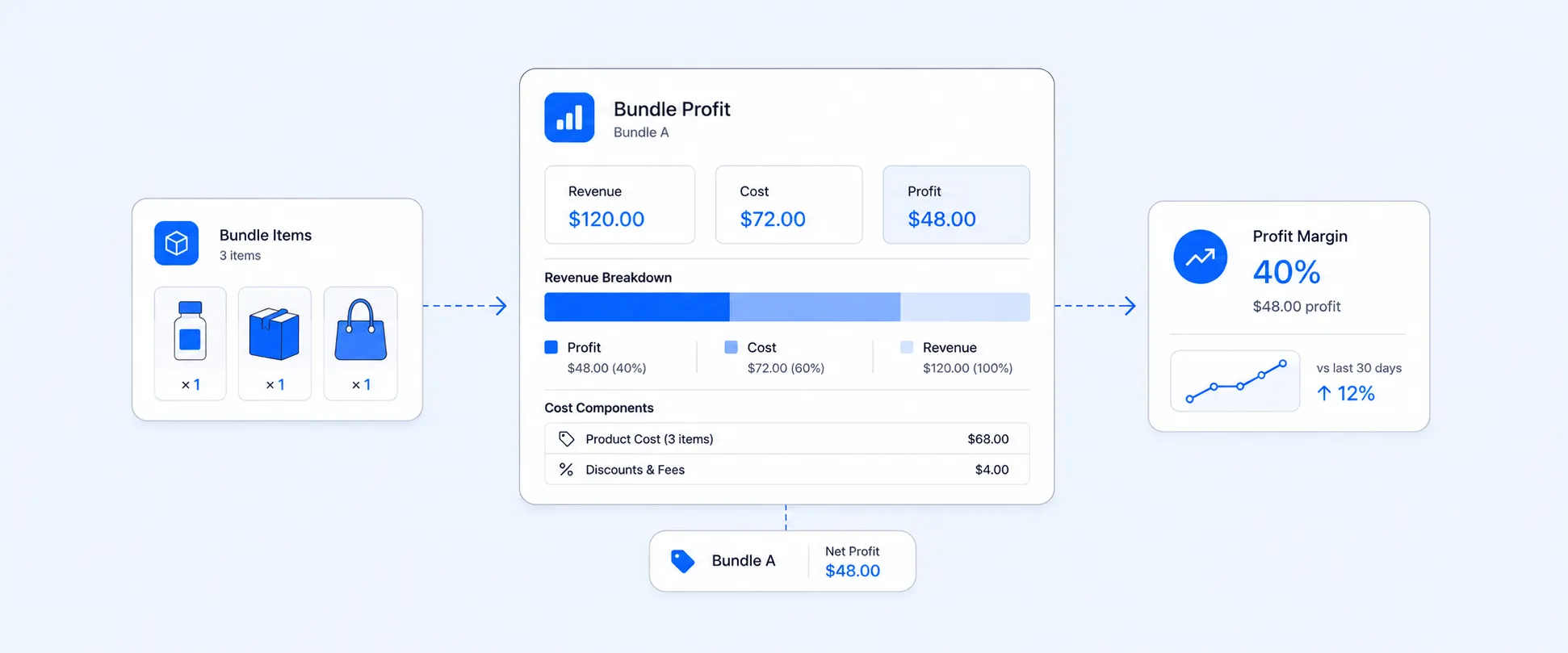
A bundle profitability report gives you a clear view of how each bundle is performing financially. Rather than showing bundle revenue as a single line item, it breaks down:
- Bundle revenue generated: This shows how much total income each bundle brings in. It helps you identify which bundles are driving the most sales.
- Component-level costs: It tracks the cost of each product within the bundle. It ensures you understand the true cost behind every bundle sold.
- Applied bundle discounts: This reflects the price difference between bundled items and individual pricing. It helps evaluate how discounts impact profitability.
- Gross margin per bundle: This measures profit after subtracting component costs from bundle revenue. It helps you determine which bundles are actually profitable.
- Sales volume over time: This tracks how many bundles are sold within a specific period. It helps identify trends, seasonality, and demand patterns.
- Contribution to overall revenue and profit: This shows how much bundles add to your store’s total performance. It helps you understand their role in overall growth and profitability.
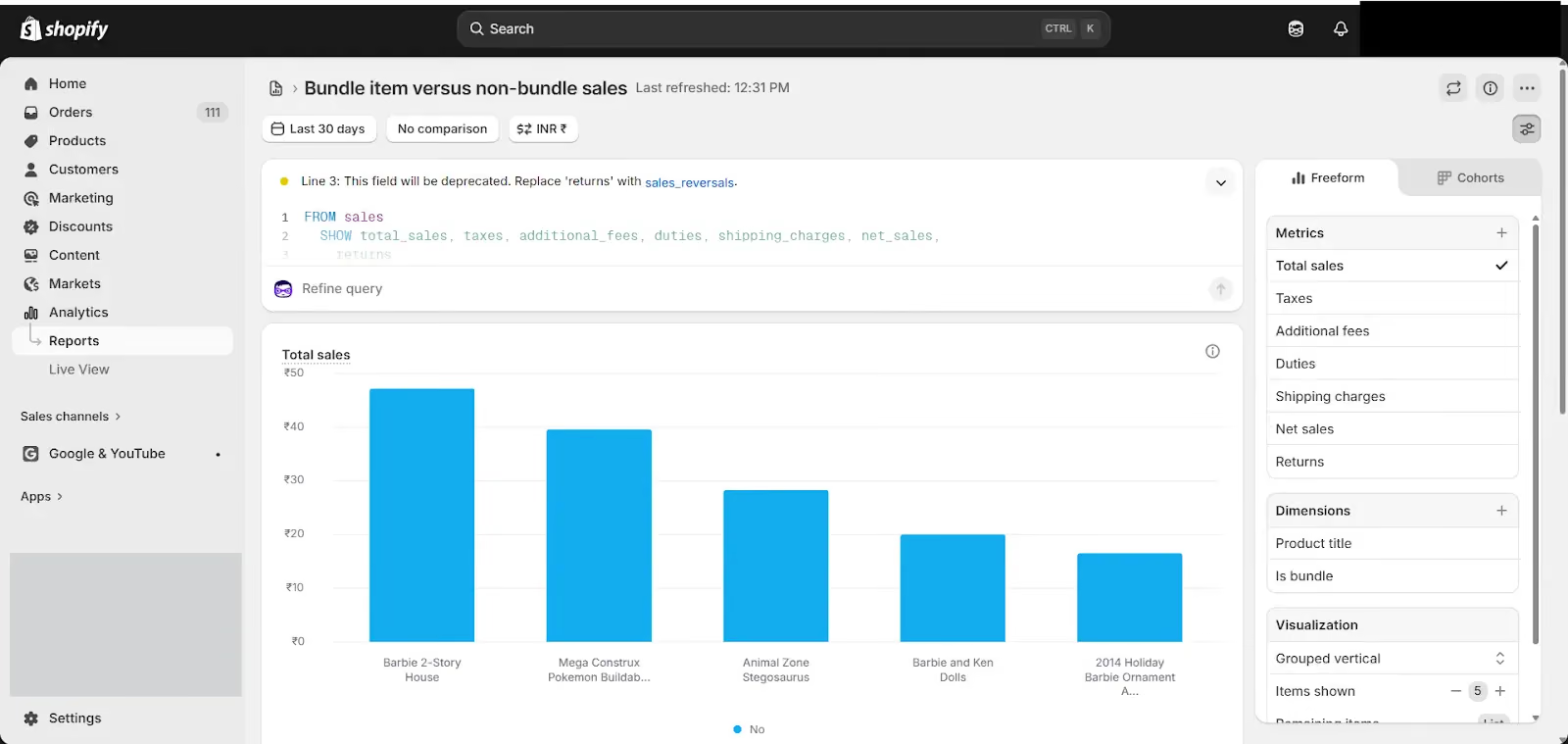
Note: Shopify includes an “Is bundle” column with true or false values, allowing you to filter and group bundle orders easily to analyze their profitability.
How Shopify Handles Bundle Reporting by Default
Now Shopify has introduced native bundles through the Shopify Bundles app, which allows you to create fixed bundles and multipacks directly within the admin. Earlier, it was difficult to track key data like inventory, sales, cost, and COGS at a bundle level, but now these metrics are more accessible and clearly defined.
With this data, you can include a dedicated bundle view and measure profitability using metrics like price, cost, COGS, gross margin, and gross profit. You can also add calculated fields such as shipping, insurance, labeling costs, and others as expenses to get a clear picture of net profit.
This makes it much easier to accurately measure bundle performance and profitability within Shopify when using the Shopify Bundles app.
However, when it comes to third-party reporting, there are two key concerns. Some apps provide accurate data directly through the Shopify API, while others store bundle data in their metafields, making it harder to analyze performance, track inventory accurately, and measure true profitability. In such cases, using advanced reporting tools like Report Pundit can help bring clarity and insights.
Why Bundle Profitability Is Hard to Track
As multiple components, costs, and discounts are involved in each sale. Without clear visibility into these factors, it becomes difficult to measure an accurate margin.
Where it breaks down:
- Margin visibility: You can track revenue, but not margins, by bundle type or sales channel. It lacks visibility that can further lead to over-promoting low-margin bundles and lost opportunities to scale the most profitable ones.
- Discount Impact: Bundles are priced lower than the combined value of individual items. While this attracts customers, it also reduces margins, and Shopify reports do not clearly show the gap between bundle pricing and individual item value.
- Channel sync: Bundles cannot always sync properly across channels, which leads to scattered data. This can cause extra operational work, inconsistent pricing, and inventory issues like overselling or stockouts.
How Advanced Reporting Apps Can Help You
Reporting tools address bundle profitability tracking in ways that Shopify's native reports cannot. The key capabilities they include are:
Component-level breakdown: Advanced tools break a bundle sale into individual products and assign revenue and cost to each one. This helps you understand true profitability at the product level instead of just the bundle total.
COGS integration: These tools use cost data from Shopify variants to calculate gross margin for each bundle, component, and order automatically, without manual work.
Discount impact reporting:
By comparing bundle price with the total price of individual items, you can clearly see the actual discount and how it affects your margins.
Custom bundle reports: You can create reports that combine revenue, costs, discounts, and sales data in one place, with filters like date, channel, or customer segment.
Scheduled exports: Reports can be automated and sent regularly to your team, so there is no need to manually generate them each time.
It provides a clear view of bundle profitability and inventory tracking at the component level. For example, if Bundle A includes 1 pen and 1 pencil, the report shows how each sale impacts individual product stock.
Key Metrics to Track for Bundle Profitability
For understanding bundle performance, you need to go beyond basic sales metrics. These key indicators help you evaluate how bundles impact conversions, inventory, and long-term profitability:
Conversion rate on bundle pages: The percentage of visitors who purchase a bundle after viewing it. A low rate may indicate pricing, value perception, or product fit issues.
Bundle sell-through rate: How quickly a bundle sells relative to the inventory of its components. A fast-moving bundle that depletes a key item can lead to stockouts across other products.
Bundle AOV and margin: The average order value and profit generated per bundle sale. This helps you understand if bundles are truly increasing revenue while maintaining healthy margins.
Repeat purchase rate for bundled customers: The percentage of customers who return to buy again after purchasing a bundle. A higher rate indicates strong customer satisfaction and long-term value.
Refund and return rate: The frequency at which bundle orders are returned or refunded. High rates may signal issues with product quality, expectations, or bundle composition.
What an Accurate Bundle Profitability Report Tells You
Once your data is set up and the right reporting tool is in place, you can answer key bundle profitability questions that Shopify’s standard reports cannot.
- Which bundles are generating the most margin
- Comparing the margin of bundle orders with that of non-bundle orders
- Which products are being depleted fastest by bundle sales
- Whether bundle discounts are driving revenue or not
- Shows your current average order value and monthly order volume.
- How bundle performance changes across seasons
Conclusion
Bundles can increase sales, but without proper tracking, they can hide your true profit. Basic reports only show part of the picture.
A bundle profitability report connects revenue, costs, and discounts, giving you a clear view of what actually drives profit. With this clarity, you can make better decisions, optimize bundles, and grow your store more efficiently.

5.0 ( 2000+ Reviews)
