How to Use Shopify Reports to Track Sell Through and Identify Low-Performing Inventory

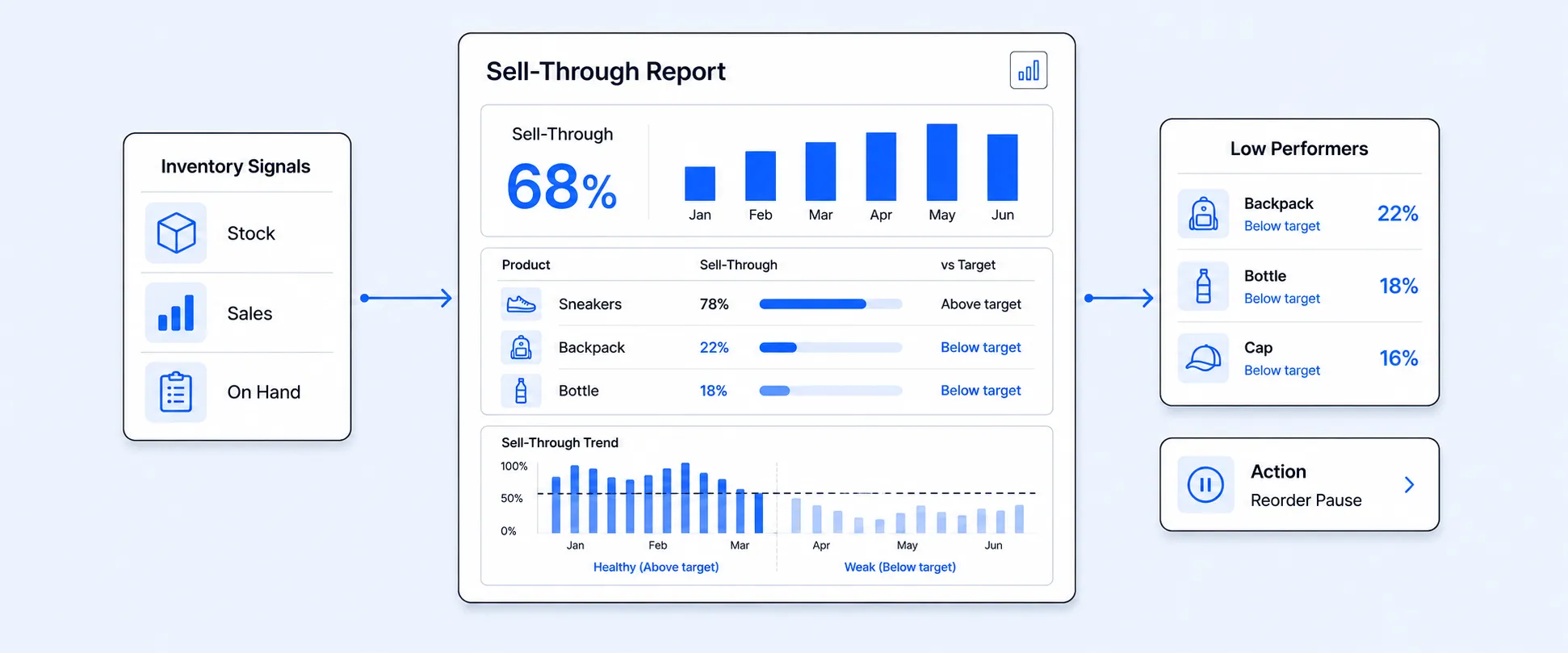
Most Shopify merchants don’t actually struggle because sales are low. More often, the real issue is inventory that just doesn’t move.
You’ve probably seen it happen. Products sit in the warehouse longer than they should. Cash gets tied up in stock that isn’t selling. Your best sellers go out of stock right when demand picks up. Meanwhile, slower items quietly pile up in the background. Sound familiar? If yes, you're not the only one. It’s frustrating to realize you’ve overstocked the wrong products while your winners sell out too fast. On top of that, inventory data can feel scattered across different reports, making it hard to see what’s really going on. Revenue might look solid on paper, but somehow the profits don’t feel as strong.
That’s where a simple metric can make a big difference: sell-through rate. Shopify includes built-in inventory reports to help you monitor stock levels and make more informed inventory decisions. You can view the Product sell-through rate report from the analytics bar on your Products page, where it displays the percentage of your total inventory sold within a selected time frame.
Why Sell Through Tracking Matters for Inventory
Sell-through tracking shows how efficiently your inventory converts into sales by measuring how much of the stock you purchased actually sells within a given period. It helps you see whether your buying decisions truly match customer demand, instead of just relying on revenue numbers. Sometimes revenue can be misleading because a product may generate decent sales while still being overstocked.
For example, if you receive 1,000 units and sell 200, your revenue might look simple, but you are still holding 800 units in inventory. That unsold stock represents cash tied up on shelves that is affecting your cash flow, storage costs, and future purchasing.
Sell-through tracking helps you:
- Measure real demand
- Improve purchasing decisions
- Protect cash flow
- Reduce dead stock
- Avoid unnecessary discounts
- Improve warehouse efficiency
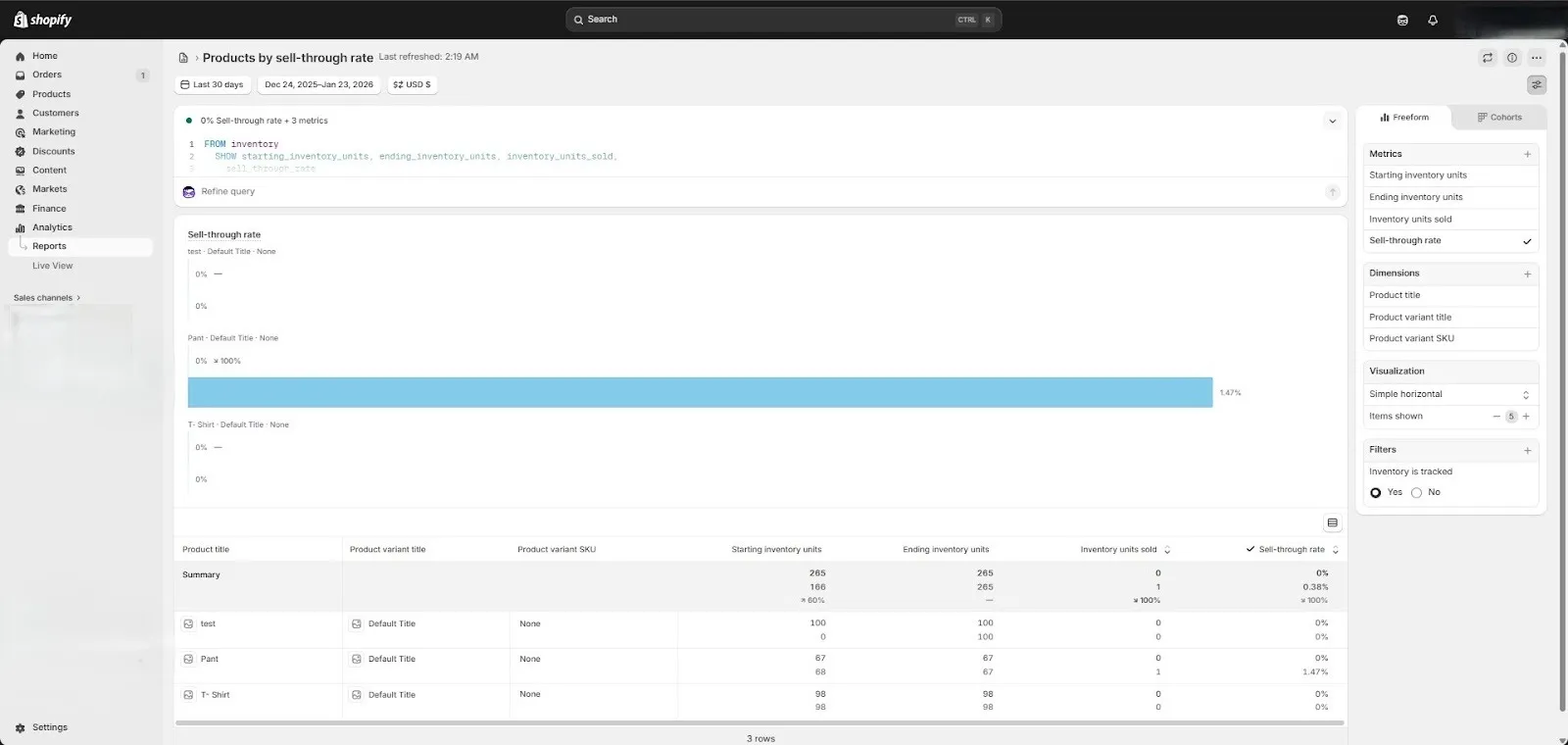
Shopify Inventory Reports to Track Sell-through and Slow-moving Items
Many Shopify merchants feel overwhelmed by inventory decisions because the data seems scattered. One report shows revenue. Another shows inventory. Another shows sales volume. The key is understanding that each built-in report answers a specific question about inventory health. When you read them together, they help you track sell-through, identify slow movers, protect best sellers, and reduce cash flow risk. Below is a detailed explanation of each report, followed by the practical insights you can take from them.
ABC Analysis Report
The ABC Analysis Report grades your products based on how much revenue they generated over the last 28 days. It automatically categorizes them into A, B, and C groups. A products collectively account for approximately 80 percent of your total revenue. B products collectively account for the next 15 percent. C products collectively account for the final 5 percent. This report updates daily to provide the most up-to-date information, and the timeframe cannot be adjusted.
However, this report is revenue-based and calculates performance using item revenue only. It does not factor in product cost, so it should not be used as a profit ranking. The cost of the item does not factor into the calculation of an item's grade, so you should use it carefully when making purchasing decisions.
This observation is found across multiple disciplines, where most of a system's output is caused by a small amount of the input. It's commonly referred to as the 80/20 rule, or the Pareto principle
With insights, you can:
- Identify which products drive the majority of your revenue
- Protect A-grade products from stockouts
- Prioritize reordering for high-impact items
- Reduce the purchasing of low-impact C-grade products
- Combine with profit data before making large inventory investments
Give your A-grade products the most attention. These are the products that account for most of your revenue, and a lack of inventory for these products can hurt your sales. In contrast, your C-grade products can incur unnecessary costs if you stock more than you need, or put too much emphasis on always having them stocked.
Month-End Inventory Snapshot
The Month End Inventory Snapshot shows how much available inventory you had at the end of each month. It excludes committed and incoming inventory, giving you a clear view of available stock levels over time. This report is useful for spotting trends rather than daily fluctuations. By reviewing month end data, you can detect long-term inventory buildup or declining sales trends.
This report includes product variants that have been adjusted or ordered in the last three years.
With insights, you can:
- Spot products that are not reducing month after month
- Identify inventory buildup from over-ordering
- Understand seasonal demand patterns
- Detect overselling issues if inventory becomes negative
- Evaluate long term inventory health instead of short term spikes
Inventory Sold Per Day
The Inventory Sold Per Day report shows the average number of units sold per day for each product variant. This is also known as sales velocity. It tells you how fast a product is moving, not just how much it sold.
Velocity matters because purchasing decisions should match sales speed. If you order large quantities of a slow-moving product, you create excess inventory. If you under-order a fast-moving product, you risk losing sales.
Sales velocity also helps you spot changes in demand. If a product that normally sells 8 units per day drops to 3 units per day, it may signal declining interest, increased competition, pricing issues, or other factors such as seasonality, stockouts, or changes in search rankings. Monitoring these shifts allows you to respond proactively and make informed inventory decisions.
With the insights you can:
- Understand how fast each product is selling
- Detect rising or declining demand trends
- Adjust reorder quantities based on sales speed
- Prevent over-purchasing of slow movers
- Identify products that need marketing optimization
- Reduce stockout risk for fast-moving products
- Combine velocity with stock levels to measure inventory risk
How to Calculate Sell Through Rate STR
Sell through rate measures how much of your inventory is actually sold during a specific period. It helps you understand whether your stock is moving efficiently or not.
For example, if you sold 300 units and have 200 units left in stock, your sell-through rate is 60 percent. That means more than half of your inventory has been converted into sales.
Sell-Through Rate = Units Sold ÷ (Units Sold + Units in Inventory)
Step-by-Step to Identifying Low Performers
Low-performing products rarely cause immediate problems. Instead, they quietly tie up cash and storage space. Over time, they reduce flexibility and profitability. Identifying them early allows you to take corrective action before inventory becomes dead stock.
Filter Zero Sales 30 to 90 Days
Start by identifying products that have had no sales in the last 30, 60, or 90 days. If inventory exists but sales do not, the product is not contributing to cash flow.
This will help you understand:
- Zero sales with existing inventory equals dead stock risk
- Review pricing, marketing, and product positioning
- Consider bundling or running limited-time discounts
Spot High Months of Stock
Use the Months of Stock Report to detect overstocking. If a product shows hundreds of days of remaining inventory, it is moving too slowly.
This will help you to:
- Focus on products with 120 days or more of stock remaining
- Watch for declining sales velocity
- Combine high stock with low sell-through to confirm overstock
- Reduce future purchase quantities
Analyze Returns vs Sales Ratio
High sales numbers can sometimes mask underlying performance problems. If return rates are high, your true demand may be significantly lower than it appears, making it essential to look beyond gross sales figures when evaluating product performance.
With these insights, you can:
- Compare gross sales to net sales for accurate performance
- Investigate products with unusually high refund rates
- Improve product pages, sizing charts, or quality control
- Avoid reordering products with persistent return problems
- Monitor customer feedback to detect root causes
Identify Winning Products and Reduce Inventory Risk
Winning products are the foundation of a thriving Shopify store. These are products that sell consistently, generate strong revenue, and maintain healthy profit margins. Identifying and prioritizing them is essential for smarter purchasing decisions, focused marketing efforts, and long-term business growth.
With this step, you can:
- Look for high sell-through combined with strong daily velocity
- Prioritize A grade revenue drivers
- Ensure margins remain healthy
- Monitor return rates to protect profit
- Set clear reorder points for top sellers
- Maintain safety stock to avoid stockouts
- Allocate more marketing budget to the best sellers
Know When to Restock and When to Stop Ordering
Have you ever run out of a best-selling product and lost sales? Or found yourself with a warehouse full of items that barely move? Both situations are more common than you think, and both happen when purchasing decisions are not properly balanced.
Ordering too early creates excess stock that ties up cash flow and increases holding costs. Ordering too late causes stockouts, missed revenue, and frustrated customers who may turn to competitors. The key is timing, and that is exactly where sell-through rate and sales velocity become your most valuable tools.
When Should You Restock?
Restocking should happen when demand is strong and inventory levels are steadily decreasing. Here are the key signals to watch for before placing a reorder:
When Should You Stop Ordering?
Not every product deserves a reorder. Consider pausing or stopping orders when:
- Sales velocity has significantly slowed or stalled for over 30 to 90 days.
- Return rates are persistently high with no clear resolution.
- The product has a low sell-through rate despite marketing efforts.
- Margins have declined to a point where profitability is no longer sustainable.
Conclusion
Inventory problems usually do not explode all at once. They build up slowly over time. The good news is you already have the data inside Shopify to manage this better. When you track sell-through rate, sales speed, stock levels, returns, and margins together using reports like the Inventory Sold Per Day Report and the Month End Snapshot Report, you get a clearer view of real product demand and inventory health.
This helps you see which products may deserve more investment and which ones may need discounts, bundling, or reduced purchasing. It supports better protection of best sellers from stockouts and helps reduce excess buying of slower products. Over time, this approach improves cash flow and creates a stronger foundation for your store. Shopify's built-in reports give you everything you need to stay ahead. The ABC Analysis, Month-End Inventory Snapshot, and Sales Velocity reports are not just numbers on a screen; they are signals telling you where to act next.
Start with one report today. Identify one product that needs attention. Make one smarter purchasing decision. Over time, those small improvements add up to a healthier store, stronger cash flow, and a product catalog that truly works for your business.
FAQs
1. What is the sell-through rate, and why does it matter?
The sell-through rate shows how much of your inventory has been sold in a given period. It helps you understand real demand and avoid tying up cash in slow-moving stock.
2. Which Shopify reports help track sell-through?
Reports like ABC Analysis, Sales by Product, Months of Stock, Inventory Sold Per Day, and Month-End Snapshot help you measure demand, velocity, and inventory health.
3. How can I quickly identify low-performing products?
Look for products with zero recent sales, high remaining stock, weak sell-through, or high return rates. These items often tie up cash and reduce profitability.
4. When should I restock or stop ordering?
Restock when demand and margins are strong, and inventory is declining steadily. Stop or reduce orders when sell-through is weak, sales are slowing, or returns and low margins hurt profit.

5.0 ( 2000+ Reviews)
