A Smarter Way to Export and Back Up Shopify Product Catalogs

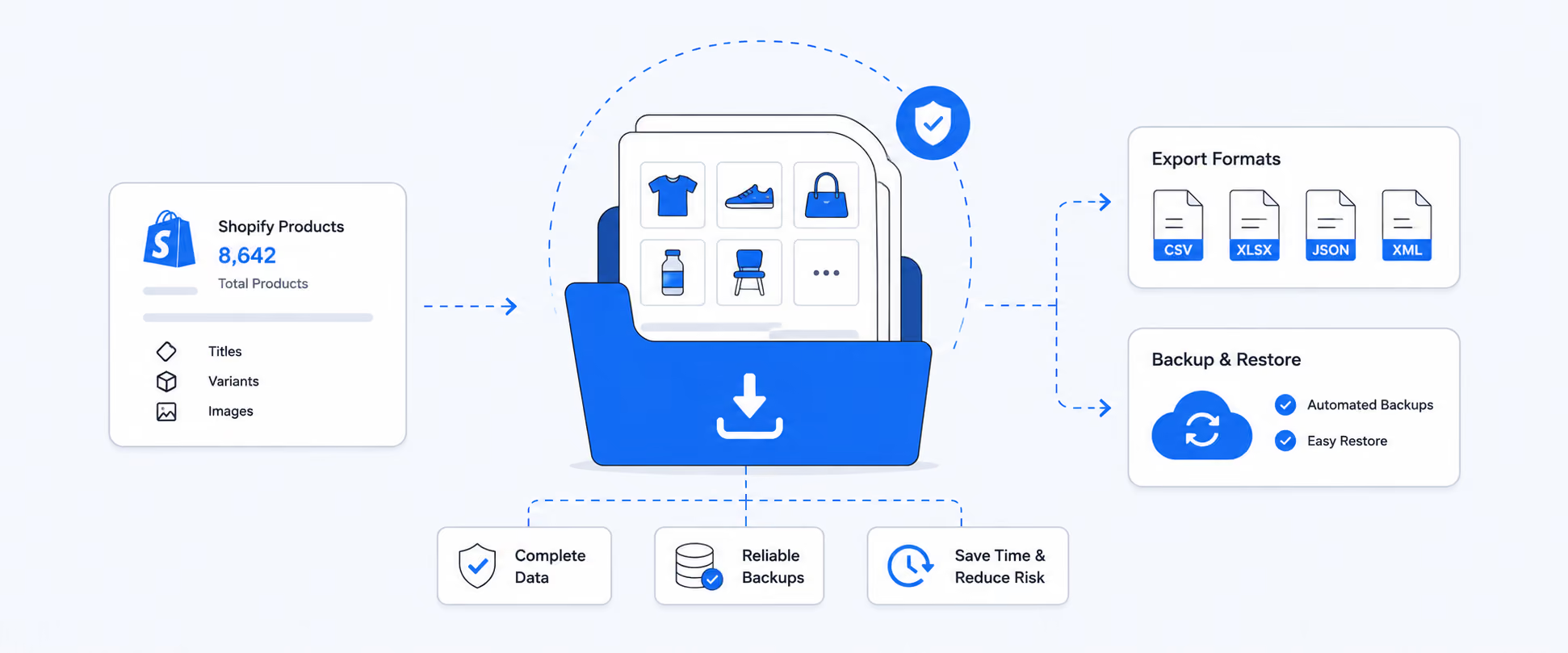
The product catalog plays a major role in shaping how shoppers perceive a product. In e-commerce, visuals often create the very first impression, influencing whether a customer clicks, explores, or makes a purchase. That is why high-quality product catalogs are so important for Shopify store owners.
However, if you are trying to download all your product catalogs from Shopify, the process can feel overwhelming. Manually saving catalogs across dozens or hundreds of product pages can be time-consuming, repetitive, and frustrating, especially for stores with large catalogs.
Product backups are one export use case. If you're also thinking about backing up orders, customers, or inventory, see our guide on how to export Shopify data for the full workflow.
It's crucial to understand why merchants export their product catalogs, how to use Shopify’s built-in export feature, when third-party apps come into the picture, and how exporting helps businesses scale more efficiently.
Why Store Owners Export Their Shopify Product Catalog
Exporting a Shopify product catalog offers major benefits for store owners who want better control over their product data. It allows you to manage product information in one place, avoid manual duplication, and quickly update listings across platforms. Exporting also makes it easier to back up data, migrate stores, run bulk edits, and share product details with marketing channels or external teams.
Exporting product catalogs to save time, keeping your product information safe, backed up, and under your control so it is not lost, corrupted, or accidentally changed.
Creating Reliable Product Backups
A full product export serves as a safety net in case of accidental deletions, bulk-edit mistakes, app conflicts, or store migrations.
Store owners often create backups before:
- Updating pricing in bulk
- Installing apps that modify product data
- Migrating themes or stores
- Restructuring collections
Managing Product Feeds for Ads and Marketplaces
Product catalog exports are essential for creating optimized feeds for platforms such as Google Shopping, Meta, Amazon, and TikTok.
Exports allow you to:
- Customize product titles for better ad performance
- Adjust categories to meet marketplace rules
- Add missing required attributes
- Exclude low-quality or non-compliant products from feeds
Shopify Native Product Export
Shopify includes a built-in export tool that works well for basic backups and simple catalog updates.
Where to Find the Product Export Option in Shopify
To export products using Shopify’s official method:
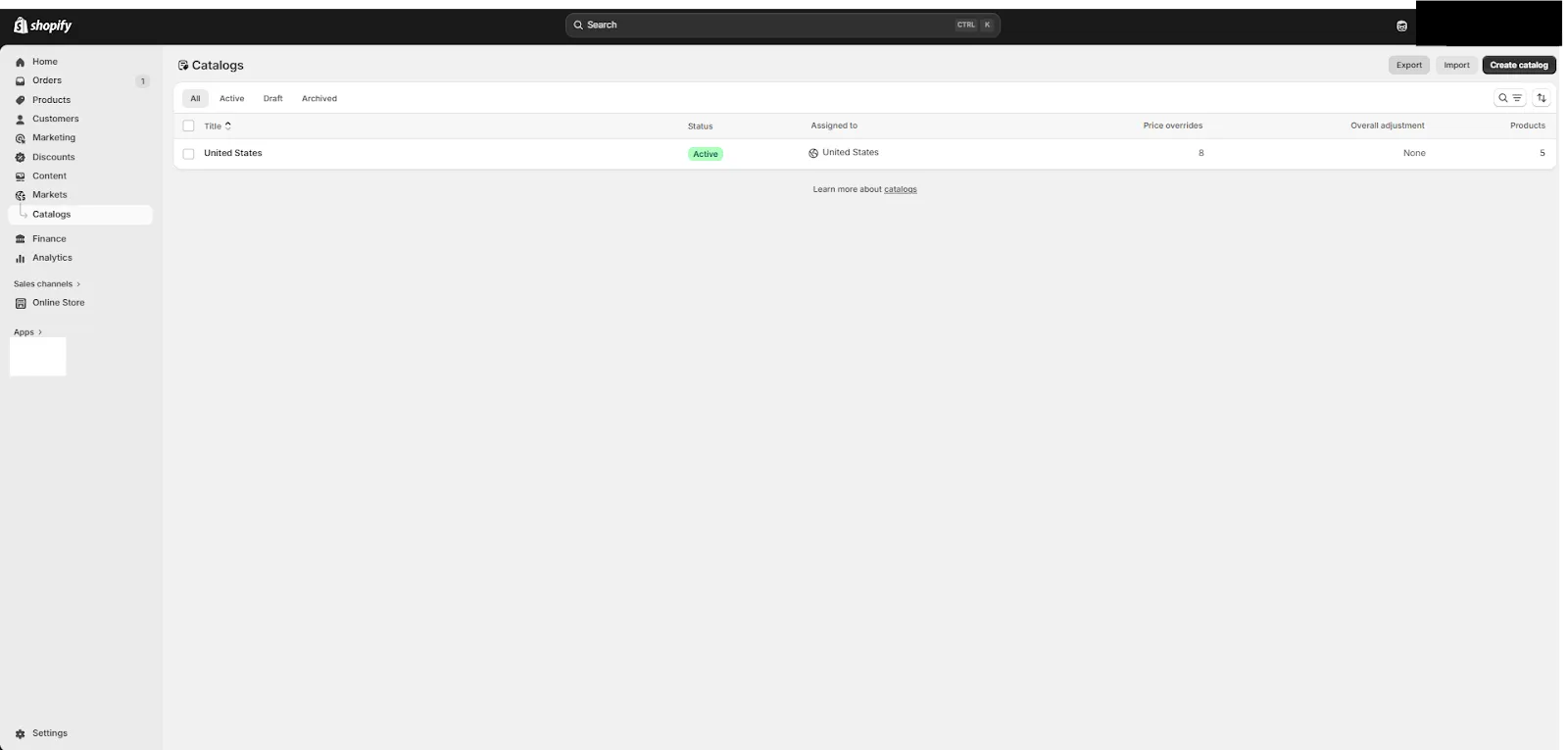
- Open your Shopify admin
- Click Market and then Region in the left sidebar
- Click the Catalog and hit the Export button in the top right corner
Once you click Export:
- Choose all products to download your full catalog
- Or select specific products if you only need certain items
- Choose CSV as the export format
- Click Export products
Large product catalogs may be emailed to you instead of downloading instantly.
CSV File Format and Structure Explained
The exported file follows Shopify’s structured CSV format and can be opened in Excel, Google Sheets, or similar tools.
If you plan to re-import changes later, it is important to:
- Keep column headers the same
- Avoid changing the file structure
- Save a backup of the original export before editing
Using Third-Party Apps to Manage Large Catalogs
If you want to export all product information from Shopify, especially for tasks like migrating your catalog to Channel Advisor, third-party apps are the best solution. Shopify’s built-in export can be limited, but reporting tools let you capture every detail, including variants, pricing, and custom fields. This makes it easy to migrate data, update Shopify accurately, and manage large catalogs efficiently.
Automated and Scheduled Product Exports
Third-party apps allow you to automate exports so data stays updated without manual downloads.
Benefits include:
- Daily or weekly scheduled exports
- Automatic email delivery
- Syncing to Google Sheets or cloud storage
- Always updated product feeds
This improves feed accuracy and reduces ad disapproval.
Multi-Store and Multi-Location Export Capabilities
For brands running multiple Shopify stores, exporting catalogs becomes more complex as products, pricing, and inventory vary across regions. This makes advanced export tools especially valuable, as they allow you to manage exports across multiple stores from a single dashboard, compare catalog performance across regions, and merge inventory and pricing data across different locations, ensuring better consistency and visibility across global operations.
For brands running multiple Shopify stores, advanced tools allow:
- Managing exports across multiple stores in one dashboard
- Comparing catalog performance across regions
- Merging inventory and pricing data across locations
Shopify Product Export and Market Limitations and Challenges
While Shopify’s built-in product export tool works for basic needs, for businesses, it's not enough for those that are growing or operating across multiple markets. Comparing catalogs across regions, markets, performance trends, or revenue contribution is not simple, and critical data like advanced pricing rules, cost adjustments, and market-specific price logic often does not export clearly. For stores operating across different domains, product URLs, pricing structures, and catalogs can vary significantly, making it challenging to maintain consistency and sync data accurately.
You might frequently encounter missing or unclear pricing adjustments, including promotional and market-based pricing. This is where reporting tools become invaluable. They allow for automation of product feed updates, minimize errors from manual handling, and streamline large catalog management. They also provide advanced control over your data, letting you customize fields, apply pricing formulas, convert currencies, and segment products by tags or categories.
Beyond operational efficiency, these exports become essential for business intelligence, supporting market revenue analysis, profitability tracking, inventory performance, and helping owners to make smarter decisions.
How Third-Party Apps Help Merchants Export Product Data Smarter
If you want to download all of your product catalogs in one go, apps like Report Pundit from the Shopify App Store can make the process much faster and easier. These tools are designed to automate bulk image downloads, saving you time and effort. Below are a few popular options that you might find helpful:
- Build custom product reports with filters for vendor, inventory status, price ranges, SKUs, and stock levels
- Automate bulk exports and updates to reduce errors in large catalogs. It automatically calculates duties and taxes at checkout, or displays duty-inclusive and tax-inclusive pricing upfront.
- Show prices in local currencies with proper formatting for global customers.
- Localize content, including product descriptions and policies, for each market.
For example, if you can export only low stock products or products in specific collections, something Shopify’s default export cannot handle.
How It Helps You Make Better Business Decisions
Report Pundit empowers you to make informed decisions by providing a clear view of your Shopify operations across multiple markets. By consolidating data and offering actionable insights, it helps optimize revenue, reduce costs, and customize strategies for each region.
Key benefits include:
- Optimize ad spend by customizing feeds for each region
- Reduce marketing and advertising costs across locations
- Understand tax implications based on shipping regions
- Improve pricing and cost strategies per market
- Adapt content and offerings for different markets using Shopify Markets
Case Study
One of our customers needed a reliable way to export and analyze complex Shopify Plus data related to product catalogs, variant pricing, and company locations. They wanted an accurate visibility into catalog-based pricing, volume price breaks, variant-level costs, and company location metafields, all in a single, unified reporting system.
Our team built a customized reporting solution that syncs full Shopify catalog data, including product publications, variant-level pricing, fixed catalog prices, and volume pricing tiers. We also enabled company and company location metafield syncing, ensuring the customer could export complete B2B account and location records without relying on sales activity. The final reports provide accurate catalog pricing, variant cost tracking, company location insights, and advanced filtering across catalogs, markets, and SKUs, helping the client manage pricing, customer segmentation, and B2B operations more efficiently.
Conclusion
Exporting your Shopify product catalog is essential for backups, bulk editing, feed optimization, and business analysis. While Shopify’s native export works for basic needs, third-party apps provide greater flexibility, automation, and control, especially for growing stores with large or complex catalogs. By choosing the right export method, you can save time, reduce errors, improve product data quality, and scale your operations more efficiently.
Downloading all product catalogs from Shopify does not have to be a time-consuming or manual process. By using advanced reporting apps, you can streamline catalog management and improve operational efficiency. Optimized product catalog enhances customer experience, strengthens brand presence, and supports better performance across digital channels.
In a clear and crisp statement, a well-managed catalog workflow keeps your catalog accurate, visually optimized, and ready for multi-channel growth.

5.0 ( 2000+ Reviews)
