Shopify Inventory by Location: Track Stock Across Stores and Warehouses
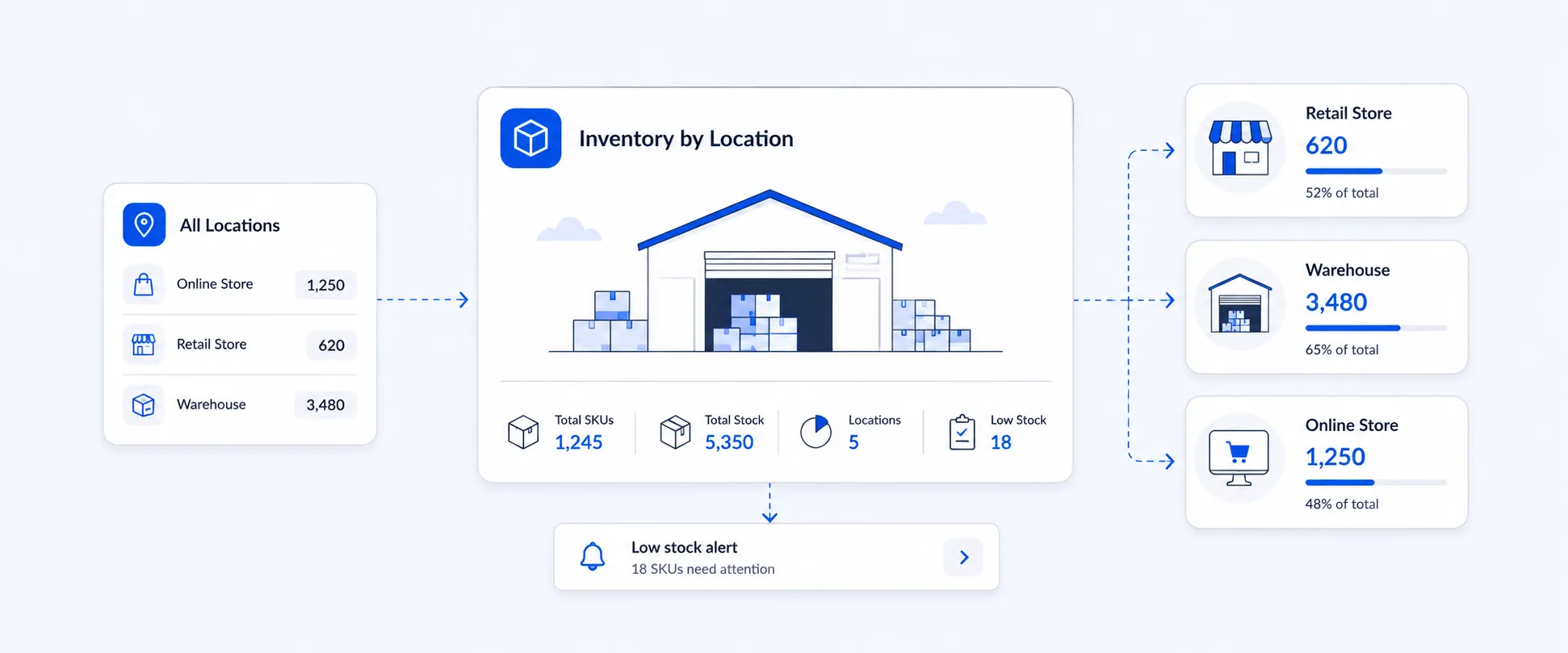
Managing inventory is simple when all your stock sits in one place. But once your Shopify store grows across multiple warehouses, retail stores, fulfillment centers, or 3PL locations, total inventory is no longer enough.
You need to know where each product is available, which location is running low, what stock is committed to open orders, and where incoming inventory is expected.
That is where Shopify inventory by location becomes important.
Questions a Location-Level Inventory View Can Answer
A location-level inventory view helps you answer questions like:
Which store is running low on a fast-moving product?
How much stock is available at each warehouse?
Which products are already committed to open orders?
What inventory is incoming to a specific location?
Do we need to transfer stock from one location to another?
Which location has excess inventory sitting idle?
What is the inventory value at each location?
Shopify gives merchants access to inventory data, but growing teams often need a clearer report that can be customized, exported, and shared. With Report Pundit, you can organize Shopify inventory data by product, variant, SKU, location, stock quantity, and inventory value in one report.
What Is Shopify Inventory by Location?
Shopify inventory by location shows how much stock is available at each store, warehouse, retail outlet, fulfillment center, or 3PL location.
Instead of only checking the total inventory for a product, you can see where that inventory actually sits.
For example, one product may have 500 units in total, but the stock may be split like this:
At first glance, the product looks healthy because there are 500 units available overall. But if your New York warehouse serves most of your online orders, 40 units may not be enough.
This is why Shopify inventory by location is important. It helps you understand stock availability at the location level, not just at the product level.
Why Inventory by Location Matters for Shopify Stores
Inventory by location helps Shopify merchants make better operational decisions.
If you only look at total stock, you may miss problems happening at individual locations. A product can look “in stock” overall but still be unavailable at the location where customers need it.
Here are a few common situations where location-level inventory becomes useful.
1. Avoid stockouts at high-demand locations
A bestseller may be available in your main warehouse but out of stock at your busiest retail store. A Shopify inventory by location view helps you catch that issue before it affects sales.
When you can see stock by location, your team can restock the right place instead of only looking at total product quantity.
2. Move excess stock from slow locations
Some locations may hold too much inventory while others run low. By comparing inventory across locations, you can plan stock transfers instead of placing new purchase orders too early.
This helps reduce excess inventory and makes better use of the stock you already have.
3. Improve fulfillment decisions
When inventory is split across warehouses, stores, or 3PL locations, knowing where stock sits can help your team fulfill orders more efficiently.
For example, if a product is available in two warehouses, your team may want to ship from the location closer to the customer or from the location with more available stock.
4. Plan restocking by location
A product may need replenishment in one warehouse but not another. Inventory by location helps you reorder based on actual location-level demand instead of relying only on total inventory numbers.
This is useful for stores that sell across regions, retail outlets, or multiple fulfillment points.
5. Understand inventory value by location
Inventory quantity tells you how much stock you have. Inventory value tells you how much money is tied up in that stock.
For finance and operations teams, location-level inventory value can help with stock planning, warehouse review, and inventory control.
What Shopify Shows and Where Merchants Need More Detail
Shopify allows merchants to view and manage inventory quantities by location inside the admin. This is helpful for basic inventory checks.
But many growing stores need more than a basic inventory view. They often need a report that can be filtered, customized, exported, and scheduled.
For example, your team may want to see inventory by:
- Product
- Variant
- SKU
- Vendor
- Product type
- Location
- Available quantity
- Committed quantity
- Incoming quantity
- On-hand quantity
- Safety stock or unavailable stock
- Inventory value
- Product status
This is where a custom Shopify inventory by location report becomes useful.
Instead of checking products one by one or exporting data manually, your team can use a structured report to review stock across locations and share it with warehouse, retail, operations, or finance teams.
What Should a Shopify Inventory by Location Report Include?
A useful Shopify inventory by location report should include both product details and stock details.
This gives your team a clearer picture of what is available, what is already committed, what is incoming, and where inventory needs attention.
How Report Pundit Helps You Track Inventory by Location
Report Pundit helps Shopify merchants turn inventory data into clear, customizable reports.
You can build a location-level report for all your Shopify stores, warehouses, retail locations, or fulfillment centers, then customize it based on how your team works.
For example, you can filter your report by location, vendor, product type, product status, SKU, collection, or tag. This helps your team focus on the inventory data that matters instead of going through every product manually.
Report Pundit can also help you organize inventory by product, variant, SKU, and location, so you can quickly see which products are available, which stock is already committed to open orders, and where incoming inventory is expected.
If your team needs a ready-made version, you can use the Inventory by Location Report in Report Pundit. It gives you a structured view of inventory by physical location, product, variant, SKU, quantity, and value.
Example: Inventory by Product, SKU, and Location
Here is a simple example of how inventory by location data can be organized in Report Pundit using your Shopify inventory details:
Inventory value is usually calculated using item cost and stock quantity. The exact calculation may depend on how your store tracks product cost and inventory value.
This type of report helps you see more than total stock. You can quickly identify which location is low, which location has excess inventory, where incoming stock is expected, and how much inventory value is held at each location.
When Should You Use Shopify Inventory by Location?
A Shopify inventory by location report is useful when your store manages stock across more than one place.
Use it when you need to:
- Compare inventory across multiple Shopify locations
- Check stock by warehouse, store, or 3PL
- Find products that are low at one location but available at another
- Plan stock transfers between locations
- Review incoming inventory by location
- Track committed inventory from unfulfilled orders
- Share inventory data with warehouse or retail teams
- Export inventory details for planning
- Review inventory value by location
- Schedule regular stock reports by email or Google Sheets
This is especially useful for merchants with multiple retail stores, warehouses, fulfillment centers, or regional inventory operations.
Common Inventory by Location Problems Shopify Merchants Face
Location-level inventory becomes more important as your store grows. Here are some common problems merchants face when they do not have a clear inventory by location view.
Stock looks available, but not in the right location
A product may show enough total inventory, but the stock may be held in a location that does not serve the customer or sales channel you need.
This can lead to fulfillment delays, stock transfers, or missed sales.
Warehouse teams need different inventory details
Your warehouse team may need SKU, location, available quantity, incoming stock, and committed stock. Your finance team may care more about cost and inventory value.
A customizable inventory by location report helps each team see the details they need.
Manual exports take too much time
If your team is downloading Shopify inventory data manually, cleaning it in spreadsheets, and sending it to different teams, the process can become slow and error-prone.
A scheduled report helps reduce repetitive work.
Inventory planning becomes harder across multiple locations
When stock is spread across several locations, it becomes harder to know where to replenish, where to transfer stock, and where inventory is sitting idle.
A location-level report gives your team a clearer starting point for planning.
Export and Schedule Inventory by Location Reports
Once your report is set up in Report Pundit, you do not need to rebuild it manually every time.
You can export Shopify inventory by location data in formats such as CSV, Excel, PDF, or Google Sheets. This makes it easier to share inventory details with warehouse teams, retail managers, finance teams, or business owners.
You can also schedule reports to be sent daily, weekly, or monthly.
For example, you can schedule:
- A daily inventory by location report for operations
- A weekly stock report for warehouse teams
- A monthly inventory value report for finance
- A location-level stock report for retail managers
- A low-stock report grouped by location
This helps your team stay updated without pulling manual inventory exports from Shopify every time.
Related Inventory Reports You May Need
Inventory by location is a strong starting point, but some merchants may also need related inventory reports depending on how they manage stock.
These can include:
- Inventory on Specific Day
- Low Stock Product report
- Inventory Reorder Point report
- Inventory Transfers report
- Inventory Sell-Through report
- Inventory Cost report
- Inventory by Product Type report
These reports can work together to give you a better view of stock movement, replenishment, inventory value, and product performance.
Conclusion
Shopify inventory by location gives merchants a clearer view of where stock is available, committed, incoming, or running low.
For stores with multiple warehouses, retail locations, or fulfillment centers, this visibility is important. Total inventory alone does not show where the stock actually sits or which location needs action.
With Report Pundit, you can organize Shopify inventory data into a location-level report, choose the fields your team needs, export the data, and schedule it for regular delivery.
Instead of checking inventory manually across products and locations, you can manage stock from one clear report.
FAQ
Can Shopify show inventory by location?
Yes, Shopify lets merchants view inventory quantities by location inside the admin. However, many merchants need a more detailed report that includes product, variant, SKU, available quantity, committed quantity, incoming inventory, on-hand quantity, and inventory value in one view.
How do I track inventory by location in Shopify?
You can track inventory by location in Shopify by checking product inventory across your saved locations. If you need a customized report with specific fields, filters, exports, and scheduled delivery, Report Pundit can help organize your Shopify inventory data into a location-level report.
What is a Shopify inventory by location report?
A Shopify inventory by location report shows stock levels across each store, warehouse, retail outlet, or fulfillment location. It helps merchants see which products are available, committed, incoming, or on hand at each location.
Why is inventory by location important?
Inventory by location helps merchants prevent stockouts, reduce excess stock, plan transfers, improve fulfillment decisions, and understand where inventory value is held.
Can I export Shopify inventory by location?
Yes. With Report Pundit, you can export inventory by location reports in formats such as CSV, Excel, PDF, or Google Sheets.
Can I schedule an inventory by location report?
Yes. Report Pundit allows you to schedule inventory reports and send them to your team automatically. This is useful for daily, weekly, or monthly stock reviews.
What is the difference between available, committed, incoming, and on-hand inventory?
Available inventory is stock ready to sell. Committed inventory is stock assigned to open or unfulfilled orders. Incoming inventory is stock expected at a location. On-hand inventory is the total physical stock at that location.
Who needs a Shopify inventory by location report?
This report is useful for Shopify merchants with multiple warehouses, retail stores, fulfillment centers, 3PLs, or regional stock locations. It is also useful for teams that need to share inventory data with warehouse, retail, operations, or finance departments.

5.0 ( 2000+ Reviews)
